

When I’m working on SEO, one of the most crucial steps is selecting the right keywords to target.
Strategic keyword clustering helps me identify groups of words that work together to boost my site’s rankings, allowing me to create content that is well-optimized and relevant to my audience.
But finding the right AI keyword cluster generator can be a challenge.
After using and reviewing multiple tools, here are the top 10 keyword cluster generators that help me stay focused on what matters most: crafting content that resonates with users and ranks well on search engines.
TL;DR
- The best AI keyword cluster generator on the market is Juma (formerly Team-GPT) because it offers advanced keyword grouping, search intent analysis, and team collaboration features.
- Other tools like RyRob and SEO AI are ideal for simple, free keyword clustering.
- If you’re interested in more in-depth analysis and advanced keyword insights, you can consider ChatGPT and Quattr competitors.
Factors to Consider When Choosing an AI Keyword Cluster Generator
When choosing an AI keyword cluster generator, I always keep a few key factors in mind to ensure I select the right tool for my needs. Here’s what I focus on:
#1. Accuracy and Depth of Clustering
Not all AI generators are equal in their ability to create keyword clusters. The best tools group related keywords effectively, considering variations and long-tail keywords.
You want a generator that doesn’t just give you a handful of random words but organizes them into comprehensive clusters that make sense for your content or campaigns.
Look for a tool that organizes these keywords in a structured, logical way to improve their effectiveness for SEO.
#2. Customization and Flexibility
You should have the ability to refine the results based on your specific needs, whether that’s adjusting the tone, target audience, or adding exclusions. The more control you have over the output, the better your keyword clusters will be for your goals.
Look for a tool that allows you to adjust settings and even use your existing keyword data for more precise clustering.
#3. Relevance to Your Niche
You need a generator that tailors its output to your specific industry and audience. It’s essential that the AI understands the context of your business and creates keyword clusters that are directly relevant to your products, services, or content topics.
This will make sure that the generated clusters align with your SEO goals and the specific queries your target audience is searching for.
Bonus Feature: Scalability and Collaboration
Give the tool bonus points if it offers scalability and collaboration features. If you’re working with a group, a keyword cluster generator that allows multiple users to access and edit the generated clusters can be very beneficial.
This feature ensures that your team can collaborate effectively, share insights, and refine the clusters to suit your overall SEO strategy better. Collaboration tools also help maintain consistency across campaigns and clients.
What Are the Best AI Keyword Cluster Generators In 2026
Here’s a look at the 10 best AI keyword cluster generators in 2026 and what they are best known for:
| Tool Name | Key Feature |
|---|---|
| 1. Juma (formerly Team-GPT) | Customizable keyword clusters, team collaboration, and AI model selection (ChatGPT, Claude). |
| 2. RyRob | Enriched keyword clusters with statistical data (search volume, competition, trends). |
| 3. SEO AI | Fast bulk keyword clustering with automatic categorization based on search intent. |
| 4. Zenbrief | Uses NLP to group keywords intelligently based on semantic relevance and search intent. |
| 5. RightBlogger | Keyword clustering with SEO insights, including search volume and competition metrics. |
| 6. ChatGPT | Real-time keyword clusters with minimal input, based on search intent and topic relevance. |
| 7. Claude | User-friendly clustering with natural language processing and customizable keyword lists. |
| 8. Gemini | Offers organized keyword clusters with insights into search intent and content planning. |
| 9. Quattr | Advanced NLP-based clustering with support for multiple AI models and keyword analysis. |
| 10. KeyClusters | Uses real-time Google SERP data to group keywords and avoid keyword cannibalization. |
| 11. AirOps | Optimizes keyword clusters for both traditional search and AI answer engines (ChatGPT, Claude, Perplexity). |
Tools That Offer the Most Customizable, Strategic, and Collaborative Keyword Clustering Workflows
Here are the best AI keyword generators I’ve found that help me achieve precision and efficiency in my keyword clustering process:
1. Juma (formerly Team-GPT)
Juma (formerly Team-GPT) offers one of the best AI keyword cluster generators in 2026 because it lets me create highly customized keyword clusters that are tailored to my specific content needs.
Unlike other tools that rely on generic outputs, with Juma (formerly Team-GPT), I have full control over the entire process, from defining the task to refining the final results.
The platform’s Prompt Builder helps me craft detailed, focused prompts, ensuring the keyword clusters I generate are relevant, well-organized, and aligned with my SEO strategy.
Plus, with the ability to collaborate with my team, I can create consistent clusters that support our long-term goals.

Full disclosure: Even though Juma (formerly Team-GPT) is our platform, I’ll provide an unbiased perspective on why it will be the best AI keyword cluster generator in 2026.
How It Works
Here’s exactly how I use Juma (formerly Team-GPT) to generate keyword clusters that align with my business goals:
Step 1: Build Your Best Prompt Using the Prompt Builder
I start by defining the task I need to accomplish. For example, “generate keyword clusters for a blog post about “SEO strategies for startups”.

The Prompt Builder helps me break it down further by asking a few key questions:

Once I fill in this information, Juma (formerly Team-GPT) creates a detailed prompt based on my inputs. At this point, I also edit the prompt directly if I want to add or remove something

Want to generate keyword clusters that are precise and highly relevant to your content? Here’s a detailed breakdown of how to use Juma (formerly Team-GPT)’s Prompt Builder to get the output you want, which in this case is a focused, targeted, and personalized keyword cluster for SEO strategy.
Step 2: Review The Prompt and Choose Your AI Model
Once I am satisfied with the prompt, I go ahead and hit “Save & Use.” After this, I get a chance to select the AI model I want to work with, such as ChatGPT o3 or Claude (these are AI tools that interpret your inputs and generate the output). Here, I am going ahead with Claude.
Then, I hit “Generate”, and within seconds, Juma (formerly Team-GPT) gives me a structured set of keyword clusters based on the detailed prompt I added.
P.S. If the output includes anything unnecessary, I simply ask the AI to remove it. Since it functions like a chat, making edits and refinements is quick and easy.
Step 3: Turn Your Clusters into a Page
Once the keyword clusters are ready, I can click “Turn to Page” to turn the output into a clean, editable document, just like Google Docs. This makes it easy for me to edit, organize, and refine the clusters further. It’s super handy when I want to collaborate with my team or save clusters for future use.
Step 4: Add Custom Instructions (Optional)
When I’m working on a recurring task, like generating keyword clusters for specific types of content (e.g., SEO-focused blog posts), I save custom instructions to avoid repeating the same setup each time. This helps me maintain consistency across all my tasks.
Here’s how I do it: I click on “Add Context” > “Instruction” > “Add an Instruction” > “Save.” I usually name it something like “SEO Keyword Clusters – Blog Content” or “Keyword strategy for marketing blogs.”
Once I save these instructions, I can apply them in the future with just a click, ensuring the AI generates clusters that cover the same things without me needing to re-enter the details each time.
Pros and Cons
✅ You can tailor the prompts to fit your unique needs, ensuring the generated clusters are relevant to your content strategy.
✅ You can choose from different AI models, like ChatGPT or Claude, depending on the complexity of your task.
✅ Team-based workspaces allow you to refine prompts together and ensure consistent output.
✅ You can save effective prompts and reuse them for different projects, streamlining future tasks.
✅ Once you generate the clusters, you can turn them into a document for further editing, making it easier to refine.
❌ The tool works only within Juma (formerly Team-GPT), so it’s not compatible with external platforms.
❌ Juma (formerly Team-GPT) doesn’t offer a free version, which might not work well for solo users or small teams just getting started.
Pricing
Juma (formerly Team-GPT) offers three pricing plans based on the size and needs of your team:
{{blog-pricing}}
2. Writesonic
Best for: AI-powered keyword clustering integrated with an AI writing tool.
Similar to: Ubersuggest, SEMrush, Ahrefs.
Pricing: Included in Writesonic’s premium plans, starting at $39/month.
Writesonic’s Keyword Clustering Tool is a powerful feature within the Writesonic platform that helps marketers and content creators group similar keywords into relevant clusters based on search intent and semantic relevance. This tool uses AI and machine learning algorithms to automatically identify relationships between keywords, making content planning faster and more efficient.

How It Works
Here’s how I use Writesonic’s Keyword Clustering Tool:
- Enter Your Primary Keyword: I start by entering a primary keyword, such as “prompt builders”, into the search field. This serves as the core keyword for the keyword clusters I want to generate.
- Select Your Settings: Next, I choose whether to group similar keywords together. This option is useful for automatically clustering synonyms or related keywords that share the same intent, like “best prompt builders” and “top prompt builders.”
- Generate Keyword Clusters: After entering the primary keyword and settings, I click on “Create Content”. Writesonic then uses its AI-powered algorithms to analyze my keyword and generate clusters of related keywords.
- Review and Use the Clusters: I review the generated clusters and select the most relevant ones to build out my content strategy.

Example Output
I can’t show you the output generated by Writesonic, as it requires a paid plan, which I had until I switched to Juma (formerly Team-GPT).
Pros and Cons
✅ Writesonic’s tool automatically analyzes and groups keywords based on search intent.
✅ The tool is integrated with other Writesonic features, so you can immediately use the clusters to generate content based on SEO needs.
✅ Writesonic can handle large sets of keywords, making it ideal for scalable content strategies.
❌ The tool is optimized for use with other Writesonic tools, so it might not integrate as well with external SEO platforms.
❌ The keyword clustering tool is part of the premium plans, starting at $39/month, so it’s not available in the free version.
3. ChatGPT
Best for: Bulk generating keyword clusters based on search intent and topic relevance.
Similar to: RyRob, Ubersuggest, and SEMrush.
Pricing: Free.
ChatGPT is one of the best AI tools for generating keyword clusters in 2026. With its natural language processing (NLP) capabilities, ChatGPT can understand context and search intent, which means it helps you group related keywords together more effectively. This makes it easier for you to create well-organized content strategies, target a variety of related keywords, and improve your SEO performance.

How It Works
Here’s how I use ChatGPT to generate keyword clusters:
- Enter a Primary Keyword: I start by typing in my main keyword, for example, “prompt builders.”
- Provide Additional Context (Optional): Sometimes, I’ll add a sentence or two to specify my target audience or industry. For example, “I want long-tail keywords for bloggers interested in SEO tools.”
- Request Keyword Clusters: I ask ChatGPT to generate related keywords or suggest groups of keywords based on my primary keyword.
- Review the Output: ChatGPT will generate several keyword clusters, each focusing on different aspects of my primary keyword.

Example Output
I used “prompt builders” as the primary keyword in ChatGPT. Here’s what the tool generated for me:

Pros and Cons
✅ ChatGPT generates highly relevant keyword clusters based on your input.
✅ You can refine the results with more detailed instructions, ensuring the keywords match your content or SEO goals.
✅ ChatGPT is user-friendly, requiring just a simple input to get started.
❌ ChatGPT doesn’t provide metrics like search volume, competition, or CPC data.
❌ The quality of the keyword clusters depends on how well you structure your prompts.
4. Claude
Best for: Intelligent keyword grouping and clustering for comprehensive content planning without technical complexity.
Similar to: ChatGPT, Jasper AI, and Copy.ai.
Pricing: Free with limited usage (approximately 20 messages daily. After this, you need to get a paid plan starting at $20 per month.
Claude AI stands out as one of the most effective keyword cluster generators in 2026 because of its ability to understand search intent and create logical keyword groups. You don’t need to be an SEO expert to use it effectively. Claude can take your raw keyword lists and organize them into meaningful clusters based on user intent, semantic relationships, and content themes.

How It Works
Here’s how I use Claude for keyword clustering:
- Prepare Your Keywords: I gather my keyword list from tools like Google Keyword Planner, Ubersuggest, or Ahrefs.
- Input the List: I paste my keywords into Claude and ask it to “cluster these keywords by search intent” or “group these keywords for content planning.”
- Get Smart Clusters: Claude analyzes the keywords and creates logical groups based on what users are actually looking for when they search.
- Refine Results: I can ask Claude to split large clusters, merge similar ones, or explain why certain keywords belong together.
- Export for Use: I copy the organized clusters and use them to plan my content calendar or site structure.

Example Output
I used “prompt builders” as the main keyword and asked Claude to create clusters. Here’s what the tool generated for me:

Pros and Cons
✅ You can ask questions, request changes, and get explanations for clustering decisions in plain language.
✅ No need to learn complex interfaces or technical processes.
✅ Grasps search intent better than most tools, creating clusters that make sense for real content planning.
❌ Claude doesn’t provide search volume, competition scores, or other SEO metrics that dedicated keyword tools offer.
❌ Claude can’t pull keyword data directly from search engines.
Tools for Generating SEO-Ready Keyword Clusters With Built-In Metrics
5. RyRob
Best for: Creating keyword clusters enriched with detailed statistical data and supportive information under each section.
Similar to: SEO Scout, Keywords Cupid, SE Ranking Keyword Grouper.
Pricing: Free.
RyRob stands out as one of the best AI keyword cluster generators in 2026 for anyone looking for more than just keyword groupings. It offers keyword clusters enriched with statistical data like search volume, competition levels, and trends, making it a solid choice for SEO-driven content creation.

How It Works
- Enter Your Primary Keyword: I begin by entering a primary keyword in the search bar. For example, I might use “prompt builders” if I want to create a content piece around that topic.
- Select Your Target Country: Next, I choose the country I want to target. By default, I usually leave it set to the United States, but I can easily select another location depending on my target audience.
- Click Search: After clicking Search, the tool provides a set of related keywords, along with their estimated monthly search volume and keyword difficulty scores.
- Select the Best Keywords: I review the keyword suggestions and look for those with at least 1,000 monthly searches and low competition.

Example Output
I used “prompt builders” as the primary keyword in RyRob, and here are some related clusters it generated for me:

Pros and Cons
✅ RyRob offers more than just related keywords; it includes statistical data like search volume and competition to help you make smarter decisions.
✅ The tool is user-friendly, generating keyword clusters quickly without overwhelming you with unnecessary complexity.
✅ You can tweak my prompts or regenerate clusters to dig deeper into relevant keywords, ensuring I get the best possible output for my needs.
❌ While the tool generates excellent clusters, I don’t have as much control over the specific grouping process as with other customizable tools.
❌ You can’t export the keyword clusters directly; you’ll need to copy them manually, which can be tedious for large lists.
6. RightBlogger
Best for: Bloggers, content creators, and SEO professionals who want to create organized and relevant keyword clusters quickly and efficiently.
Similar to: Ubersuggest, Answer the Public, and SEMrush.
Pricing: The free plan offers 1,000 words per month, which is sufficient to generate multiple meta titles and descriptions. If you require more, you can upgrade to the paid plan starting at $29.99/month.
RightBlogger is one of the best AI-powered keyword cluster generators in 2026, especially for bloggers and content creators looking to optimize their SEO strategy. The tool helps you group related keywords around specific topics, making it easier to create comprehensive content that ranks well in search engines.

How It Works
Here’s how I use RightBlogger’s keyword cluster tool to streamline my SEO efforts:
- Enter Your Primary Keyword: I start by typing in a primary keyword in the search bar. For example, I might input “prompt builders” for my topic.
- Generate Topic Clusters: After I enter the primary keyword, I click on the “Generate Topic Clusters” button.
- Group Similar Keywords: I can toggle the “Group Similar” option on to let the tool automatically group semantically similar keywords.
- Review and Copy the Clusters: Once the clusters are generated, I review them and select the most relevant ones for my content.

Example Output
I used “prompt builders” as the primary keyword, and here’s what RightBlogger generated for me:

Pros and Cons
✅ The tool is straightforward and requires no complicated setup.
✅ RightBlogger groups semantically related keywords, making the clusters highly relevant for SEO.
✅ You can use the basic features without signing up or paying.
❌ You don’t have complete control over how the keywords are grouped or the AI’s decision-making process.
❌ There’s no way to export the keyword clusters directly into a CSV or Excel file.
7. SEO AI
Best for: Bulk keyword clustering, providing quick insights with SEO metrics and automatic categorization.
Similar to: Ubersuggest, Answer the Public, and SEMrush.
Pricing: Free.
SEO AI is a powerful tool designed to help marketers and content creators generate targeted keyword clusters with ease. Unlike basic keyword tools, SEO AI focuses on understanding search intent (what users are looking for when they search) to create more meaningful and relevant clusters.

How It Works
Here’s how I use SEO AI to generate focused keyword clusters:
- Input Your Primary Keyword: I start by entering a primary keyword into the search bar. For example, I might input “prompt builders” to create a cluster around that term.
- Generate Clusters: Once I enter my keyword, I click on the “Generate Topic Clusters” button. The AI instantly analyzes my input and provides a set of related keyword clusters based on search intent (what people are actually looking for).
- Review the Suggested Clusters: After the clusters are generated, I review them. The tool shows me a variety of subtopics related to my primary keyword, along with insights on search intent.
- Select and Copy the Clusters: I pick the keyword clusters I want to use and simply copy them.

Example Output
I used “prompt builders” as the primary keyword in SEO AI. Here’s what the tool generated for me:

Pros and Cons
✅ SEO AI clusters keywords based on search intent, ensuring that your content resonates with what users are actually looking for.
✅ The tool is intuitive and straightforward, generating clusters with just a few clicks.
✅ You can start using the tool right away without needing to sign up or pay.
❌ While SEO AI generates great keyword clusters, you can’t control how specific keywords are grouped or modified.
❌ There’s no way to export the keyword clusters directly; you have to manually copy them.
Tools That Focus on One-Click, SERP-Based Clustering for Fast Content Execution
8. Zenbrief
Best for: Identifying low-competition keywords and optimizing for niche audiences.
Similar to: Ubersuggest, Answer the Public, and SEMrush.
Pricing: Free.
Zenbrief is one of the best AI-powered keyword cluster generators in 2026. It helps content marketers and SEO professionals easily group keywords based on semantic relevance and search intent (what users are actually looking for). The tool is designed to optimize your content strategy by offering a more organized and intelligent approach to keyword clustering.
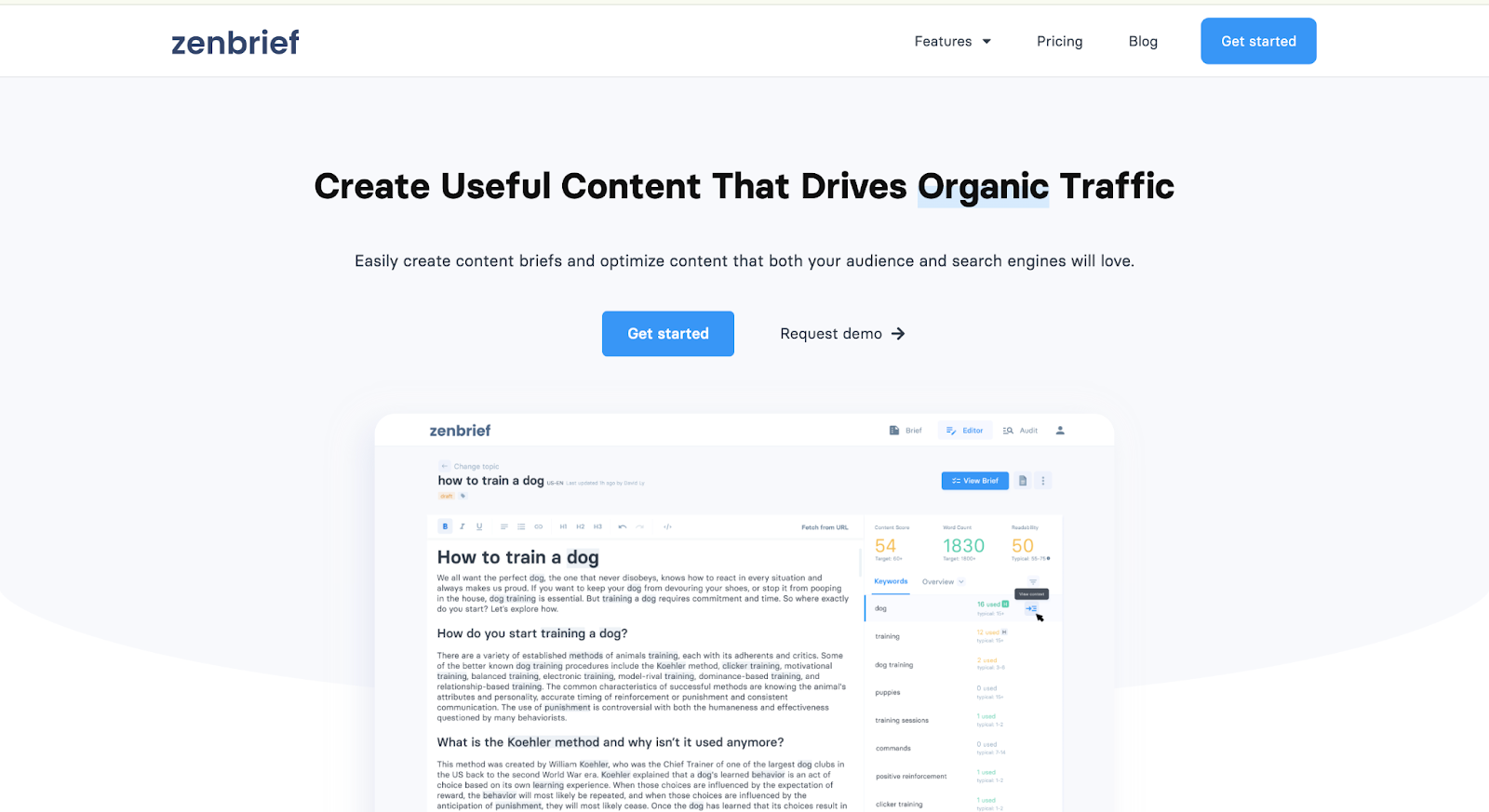
How It Works
Here’s how I use Zenbrief to generate precise keyword clusters:
- Input Your Primary Keyword: I start by entering a primary keyword or topic into Zenbrief, like “prompt builders” for my latest content project. This is the keyword around which I want to generate related keyword clusters.
- Upload Keywords or Enter a List: Next, I either copy-paste a list of keywords into the tool or upload a text file with keywords I’ve gathered. Zenbrief then processes these keywords and starts to group them based on their semantic relevance to each other.
- Generate Clusters: Once I click “Create Clusters”, Zenbrief uses NLP (a branch of AI that helps the tool understand the meaning of words in context) to analyze and create clusters that are related to my primary keyword.
- Review and Refine Clusters: After generating the clusters, I can review the suggested keywords and make adjustments if needed.
- Copy and Use the Clusters: Once I’m happy with the output, I simply copy the clusters and start planning my content.

Example Output
I used “prompt builders” as the primary keyword and uploaded all the keywords that Juma (formerly Team-GPT) created for me when I tried it for my previous listicle on “Top 10 Keyword Generators in 20”.
Here’s what Zenbrief generated for me:

Pros and Cons
✅ Zenbrief uses NLP to group keywords intelligently based on search intent, ensuring the clusters are relevant and high-quality.
✅ The tool is simple and intuitive, requiring just a few steps to generate accurate keyword clusters.
✅ Zenbrief is free to use, with no sign-up required, making it accessible for users on a budget or those just starting out.
❌ While Zenbrief generates solid clusters, you don’t have full control over how the keywords are grouped.
❌ Zenbrief doesn’t allow you to export the clusters directly, which can be difficult for larger datasets.
9. Gemini
Best for: Finding highly relevant and organized keyword ideas for comprehensive content strategies.
Similar to: Semrush, Keyword Insights, and Surfer SEO.
Pricing: Free.
Gemini stands out as a top AI keyword cluster generator in 2026, moving beyond simple keyword lists to offer organized topic clusters. These clusters help you plan content that covers a subject in depth, which is great for improving your search engine visibility.
Gemini provides targeted suggestions, making it easier to find keywords that match what people are really looking for online.
How It Works
I use Gemini to generate keyword clusters by following these steps:
- Enter a Broad Topic: I start by typing a general topic or seed keyword (a main word or phrase that describes your content) into the search bar.
- Define My Audience and Goal: I can then refine the request by telling Gemini about my target audience or the specific goal of my content.
- Generate Clusters: Gemini then processes my input and provides a list of keyword clusters, which are groups of related keywords.
- Review and Select: I review the generated clusters, looking for those that align with my content strategy and audience needs.
Example Output
I used “prompt builders” as the primary keyword on Gemini. Here are a few related keyword clusters that the tool generated for me:

Pros and Cons
✅ Gemini generates organized keyword clusters, which makes your content planning simpler.
✅ You will find that Gemini understands search intent, helping you create content that truly helps users.
✅ Gemini can offer actionable insights for your content structure and related keywords.
❌ You may find that Gemini requires a clear and specific initial prompt to get the best results.
❌ The depth of analysis might vary for you, depending on the complexity of your input.
10. Quattr
Best for: Efficiently organizing keywords into clusters for improved content strategy.
Similar to: Semrush, Ahrefs, and Keyword Cupid.
Pricing: Free.
Quattr’s keyword clustering tool offers a user-friendly AI-powered platform to organize keywords into semantically related groups. It helps users improve their SEO strategies by identifying keyword relationships based on search intent, topic relevance, and search engine results page (SERP) similarities.
Unlike traditional keyword research tools, Quattr uses advanced natural language processing (NLP) and machine learning (ML) algorithms to cluster keywords that share the same meaning or topic, even if they don’t use the same words.

How It Works
Here’s how I use Quattr’s keyword clustering tool:
- Enter Your Keywords: I start by typing in a list of keywords I want to cluster, separated by commas (e.g., “AI prompt builders, AI writing tools, content creation AI”).
- Select a Clustering Option: I choose a clustering option from the drop-down menu, which lets me group keywords based on my preferred criteria (e.g., search intent or topic relevance).
- Click “Cluster Keyword List”: Once I’ve selected the appropriate clustering option, I click on “Cluster Keyword List” to get the results.
- Download the Clustered List: After the tool generates the clusters, I can hit the “Download Cluster List” button to export the organized keyword list for my content strategy or SEO plan.

Example Output
I used “prompt builders” as the primary keyword, and here is what Quattr generated for me:

Pros and Cons
✅ The tool groups keywords based on their meaning, not just exact matches, providing more relevant and useful clusters for SEO.
✅ Quattr’s interface is simple, making it easy to get started without technical expertise.
✅ The free version is great for basic keyword clustering, while the paid plans offer more advanced features and faster processing.
❌ The free version lacks the more detailed clustering options available in the premium plans.
❌ While Quattr is great for clustering, it doesn’t offer detailed data like search volume, competition, or CPC.
11. AirOps
Best for: Teams looking to optimize keyword clusters for both traditional search and AI answer engines.
Similar to: Quattr, Surfer SEO, Keyword Insights.
Pricing: Custom pricing for enterprise teams.
AirOps takes a different approach to keyword clustering by focusing on how content performs in AI-powered search results alongside traditional SERPs. While most clustering tools group keywords based on search volume or semantic similarity, AirOps analyzes which keyword groups actually drive visibility in answer engines like ChatGPT, Claude, and Perplexity.
The platform helps content teams understand that clustering for AI search requires different thinking - answer engines often pull from multiple keyword clusters to respond to a single query, so the traditional approach of targeting one cluster per page doesn't always work.

How It Works
- Import your existing keyword lists or target topics
- AirOps scans current brand visibility across major AI search platforms
- Generate clusters based on answer engine query patterns rather than just search volume
- Get recommendations on content gaps that prevent AI visibility
- Monitor how changes affect presence in both traditional and AI search results
Example Output
Instead of standard keyword groups, you get clusters organized around the types of queries that trigger AI responses, with data on where your brand currently appears (or doesn't appear) when users ask AI tools about topics in your space.
Pros and Cons
✅ Addresses the shift toward AI-powered search that most tools ignore
✅ Provides actual visibility data rather than just keyword metrics
✅ Helps identify content gaps specific to answer engine optimization
✅ Forward-thinking approach as AI search adoption grows
❌ More complex than traditional clustering tools
❌ Enterprise pricing puts it out of reach for smaller teams
❌ Still a newer approach that requires some strategic thinking to implement
Pricing
AirOps uses custom pricing based on company size and content optimization needs. The platform is built for marketing teams at companies that want to get ahead of the AI search trend rather than react to it later.
Next Steps: Find the Right AI Keyword Cluster Generator for Your Needs
Choosing the right AI keyword cluster generator depends on your specific content and SEO goals. If you want a simple, free tool for generating keyword clusters, RyRob and SEO AI are solid choices. Similarly, if you need a more advanced tool that offers in-depth insights into search intent and competition, ChatGPT and Quattr are great options.
But if you want a tool that combines AI-powered keyword clustering, search intent analysis, and content strategy integration with collaboration features, the best choice is Juma (formerly Team-GPT). Unlike other tools, Juma (formerly Team-GPT) allows you to customize prompts, track AI adoption, and collaborate with your team to refine keyword clusters across multiple models, all within a single platform.
With real-time collaboration, structured workflows, and keyword insights that align perfectly with your content needs, Juma (formerly Team-GPT) is designed to streamline your SEO efforts and save time.
Book a demo and get started with Juma (formerly Team-GPT) today!
Read More
- 10 Best Blog Post Idea Generators In 2025: These tools help you brainstorm unique and engaging blog post ideas based on trending topics, keywords, and audience interests.
- 10 Best AI Title Generators In 2025 [Reviewed]: AI title generators help create catchy, SEO-friendly titles for your content, boosting click-through rates and engagement.
- 10 Best AI Keyword Generators In 2025: These tools generate relevant, high-ranking keywords for your SEO strategy by analyzing search trends and user intent.
- 10 Best AI Hashtag Generators In 2025 [Reviewed]: AI hashtag generators suggest popular and relevant hashtags for your social media content to improve discoverability and engagement.
- 10 Best YouTube Video Title Generators In 2025: These generators create optimized, attention-grabbing titles for YouTube videos, designed to increase views and search rankings.
- 10 Best AI Product Description Generators In 2025: AI product description generators automatically create detailed and persuasive descriptions for e-commerce products, improving SEO and conversion rates.
LinkedIn Carousels

Competitor Analysis

GEO Optimized Articles

Google Analytics Reports


%20(1).webp)



Private cloud deployment - AWS, Azure, GCP
SSO / SAML + platform administration
Security review support + DPA
Custom contract & SLA
Dedicated account manager & priority onboarding
Invoicing + custom billing terms