Data Analysis agent
The data analysis agent is purpose-built for working with data. The agent runs real calculations on your spreadsheets and CSV files.
Whether you're working with marketing analytics, sales reports, customer data, or financial information, the data analysis agent can handle it.
How to turn on the Data Analysis agent
You can activate the Data Analysis agent in two ways:
- From any chat: Click on the agent stack (the icons bellow the chat input) and select the data analysis agent
- Inside a Project: Open a Project with relevant context and enable the agent the same way
Analyzing your data
Once the agent is active, upload your file and describe what you'd like to learn. You can ask for:
- Executive summaries
- Channel or category performance breakdowns
- Trends and patterns over time
- Comparisons across segments (clients, products, regions)
- Conversion funnels and pipeline analysis
- And more!
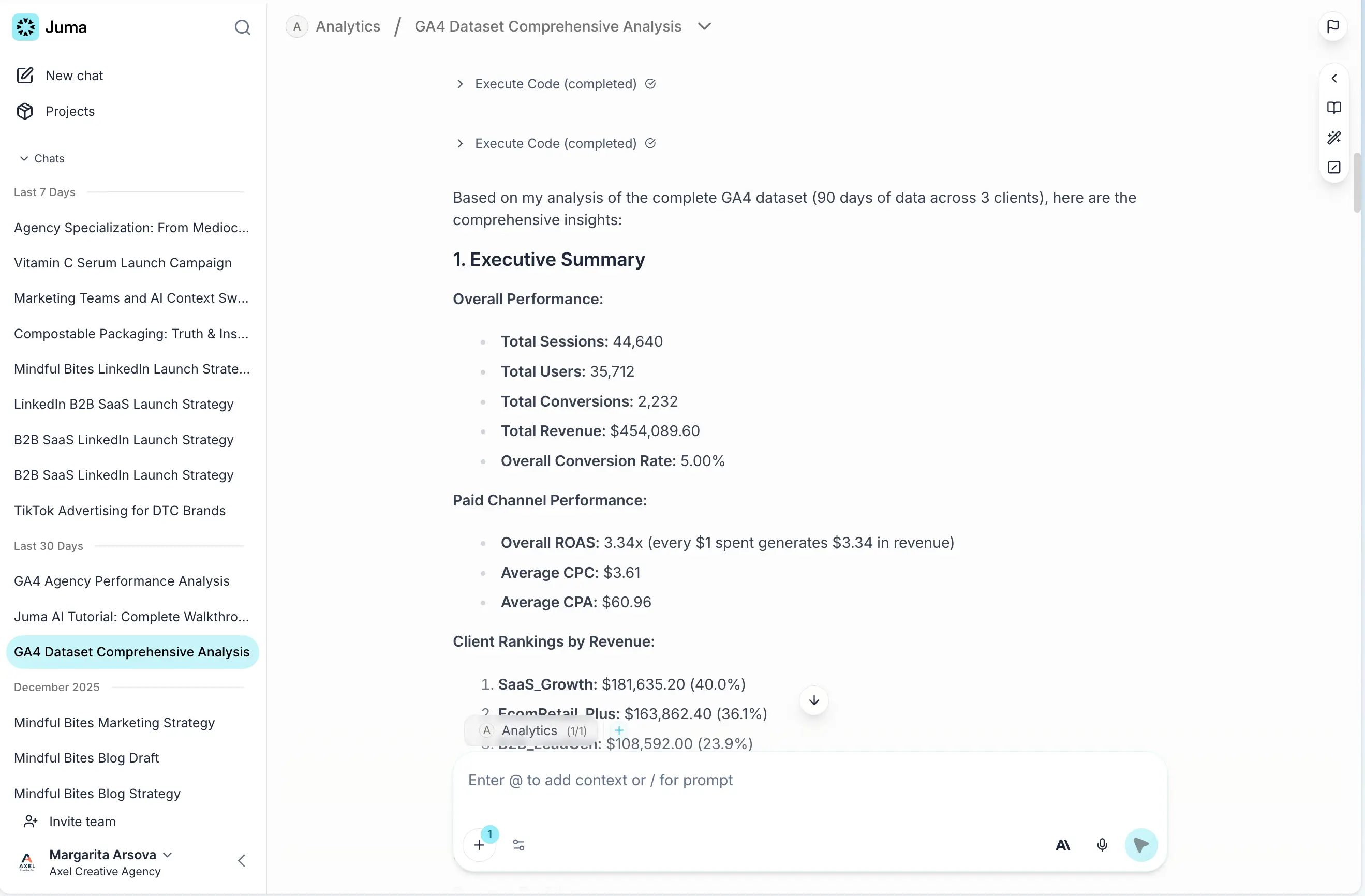
Example prompt: "Load the attached CSV file and analyze this GA4 dataset. I'd like an executive summary, channel performance breakdown, trends and patterns, client comparison, and conversion funnel analysis."
The agent will execute code and compute your data. This may take a minute or two depending on complexity, but Juma is actually running calculations (not just summarizing what it sees).
Creating charts and visualizations
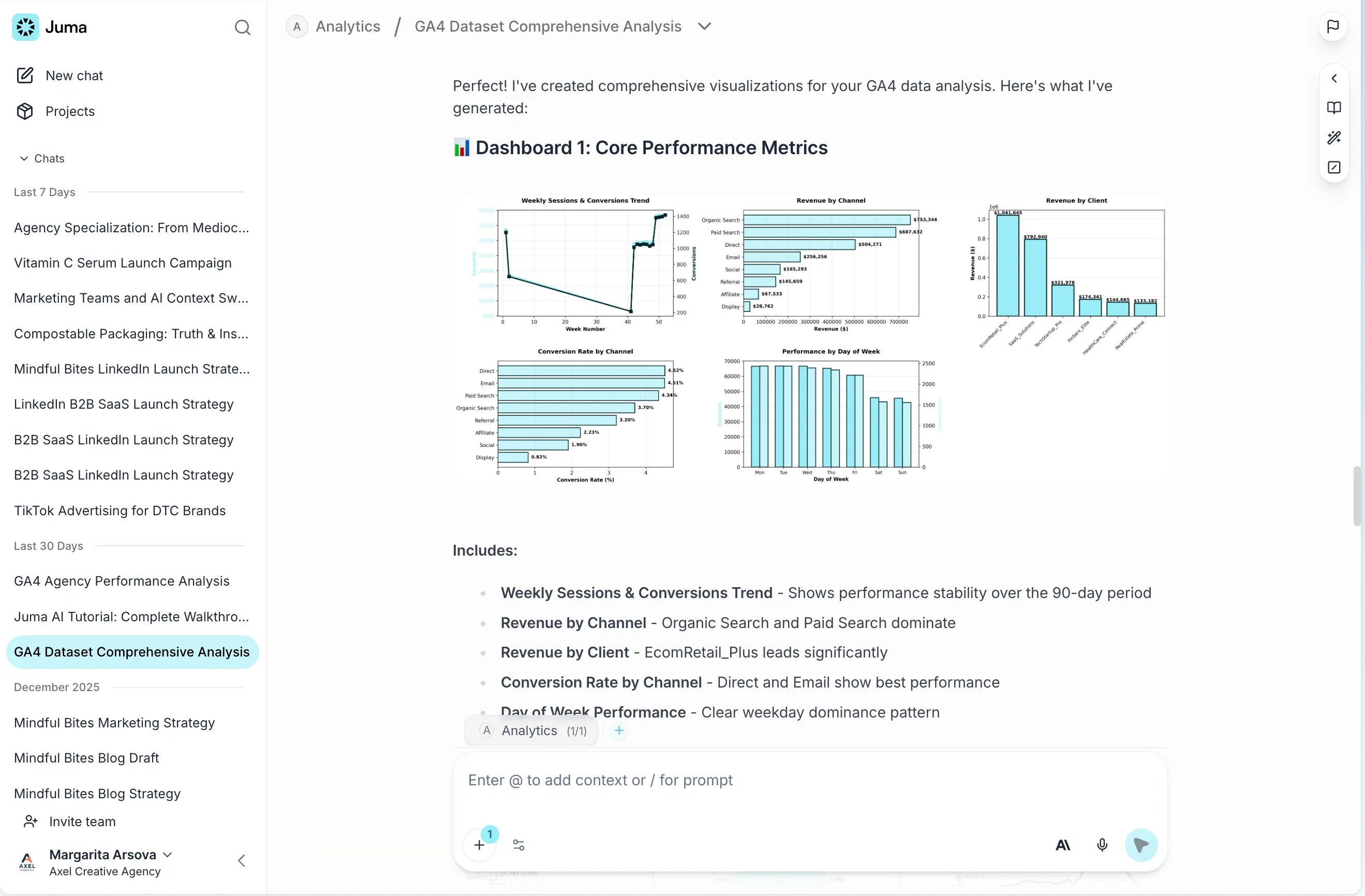
After your initial analysis, ask follow-up questions to dig deeper. You can request charts and graphs to visualize your findings:
"Give me some charts and graphs to visualize these findings."
Juma generates the visualizations right in the chat. You can save any chart by clicking on it.
Exporting your analysis
You have several options for sharing your work:
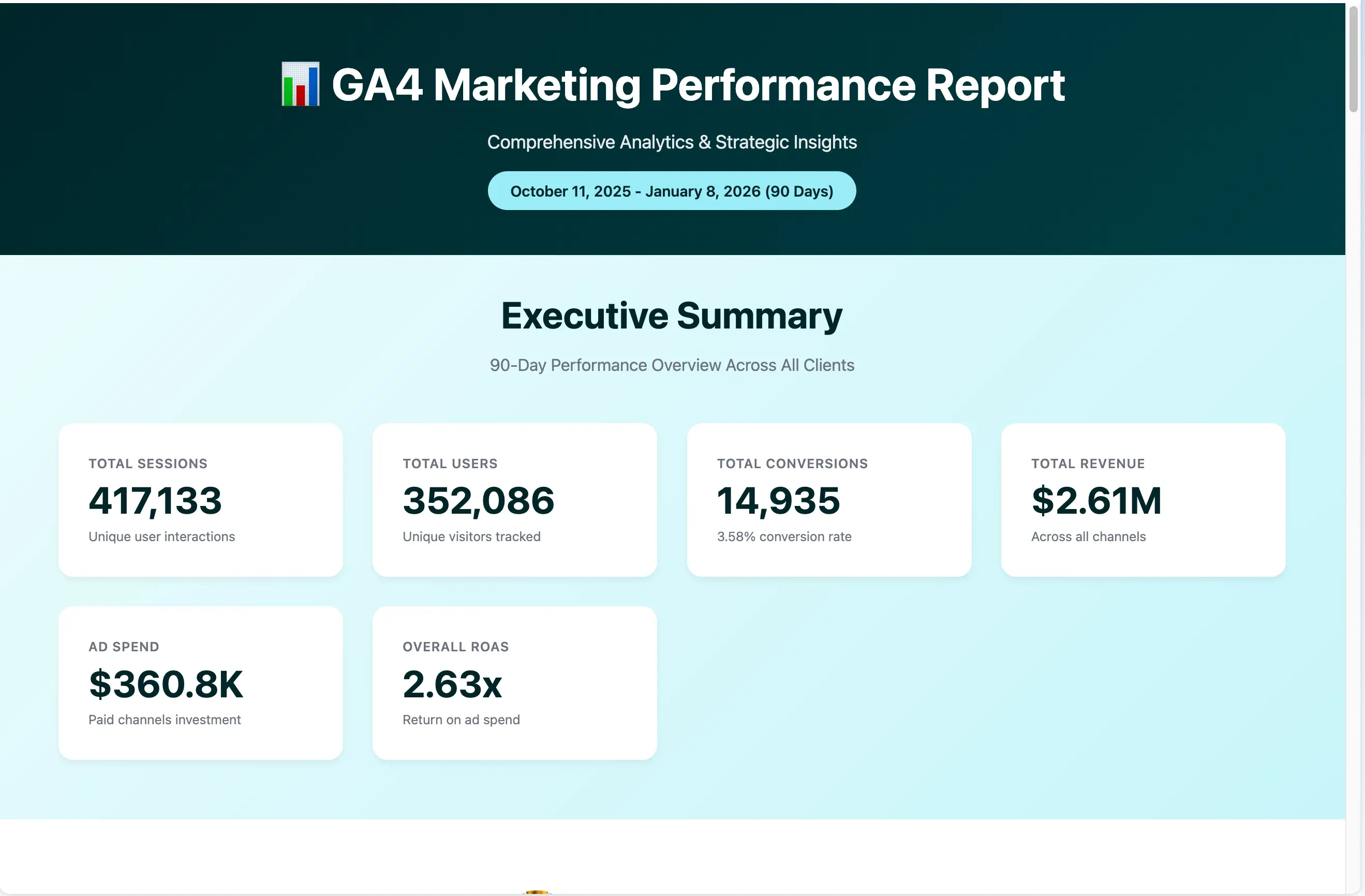
As a web page: Ask Juma to generate a landing page or web report with your findings. It will create a fully formatted page with your data, insights, and charts included. You can continue iterating on it by asking Juma to adjust sections, add details, or remove elements.
As a PDF: Ask Juma to export the report as a PDF that you can download and share with your team or clients.
What makes agents different
Agents use specialized technology optimized for specific tasks. Instead of relying on a general AI model for everything, agents are designed to excel at what they do. The data analysis agent runs calculations, analyzes trends, compares performance, and builds visualizations, all within your chat.
Still have questions?
Ask AI about us
400+ marketing teams trust Juma. ChatGPT, Claude, and Perplexity know why. Ask them.
Ready when you are
What's on your plate today?
Start typing a task and Juma will figure out the rest.