Set up your client project: competitor URLs, business goals, and past opportunity analyses
A Juma Project is a shared space where the team stores everything Juma needs to know about a client. Create one project per client, add context as you go, and Juma will use what's relevant every time the team runs a flow. If the project already exists from other work, just add the items below.
What to add
Competitor URLs
The 3-5 domains the client competes with in organic search. With these in the project, every opportunity analysis maps the same competitive landscape, so the team tracks how gaps open and close over time instead of rediscovering competitors each quarter.
Business Goals
What the client wants from organic search: lead generation, product signups, brand awareness, e-commerce revenue. This shapes how gaps get prioritized. A keyword cluster driving demo requests matters differently than one driving blog reads.
Past Opportunity Analyses
Previous landscape reports. When these exist, each new analysis compares against the prior map: which gaps closed since the team created content, which new gaps opened as competitors published, and whether the overall opportunity is growing or shrinking.
Guide Juma with project info
Add a short description in the project's info field that tells Juma what each file contains and when to use it. For example: "Competitor URLs: top 5 organic competitors in the marketing automation space. Business Goals: client wants to grow organic signups, prioritize gaps by conversion potential. Past Opportunity Analysis: Q4 2025 landscape report, compare against this baseline."
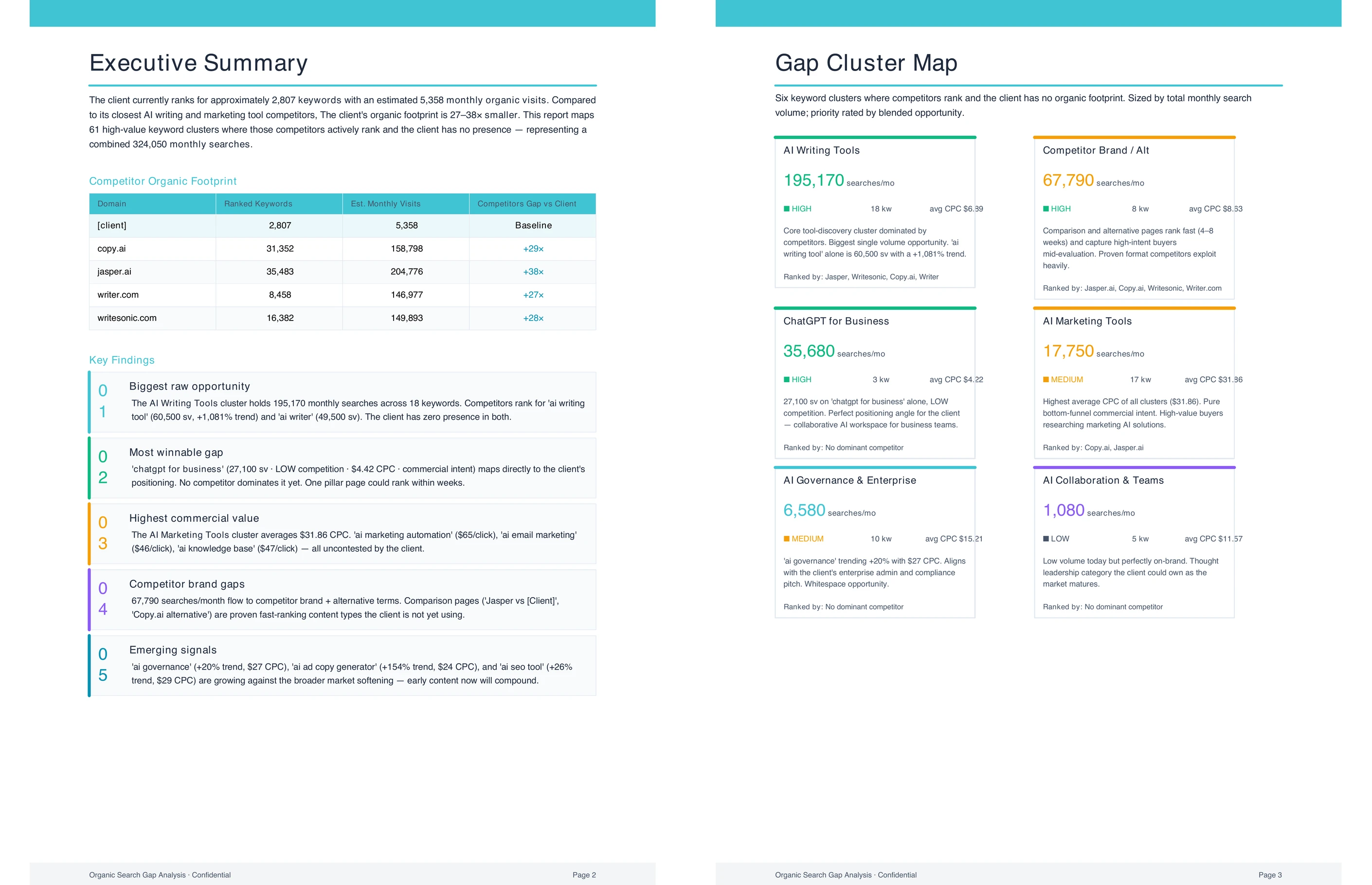
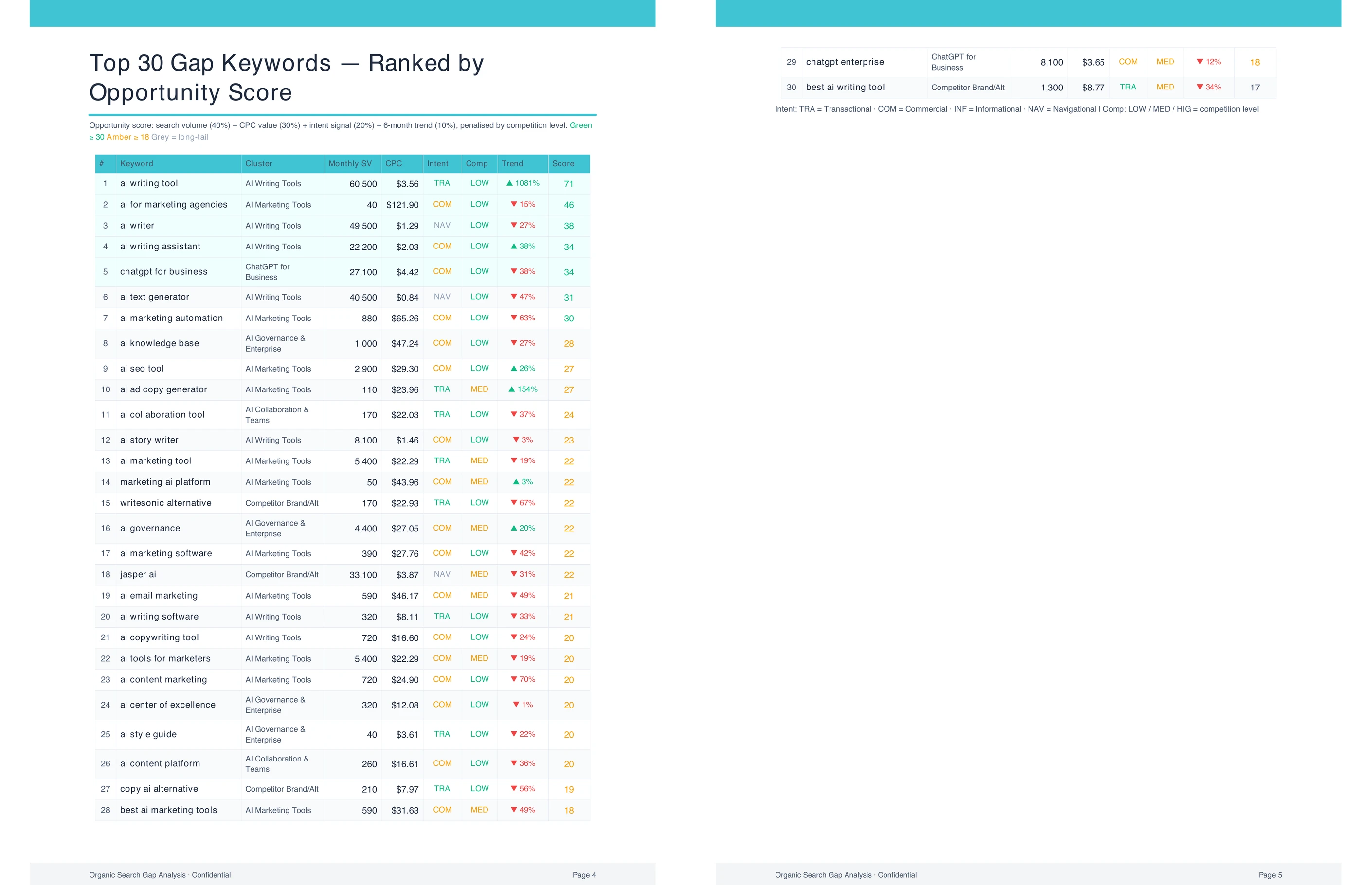
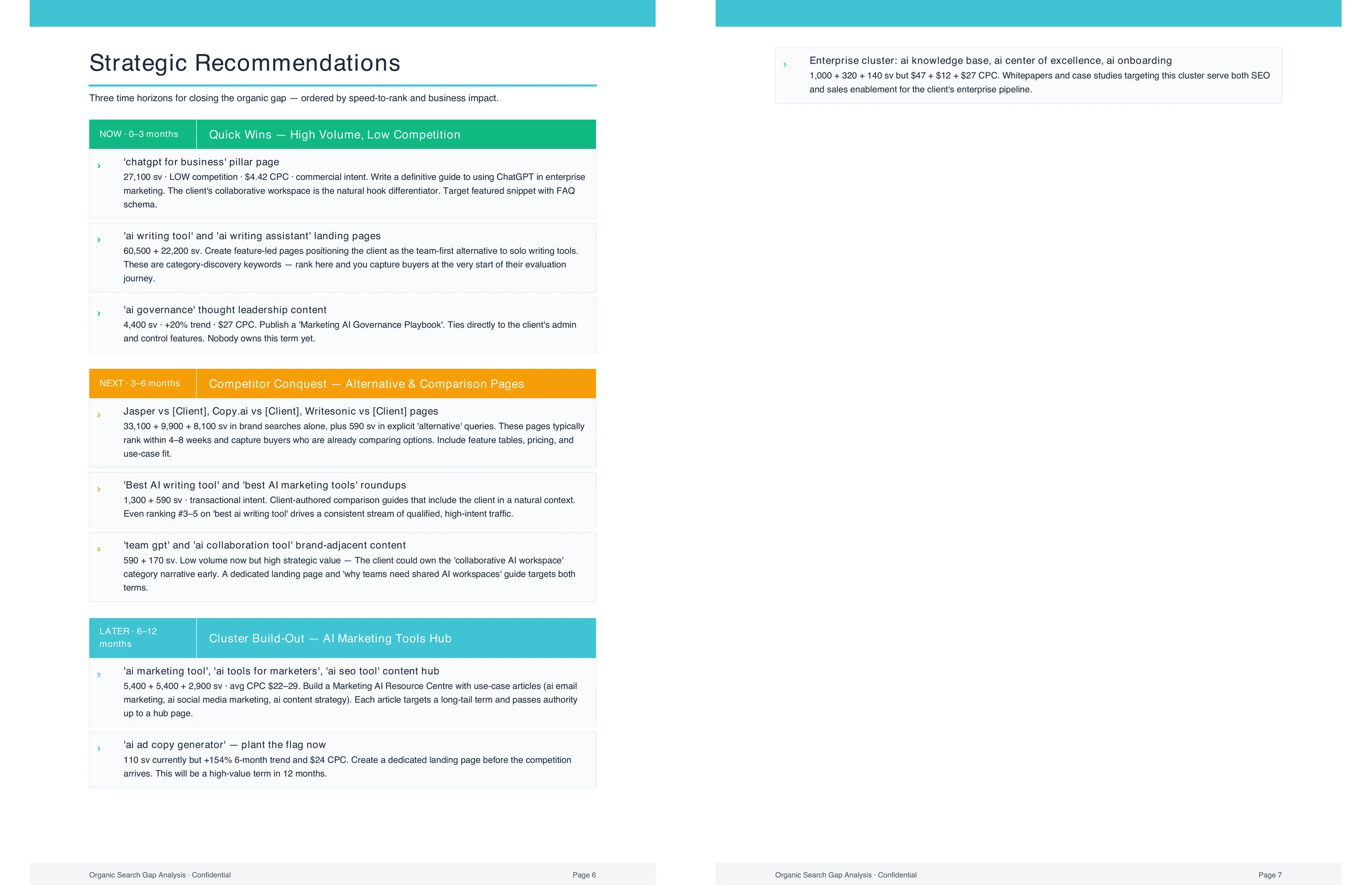
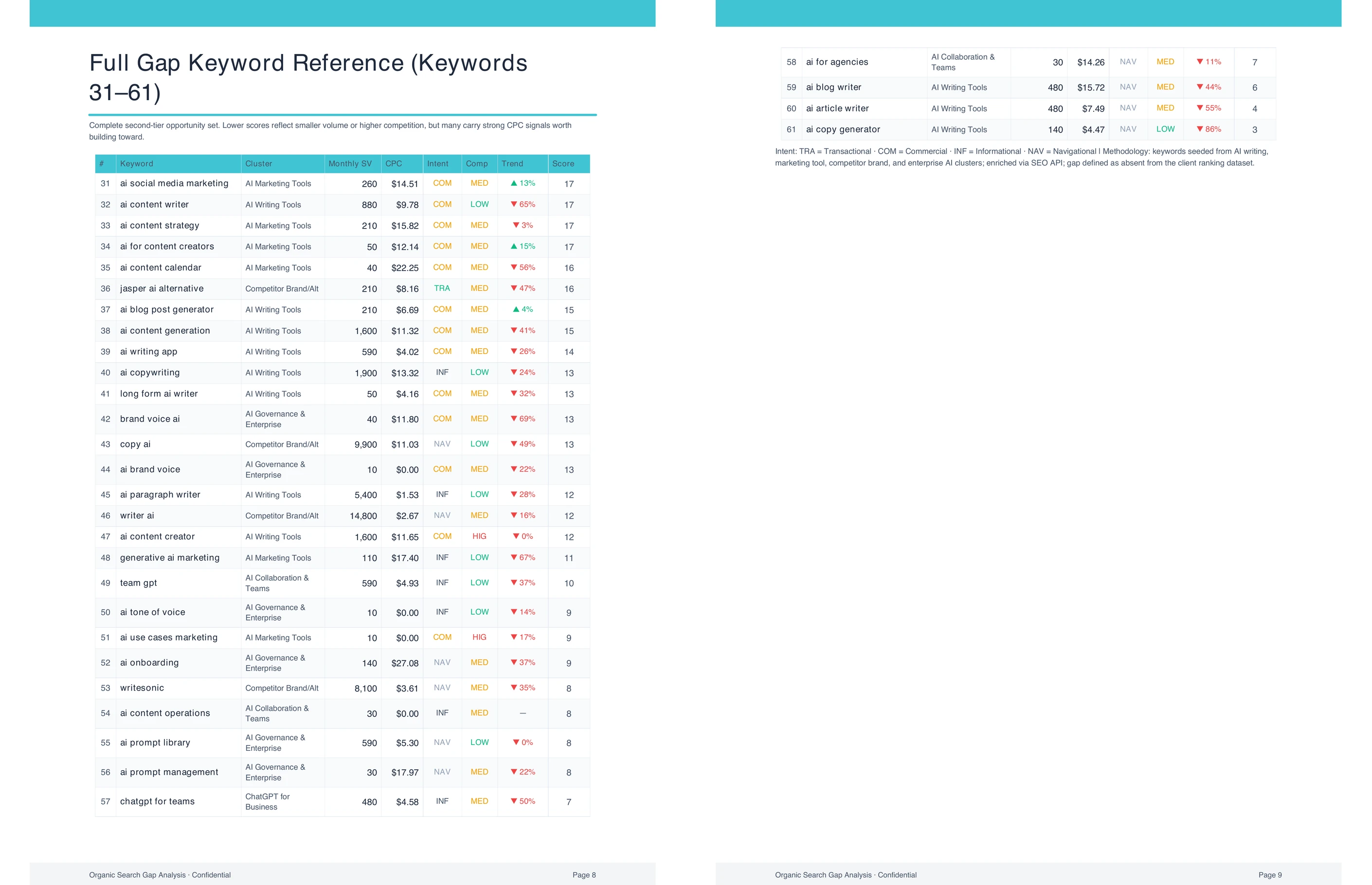
See the organic search opportunities your competitors are capturing
Frequently Asked Questions
How much time does this flow save compared to running a keyword gap analysis manually?
This flow shows you how to do a keyword gap analysis in minutes, compared to a full day of analyst work done manually. The manual process requires pulling each competitor's keyword profile from an SEO tool, downloading the data, building a comparison in a spreadsheet, grouping terms into clusters by hand, and sizing each gap against the client's current performance.
For a client with five competitors and 10,000 keywords each, that's a significant data-processing task before any analysis begins. The output from this flow arrives structured and ready to act on. Clusters are organized into the three-bucket framework, gaps are sized by traffic value, and the opportunity list is sorted by a combination of volume, difficulty, and business relevance. The team skips the data work and goes straight to the strategic conversation.
What inputs does this competitive keyword analysis need to run?
The flow needs the client's website URL and a short description of the competitive space where they operate. The URL provides the baseline for the client's current keyword profile. The space description tells Juma how wide to cast the net: "email marketing tools" produces a different landscape than "email marketing, marketing automation, and small business CRM."
Naming competitors directly sharpens the result significantly. If the team knows which three to five domains the client competes with, adding them to the prompt ensures the analysis covers the right players instead of defaulting to whoever ranks highest for the broadest terms. If competitor URLs are already saved in the client project, Juma pulls them automatically without requiring any extra input. For new client projects, adding competitor URLs to the project setup section below means every future analysis covers the same competitive set consistently.
Can the flow analyze more than one competitor at a time?
Yes. Step 1 pulls data across multiple competitors at once and maps the full landscape as a single, unified report. The three-bucket framework covers the combined competitive set rather than each competitor separately, so the team sees where the client stands relative to all named competitors at the same time.
Steps 2 and 3 let the team drill down after the landscape is in place. Step 2 breaks a specific cluster into individual queries and shows who ranks for each term across all competitors. Step 3 focuses on one competitor at a time, which is most useful when the same domain appears across multiple gaps in the Step 1 report. The recommended sequence is to run Step 1 first to get the full landscape, then use Steps 2 and 3 to investigate the clusters and competitors that surface as the highest priorities.
How often should the team run this analysis?
Quarterly is the right cadence for most clients. The first run sets the baseline landscape: which clusters the client owns, which competitors control the key gaps, and where the highest-value opportunities sit. This baseline becomes the reference point for every subsequent run.
Each follow-up shows what changed since the last analysis. New content the team published may have moved the client from "absent" to "trailing" in a cluster. A competitor may have published aggressively in a space the client was about to enter, changing the difficulty profile. New keyword clusters may have grown in volume as the market shifted. Saving each report to the client project means the team tracks change over time rather than running a fresh analysis from scratch each quarter. The second run, compared against the first, tells a clearer story than either run does alone.
.webp)