Set up your client project: past performance baselines and content inventory
A Juma Project is a shared space where the team stores everything Juma needs to know about a client. Create one project per client, add context as you go, and Juma will use what's relevant every time the team runs a flow. If the project already exists from other work, just add the items below.
What to add
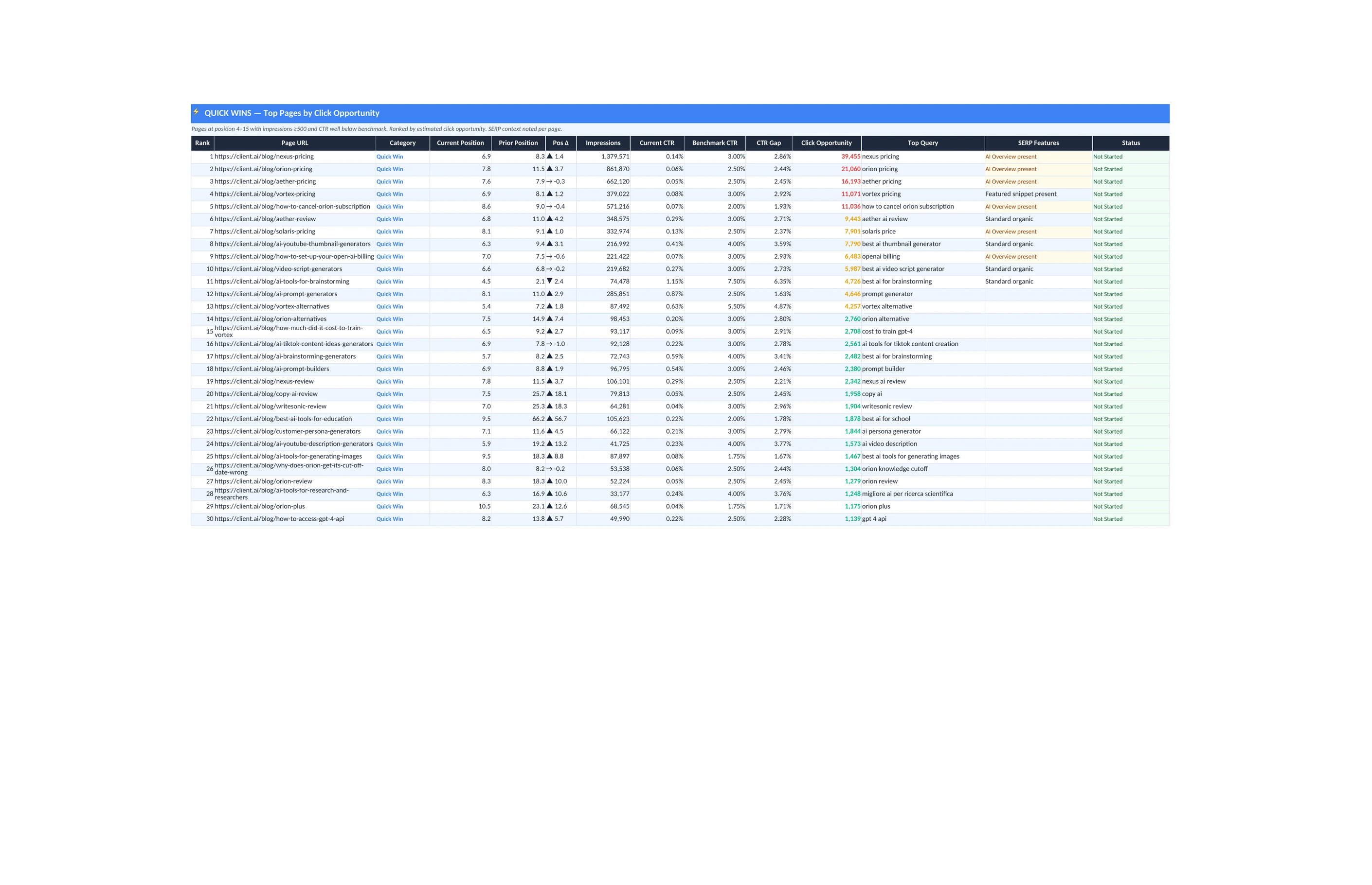
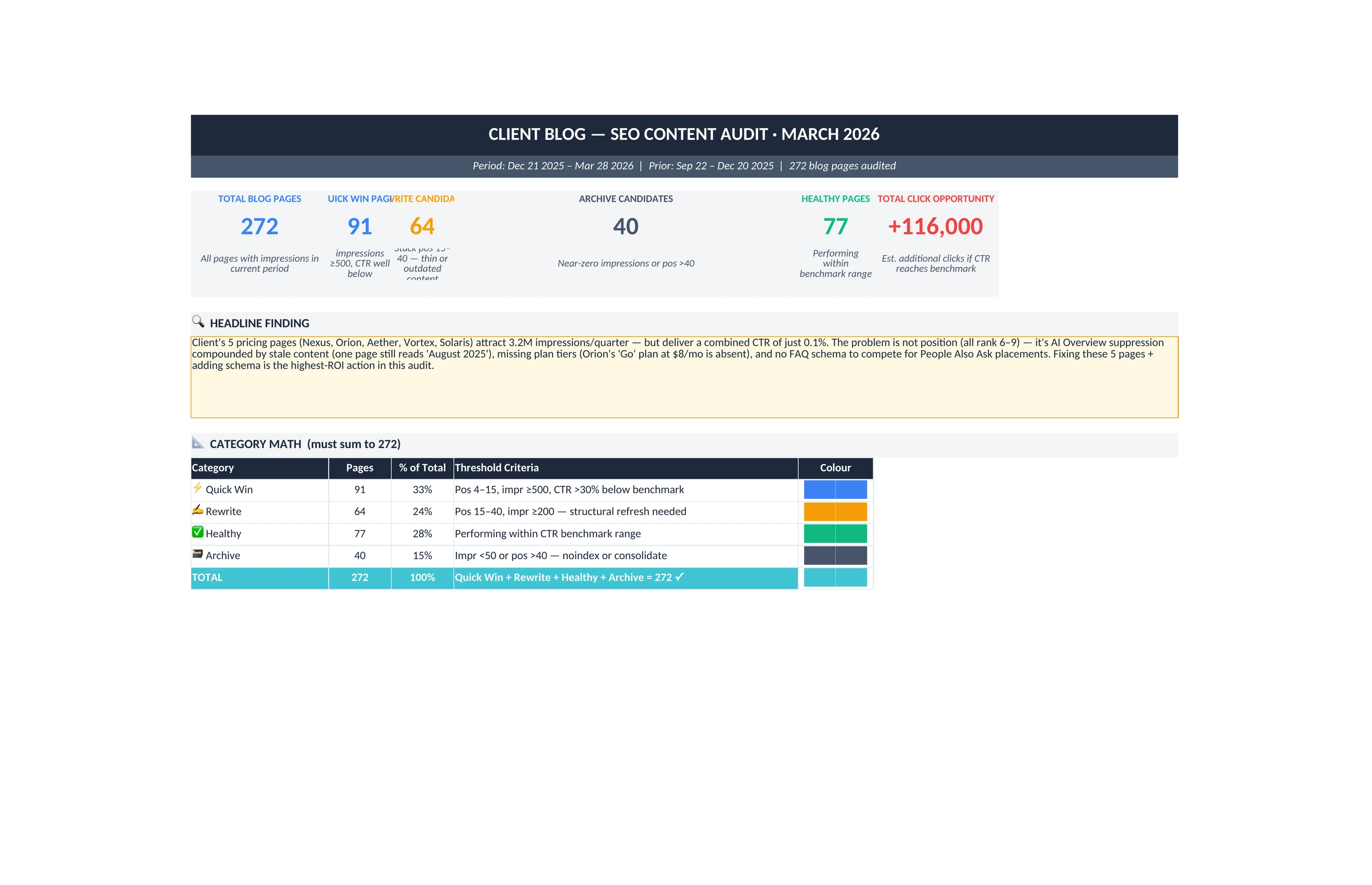
Past Audit or Performance Baseline
A previous SEO audit, traffic snapshot, or content inventory. Juma uses this to compare current performance against a known baseline and flag what declined. Without it, Juma can still identify stale content, but it cannot measure the size of the decline.
Competitor URLs
The 3-5 domains the client competes with. For each refresh candidate, Juma checks what the competitors have updated or added, so the refresh addresses real competitive gaps, not just stale dates.
Content Calendar or Publishing Schedule
When pages were originally published and when they were last updated. Juma uses publish dates to identify the oldest content and flag pages that have not been touched in over a year.
Guide Juma with project info
Add a short description in the project's info field that tells Juma what each file contains and when to use it. For example: "Past Audit: January 2026 full content audit, use as performance baseline. Competitor URLs: top 5 organic competitors. Content Calendar: publishing dates for all blog posts."
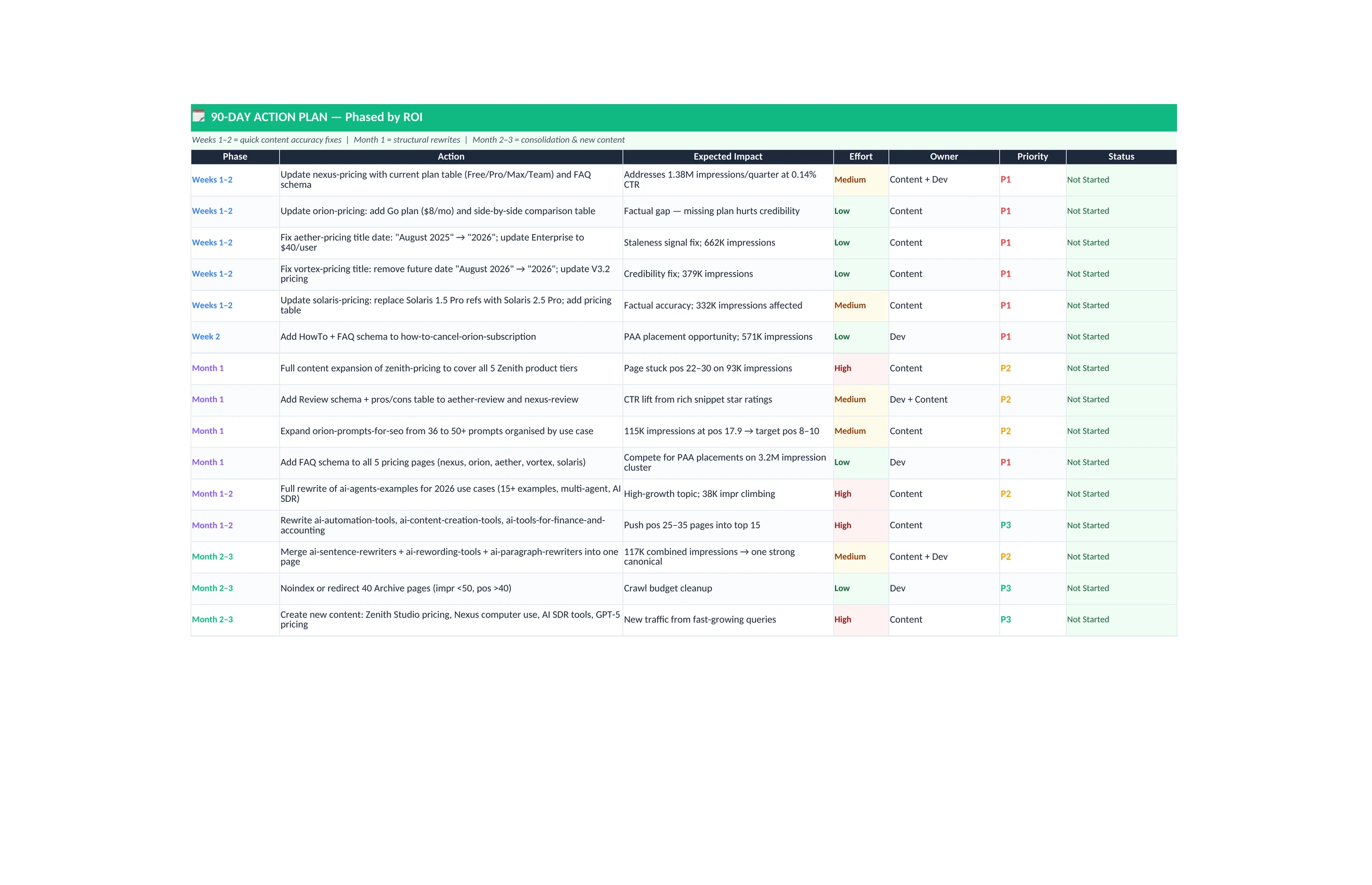
Find the pages worth updating before they lose more ground
Frequently Asked Questions
How much faster do refresh results appear compared to publishing new content?
Refreshed pages typically recover to previous ranking positions within 4 to 8 weeks of publishing the updated version. A new page takes 3 to 6 months to earn a stable ranking position from scratch. The difference comes from authority: a refreshed page already has the backlinks and indexing history that a new page needs time to build.
Pages that already have backlinks, indexing history, and ranking signals recover much faster than new pages build traction. A page that sat at position 4 a year ago and now sits at position 12 still carries the authority that originally earned that position.
The recovery work happens at the content layer, not the authority layer. Updating the content, fixing the title, and adding the elements competitors have added since the page was last touched is often enough to bring it back. Most teams see measurable position improvements within 4 to 8 weeks - significantly shorter than the 3 to 6 months a new page requires to reach the same organic visibility.
What does the content decay analysis check for?
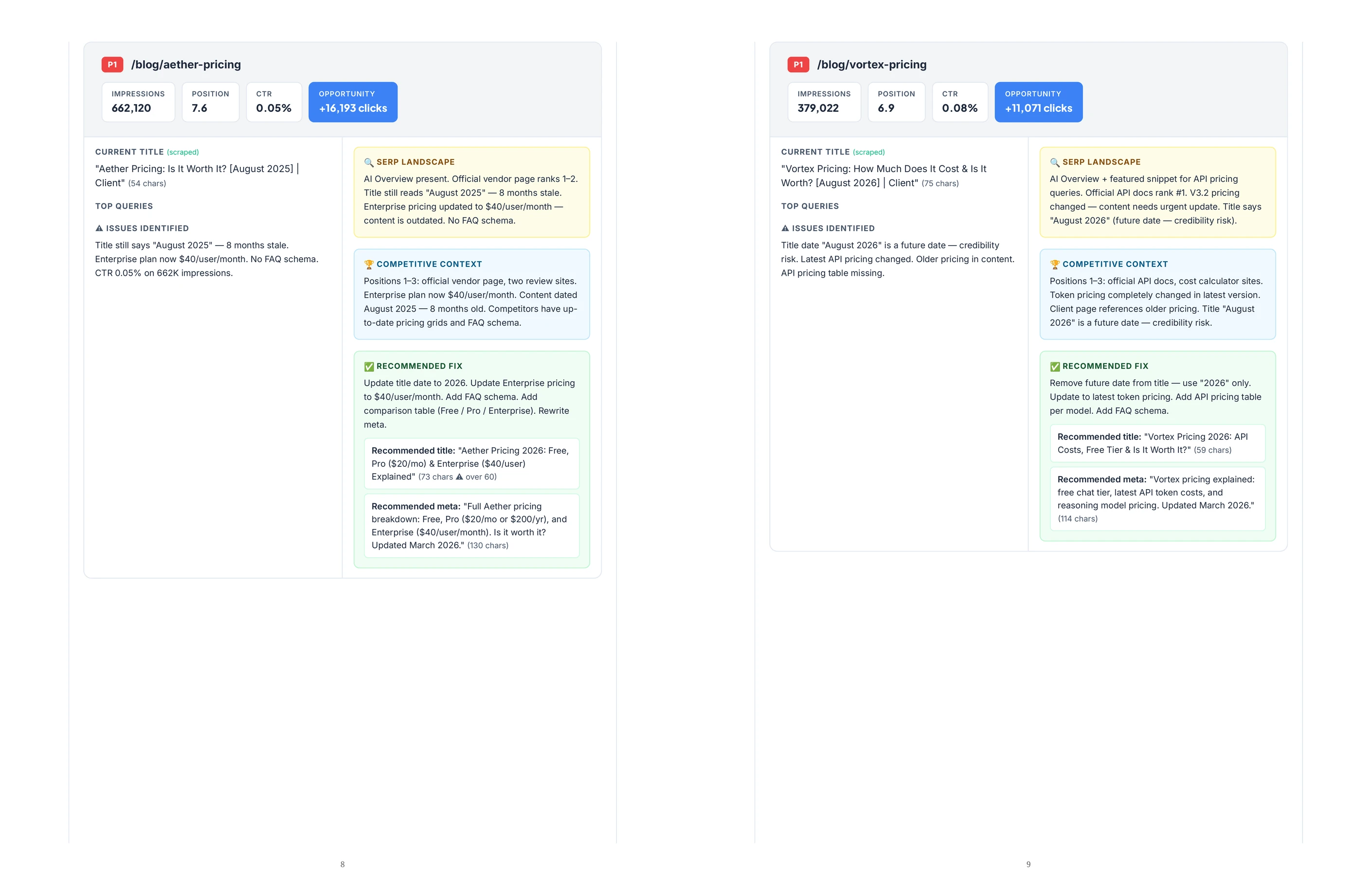
The content decay analysis checks each page for three signals: position drops over the last 3 to 6 months, declining click-through rate trends in Search Console, and outdated date references in titles or body content. A title that reads "2024" in 2026 is flagged immediately because it actively reduces click-through rate before the reader lands on the page.
All three signals can appear independently. A page might show strong click-through performance while quietly dropping from position 4 to position 11, meaning the traffic loss has not fully materialized yet. Catching that page before the CTR confirms the decay is what separates proactive refreshing from reactive cleanup.
The date reference check carries outsized impact on CTR. Searchers process publication dates instantly. CTR drops for pages with stale year references in the title are measurable and often severe. The analysis flags any outdated date in the title or opening content and marks it as a high-priority fix, regardless of the traffic trend data.
How does the competitive comparison work?
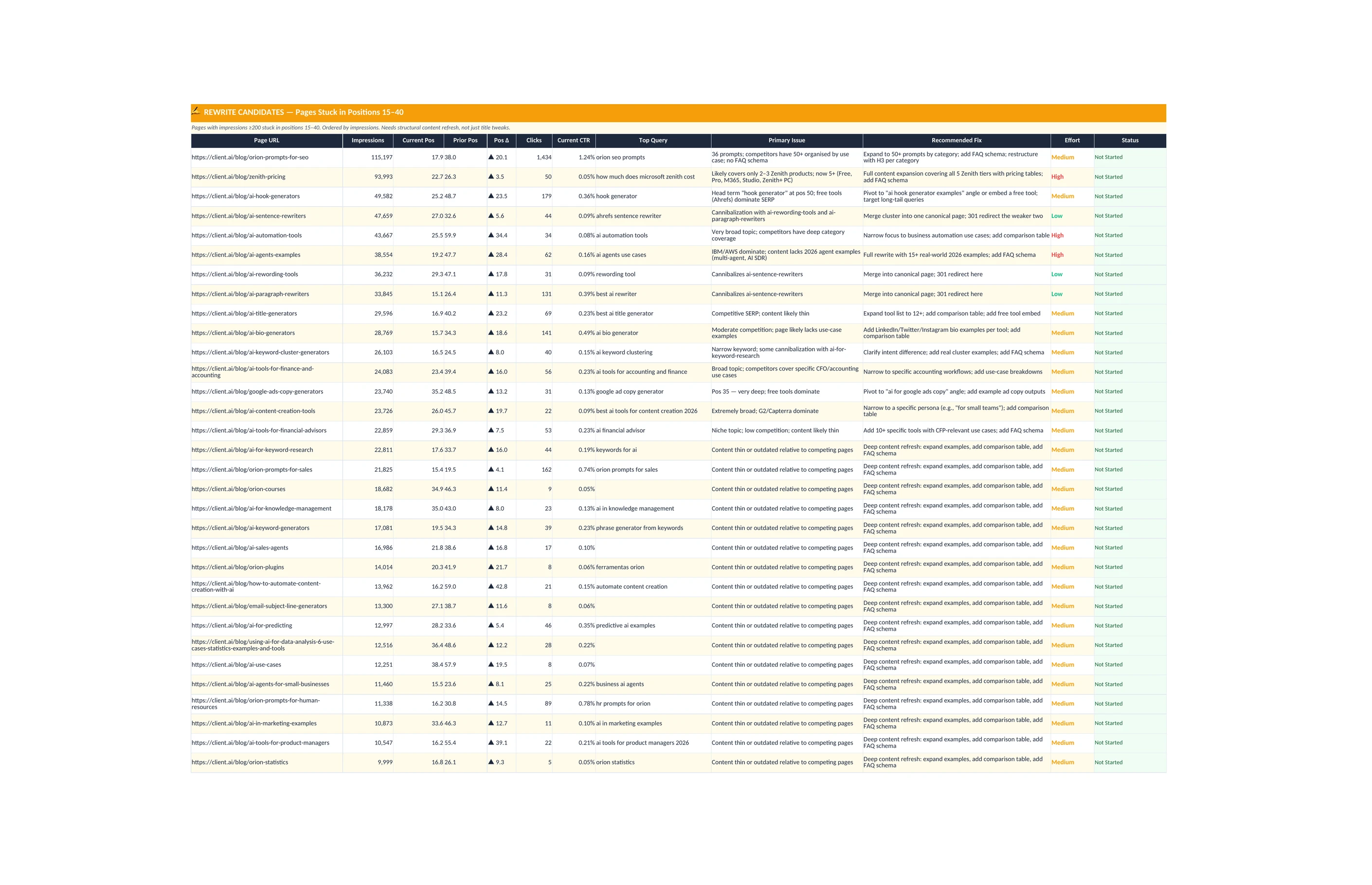
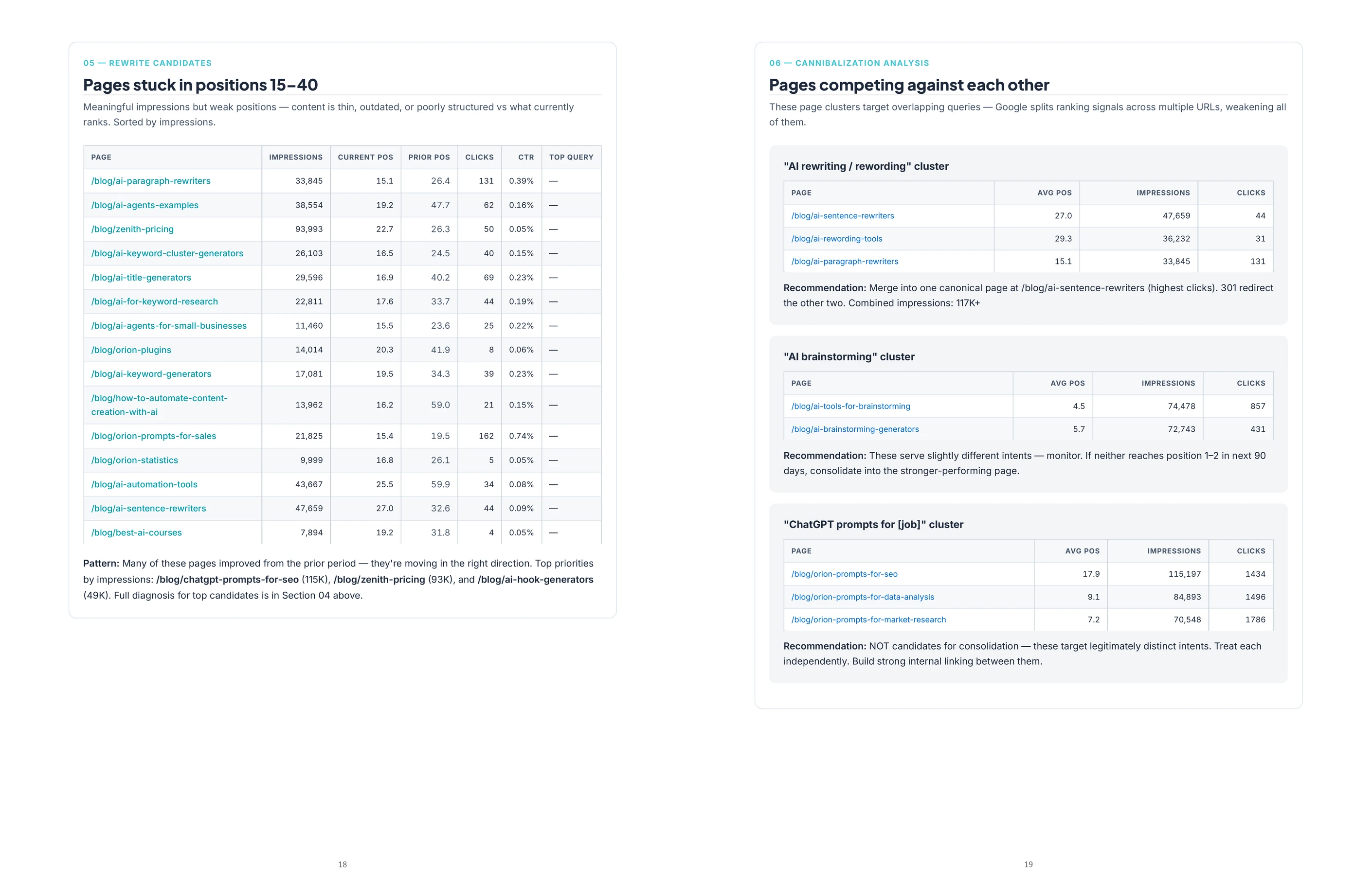
For each refresh candidate, Juma checks what the top-ranking competitors have added or changed since the client's page was last updated. The comparison runs against the current top organic results for the page's primary keyword and identifies specific gaps: missing sections, outdated tables, or structural changes that competing pages have made since the client's content was published.
The competitive comparison is what separates a content refresh from a simple date update. Changing a year in a title without addressing the content gaps that caused competitors to outrank the page produces short-term CTR improvements at best. The per-page brief identifies the specific structural and informational gaps that are driving the ranking decline.
Adding those elements to the refreshed page produces durable position improvements rather than temporary ones. Competitor URLs added to the Juma Project before running the Flow sharpen this comparison and keep it scoped to the domains that actually matter for the client.
What should the team connect before running the content refresh SEO analysis?
Connect Google Search Console for the client site before running the Flow. Search Console provides the performance data that powers the content refresh SEO scoring: impressions, clicks, average position, and click-through rate by page and query. Without it, the analysis relies on content signals alone and cannot confirm whether a position drop is actually affecting traffic.
Beyond Search Console, adding competitor URLs and a content calendar to the Juma Project before running the analysis sharpens the output significantly. Competitor URLs allow the analysis to check real competitive gaps rather than generic ones. Publishing dates allow Juma to flag pages that have gone the longest without updates, which are statistically the highest-decay-risk pages in any content library.
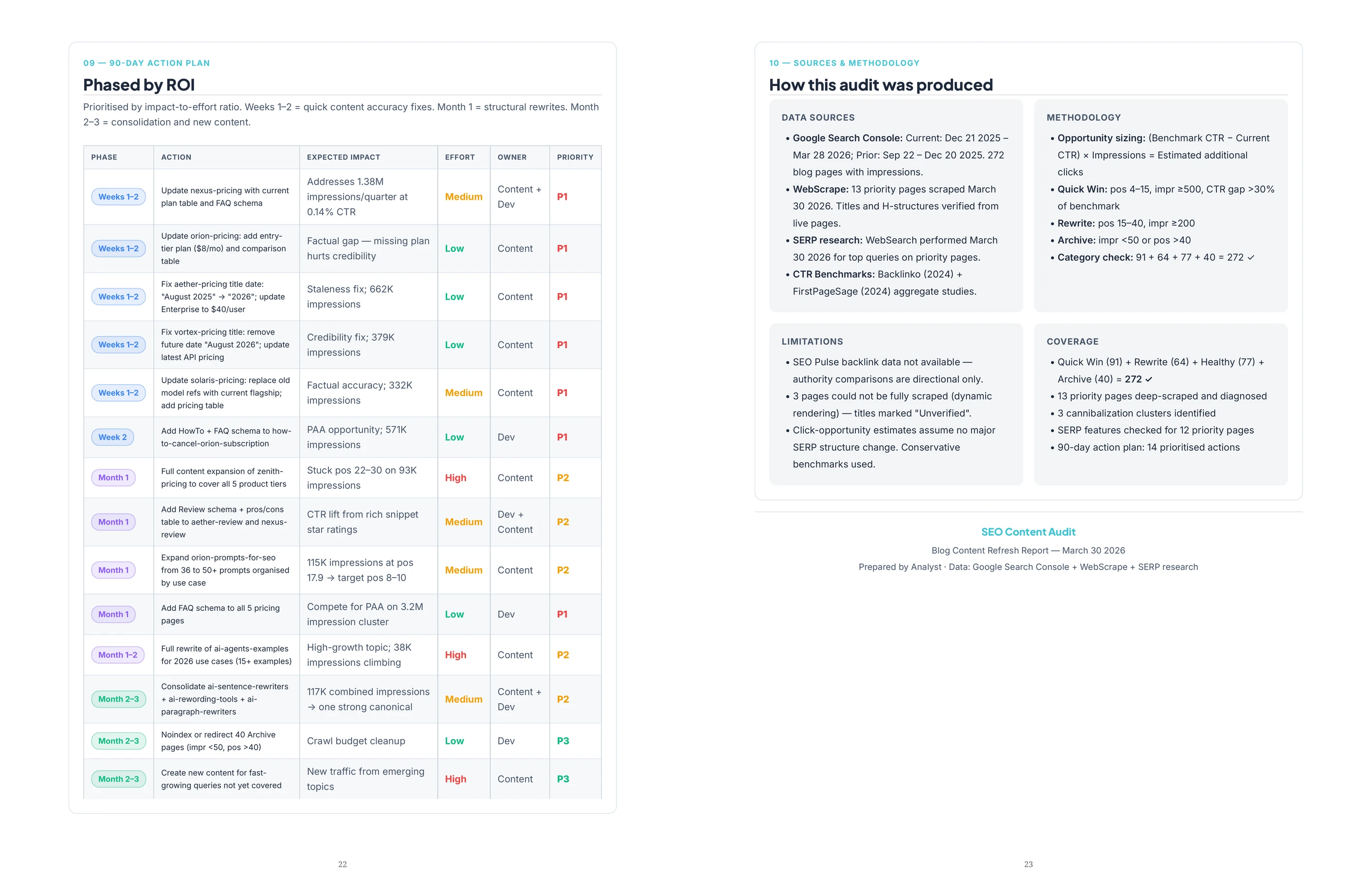
These inputs take less than five minutes to add and materially improve the specificity of every page brief the analysis produces.
.webp)