Content agent
Most AI content sounds generic. The Content agent knows platform best practices and writes content that performs well.
Use it for social media posts, blog articles, emails, video scripts and more!
How to turn on the Content agent
You can activate the Content agent from any chat:
From any chat: Click on the content button (the icons below the chat input)
Inside a Project: Open a Project with relevant brand context and enable the agent the same way
Creating your content
Once the agent is active, describe what you'd like to create. The agent will generate content based on your prompt.
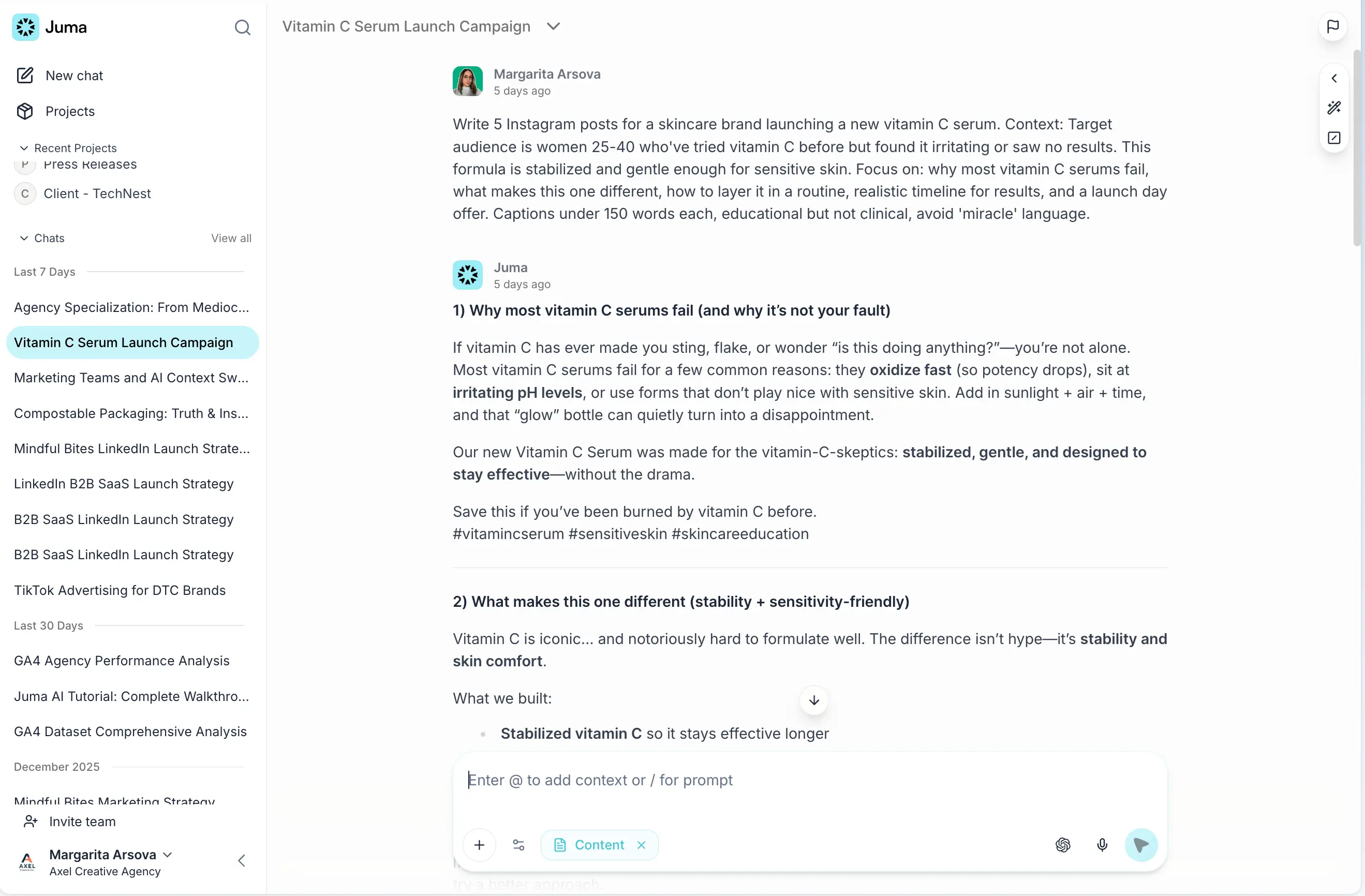
Example prompt: "Write 5 Instagram posts for a skincare brand launching a new vitamin C serum. Context: Target audience is women 25-40 who've tried vitamin C before but found it irritating or saw no results. This formula is stabilized and gentle enough for sensitive skin. Focus on: why most vitamin C serums fail, what makes this one different, how to layer it in a routine, realistic timeline for results, and a launch day offer. Captions under 150 words each, educational but not clinical, avoid 'miracle' language."
Juma will create multiple content variations, each with a different angle. After the initial output, you can refine or adapt the content further.
Adapting content formats
You can transform content into different formats:
"Turn post 1 into an Instagram Reel script."
Juma will create a full Reel script with visual ideas, on-screen text, and timing. You can also adapt content across platforms:
"Adapt the LinkedIn post for X."
The agent will restructure the content for the new platform (shorter, punchier, different format) while keeping the core message.

Using Project knowledge for on-brand content
For the best results, work inside a Project where you've added:
Brand guidelines and tone of voice
Background information about your company or role
Stories and examples you want to reference
Target audience details
Product or service information
When the Content agent has access to this context, it creates content specifically tailored to your brand voice and messaging. Without this context, you'll need to include relevant details in your prompt.
Creating different content types
The Content agent works with multiple content formats:
Social media: Instagram posts, LinkedIn posts, X threads, Facebook posts
Website: Landing pages, blog articles, product descriptions
Email: Newsletters, campaigns, sequences
Scripts: Podcast episodes, video content, webinars
and more!
Still have questions?
Ask AI about us
400+ marketing teams trust Juma. ChatGPT, Claude, and Perplexity know why. Ask them.
Ready when you are
What's on your plate today?
Start typing a task and Juma will figure out the rest.