Set up your client project: target keywords, competitor URLs, and page history
A Juma Project is a shared space where the team stores everything Juma needs to know about a client. Create one project per client, add context as you go, and Juma will use what's relevant every time the team runs a flow. If the project already exists from other work, just add the SEO-specific items below.
What to add
Target Keywords
The keywords the client cares about most. When diagnosing a page, Juma checks performance against these priority terms first, so the team knows whether the drop affects keywords that matter to the business.
Competitor URLs
The 3-5 domains the client competes with in search. Juma uses these to pull the right competitive data instead of guessing which sites to compare against.
Past Audit Results
Previous SEO audits or page-level performance snapshots. Juma compares against the baseline to show what changed: "This page was at position 4 in the last audit and is now at position 11."
Guide Juma with project info
Add a short description in the project's info field that tells Juma what each file contains and when to use it. For example: "Target Keywords: priority terms from Q1 planning, focus on these first. Competitor URLs: main organic competitors, always compare against these. Past Audit: March 2026 audit, use as performance baseline."
Find out why a page stopped performing
Frequently Asked Questions
How much time does this diagnosis save compared to running it manually?
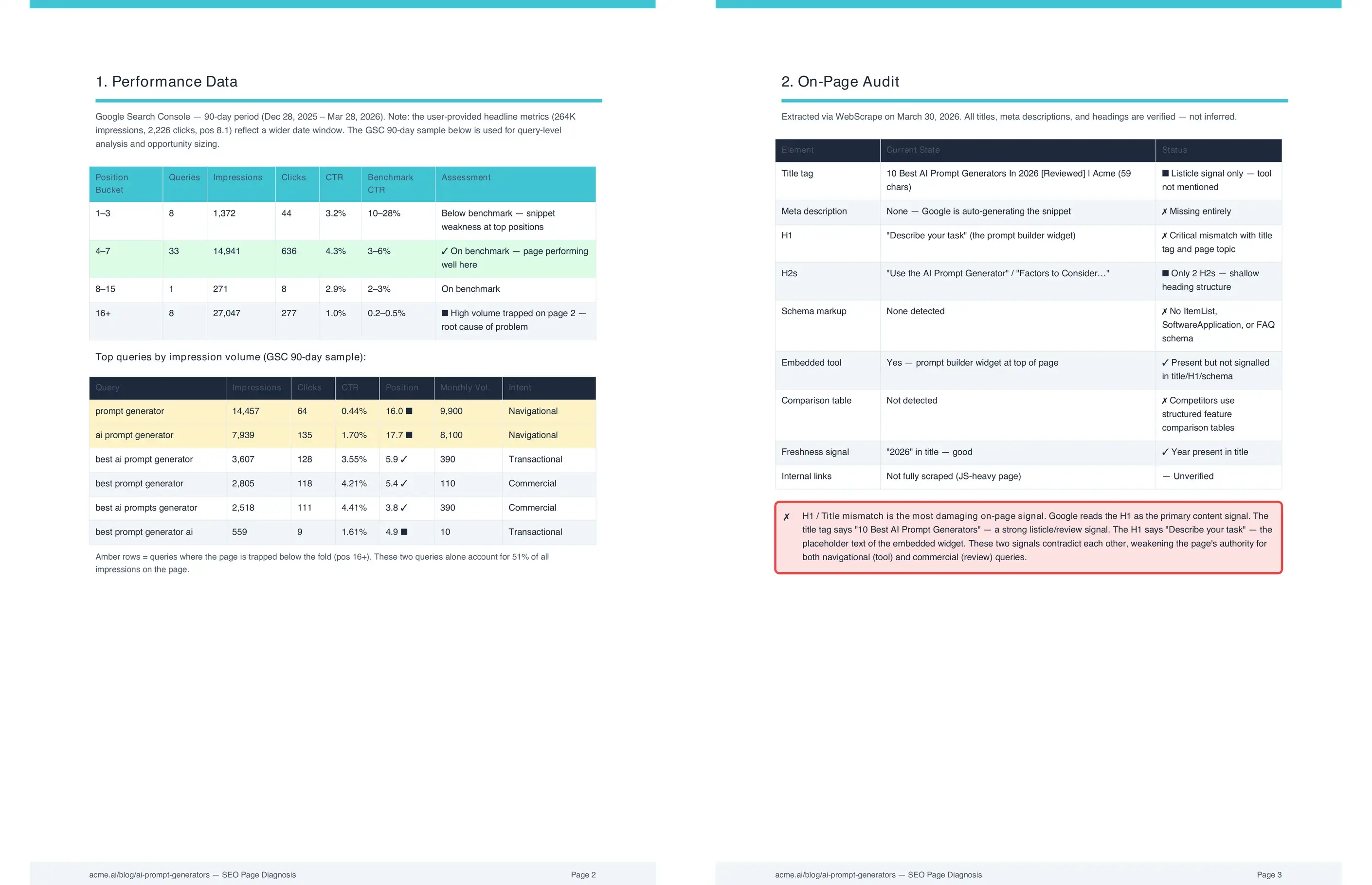
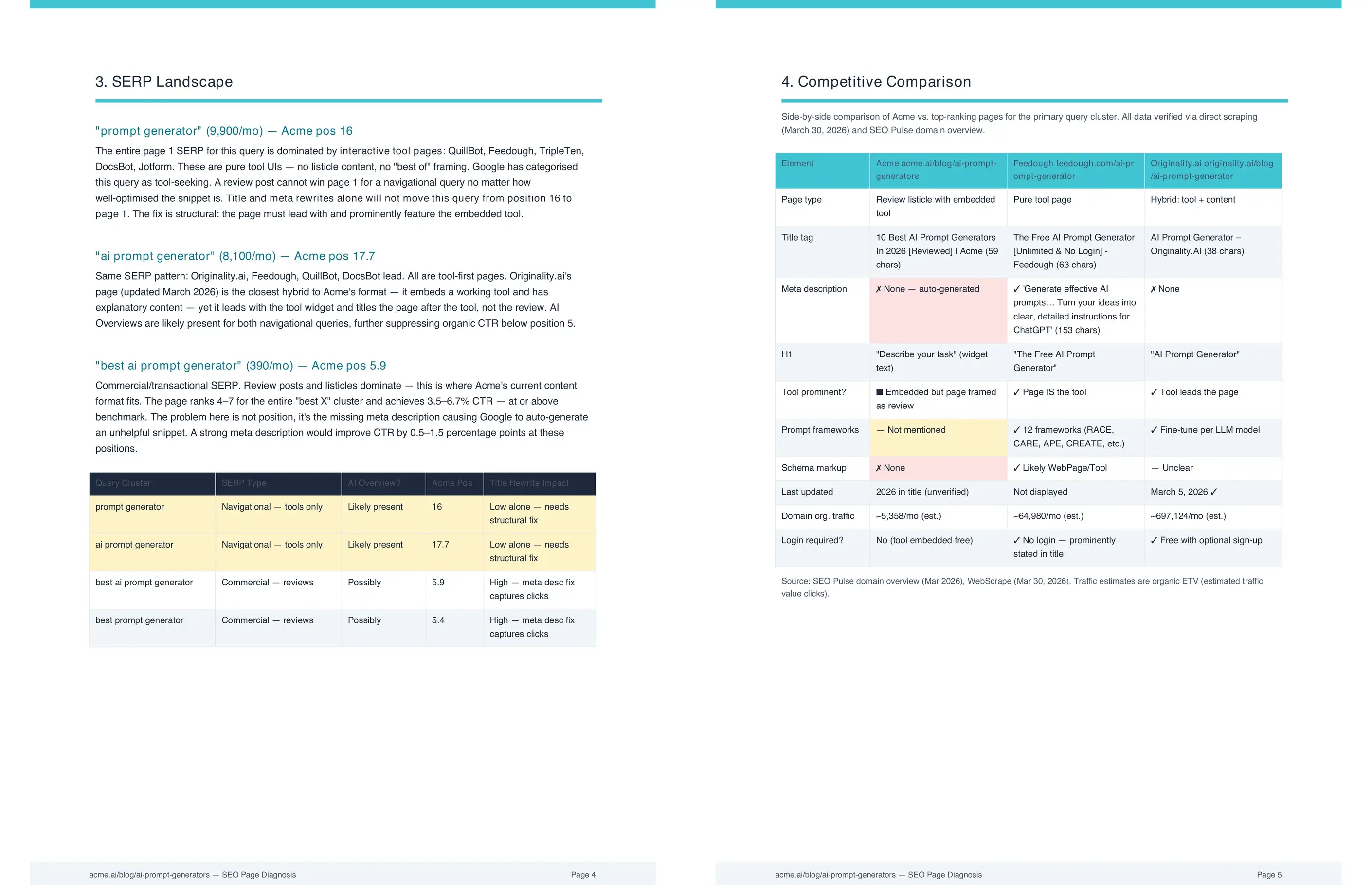
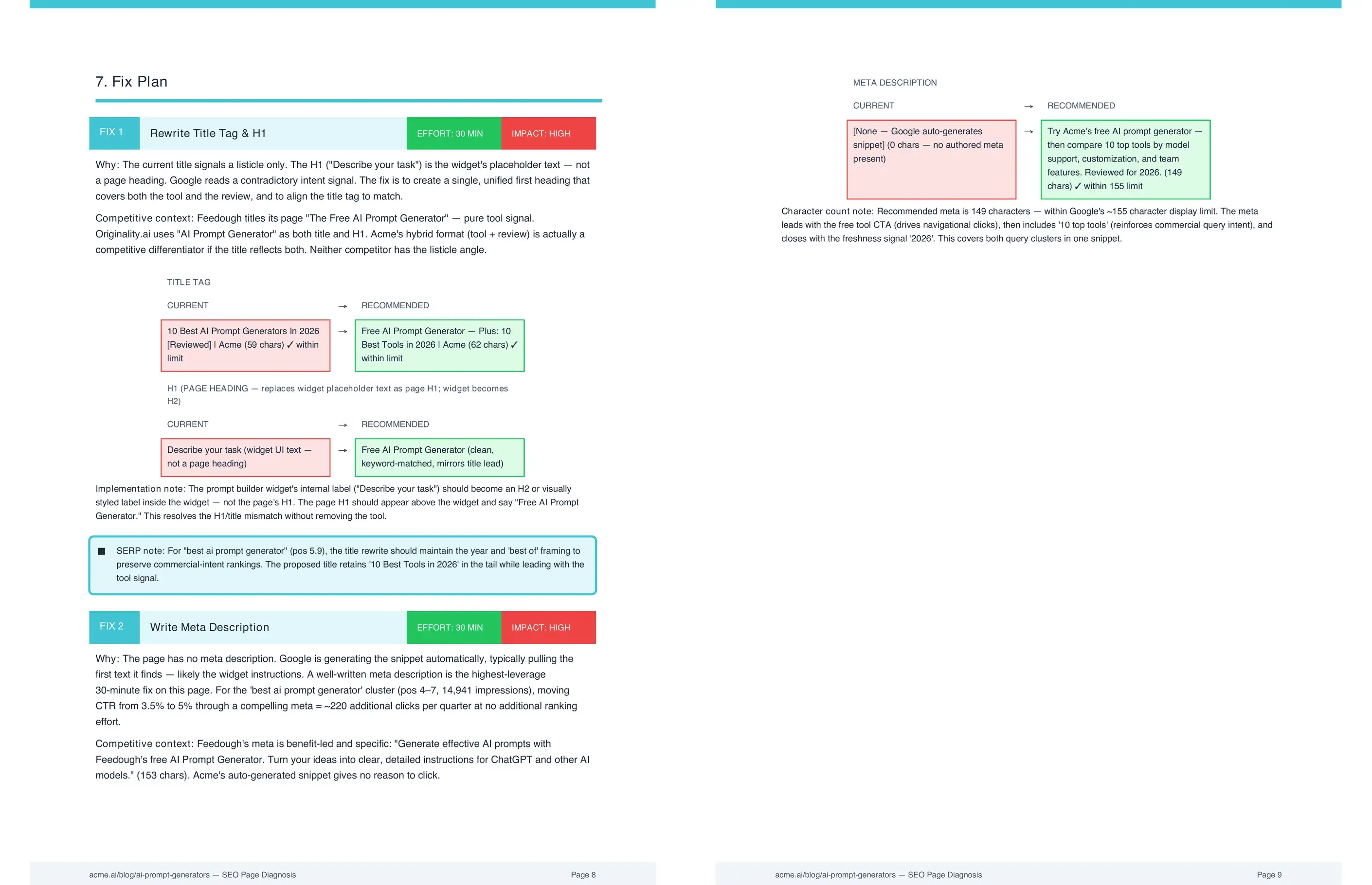
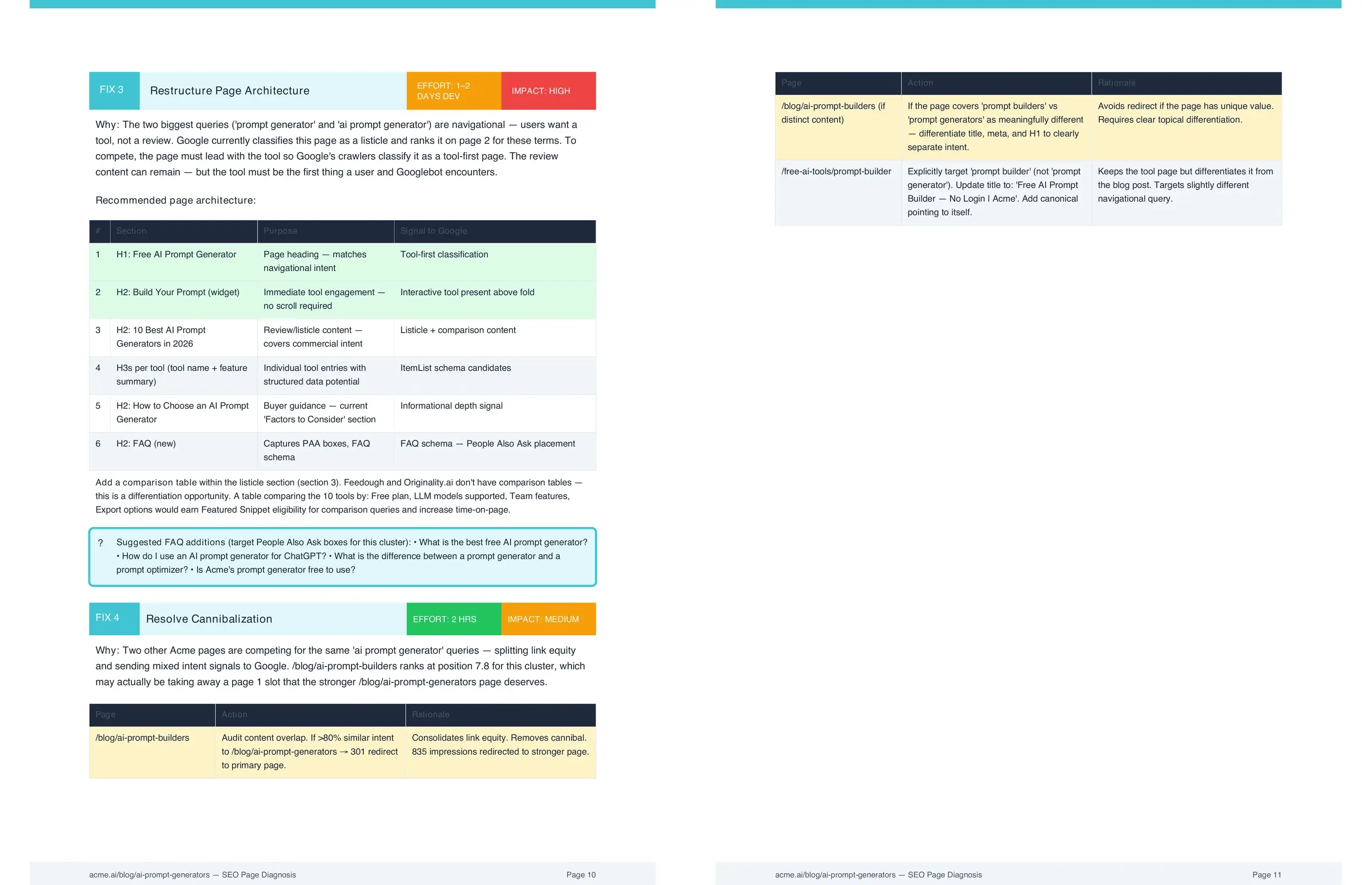
This Flow replaces 3 to 5 hours of manual diagnostic work with a single prompt. It pulls query data from Google Search Console, scrapes 3 competitors, maps SERP features, and returns a prioritized fix list together. The analyst's time shifts from data collection to decision-making.
That estimate assumes the analyst has GSC access, knows how to pull query-level data, and has a process for formatting the comparison output. For teams without a standardized audit workflow, the time runs longer. Running this diagnosis manually across 10 pages that dropped in a single month would take a full week of analyst time.
What query data does the diagnosis pull from Google Search Console?
The diagnosis pulls every query currently driving impressions to the page, along with position, CTR, and impression volume for each. It benchmarks CTR against position norms so the team can distinguish a ranking problem from a SERP presentation problem before deciding which fix to apply.
A page at position 3 with a 2% CTR when the norm is 9% has a different problem from a page that dropped from position 3 to position 9. The first needs a better title and meta description. The second needs content or authority improvements. The query data tells the team which kind of fix applies before they spend time on the wrong one.
The diagnosis also surfaces queries where the page earns impressions but no clicks. These are usually queries where a featured snippet or AI Overview answers the question directly in the SERP. Knowing which queries face zero-click competition changes how the team weighs content improvements against SERP presentation fixes.
What causes an SEO ranking drop, and why did my Google ranking drop?
The most common causes are content depth falling behind a competitor, a SERP feature now answering the query directly, or a title and meta that no longer match search intent. Juma checks each against real data and names the specific cause instead of listing every possible reason.
The diagnosis also checks for less obvious causes: a competitor that published a more comprehensive version of the same content, an algorithm update that shifted ranking signals during the drop period, or a site-level change like a URL migration or an accidental noindex tag. Each leaves a different fingerprint in the query performance data.
Matching the cause to the fix is where the diagnosis saves the most time. A page stuck at position 16 has a content or authority problem, not a title tag problem. A page at position 4 with 2% CTR has a presentation problem. The diagnosis separates these before the team applies the wrong fix.
How does SERP feature analysis change the fix priority?
SERP feature analysis determines whether the right fix is a ranking improvement or a citation play. A page competing with a featured snippet needs a restructured direct answer. A page competing with an AI Overview needs citation optimization, not more content. Getting this wrong wastes the fix effort on the wrong problem.
For a query where a featured snippet holds position zero, the most effective fix is restructuring the page's answer to compete for that snippet. That means a concise definition in the first paragraph, a structured list or table where relevant, and a heading that mirrors the search query. Adding more words to the page without restructuring the answer will not move the snippet.
For queries with AI Overviews, the goal shifts to earning a citation rather than ranking in the traditional organic results. The diagnosis flags these queries separately so the team knows which pages need citation optimization and which need standard ranking improvements. Treating all query types the same produces weaker results for both.
Does this Flow work for pages that have been gradually declining, not just pages that dropped suddenly?
Yes. The diagnosis distinguishes between gradual decline and sudden drops because they have different causes. Gradual decline usually signals content freshness or topical coverage problems. A sudden drop more often points to an algorithm update or a competitor publishing something competitive around the same time.
For gradual declines, the diagnosis looks at publish date, content depth relative to current top results, and whether the queries driving impressions have shifted toward different intent. A query that used to return a how-to guide but now returns a comparison page signals that the content type, not just the quality, needs to change.
For sudden drops, the diagnosis cross-references the timing against known algorithm update dates and checks whether a specific competitor gained rankings around the same time. Both types of drop get a diagnosis built around their specific evidence rather than a generic checklist of possible causes.
.webp)