Set up your client project: audience data, brand voice, and past campaign performance
A Juma Project is a shared space where the team stores everything Juma needs to know about a client. Create one project per client, add context as you go, and Juma will use what's relevant every time the team runs a flow. The more the team adds over time, the sharper every output gets.
What to add
Brand Voice Guide
How the client sounds across channels: tone, vocabulary, and what to avoid. Messaging frameworks come out in the right voice from the first draft, instead of needing rounds of tone adjustment.
Audience Baselines
Existing personas, known segments, and demographic data from past research. New campaign briefs start from proven audience knowledge instead of rebuilding segments each time.
Past Campaign Performance
What worked: top-performing segments, engagement data, conversion benchmarks by channel. This is the data that turns a research-based brief into an evidence-based one.
Channel Playbook
Which platforms the client uses, typical budget ranges, and historical benchmarks. Platform targeting sections will pull from real performance data instead of industry averages.
Brief Template
If the team's audience briefs need to follow a specific structure, sections, or formatting, upload a template or a past brief as a reference. Juma will match the structure instead of using its default layout.
Guide Juma with project info
Add a short description to each knowledge item in the project's info field so Juma knows what each file contains and when to use it. For example:
- Brand Voice Guide: "Tone and vocabulary rules for all client-facing copy. Follow for messaging frameworks."
- Audience Baselines: "Personas and segments from Q4 2025 research. Use as starting point for any audience work."
- Brief Template: "Internal format for campaign briefs. Match this structure for all deliverables."
Define your campaign audience before the first dollar goes out
Frequently Asked Questions
How much time does this Flow save compared to building an audience brief manually?
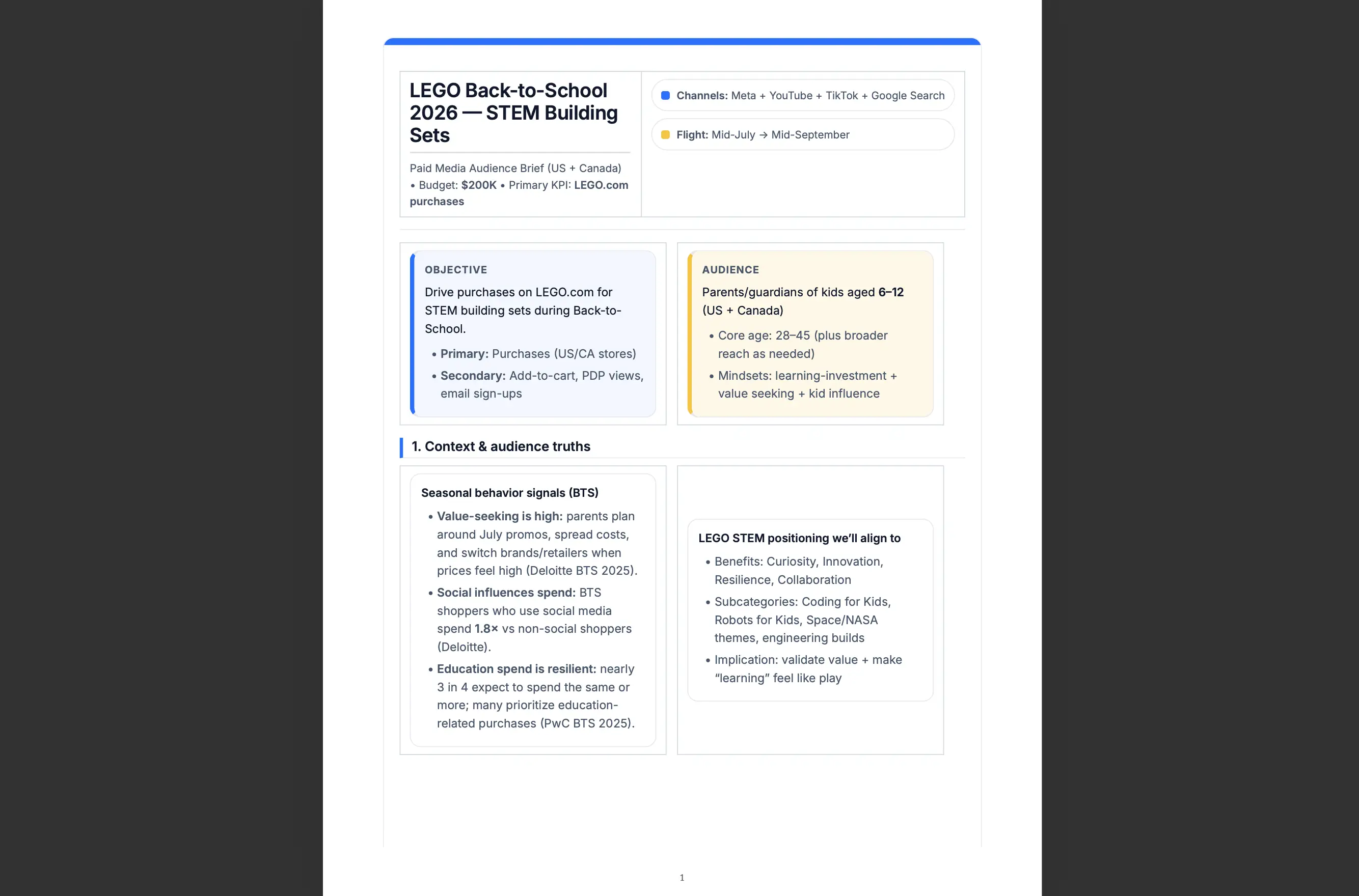
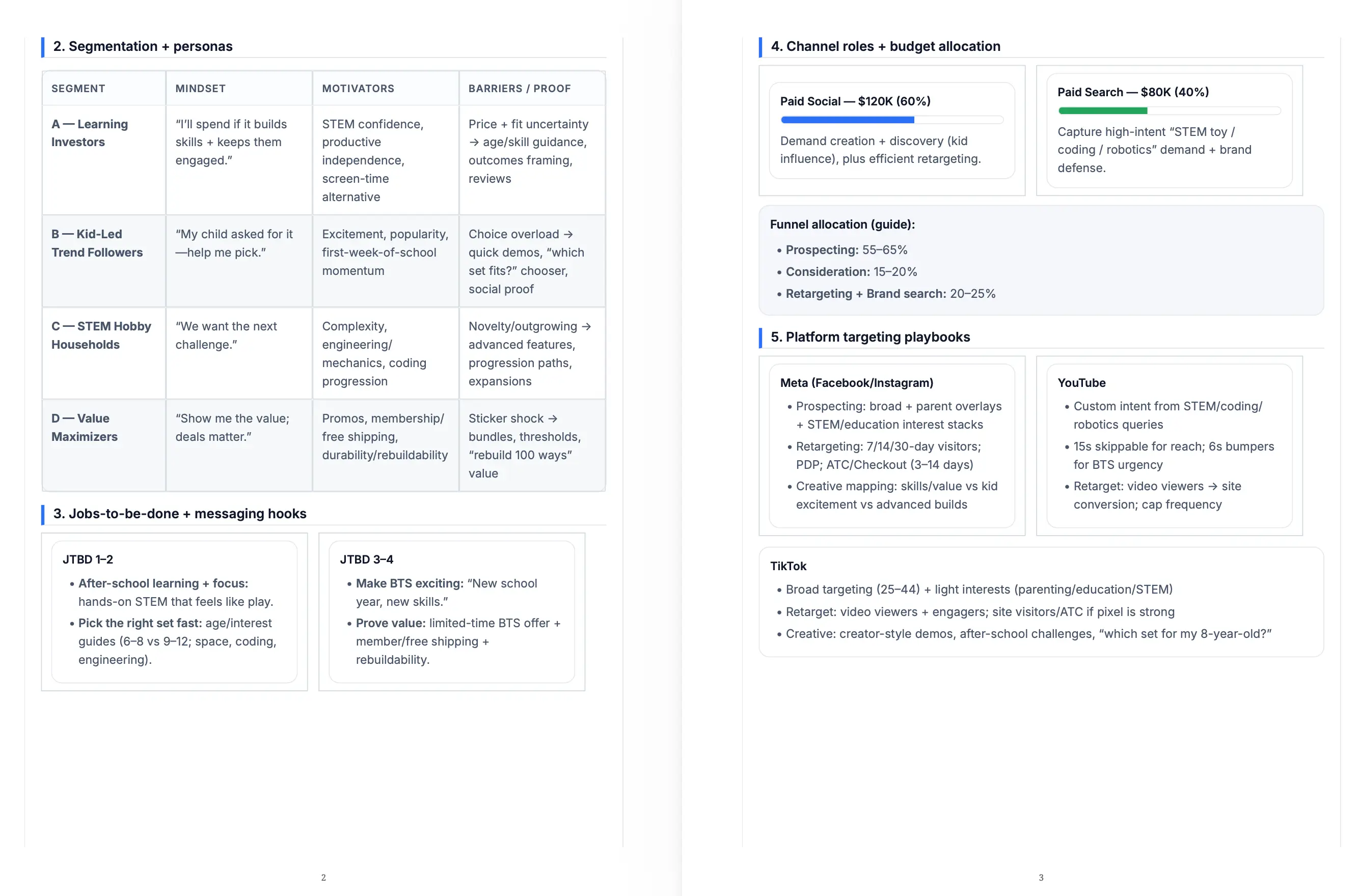
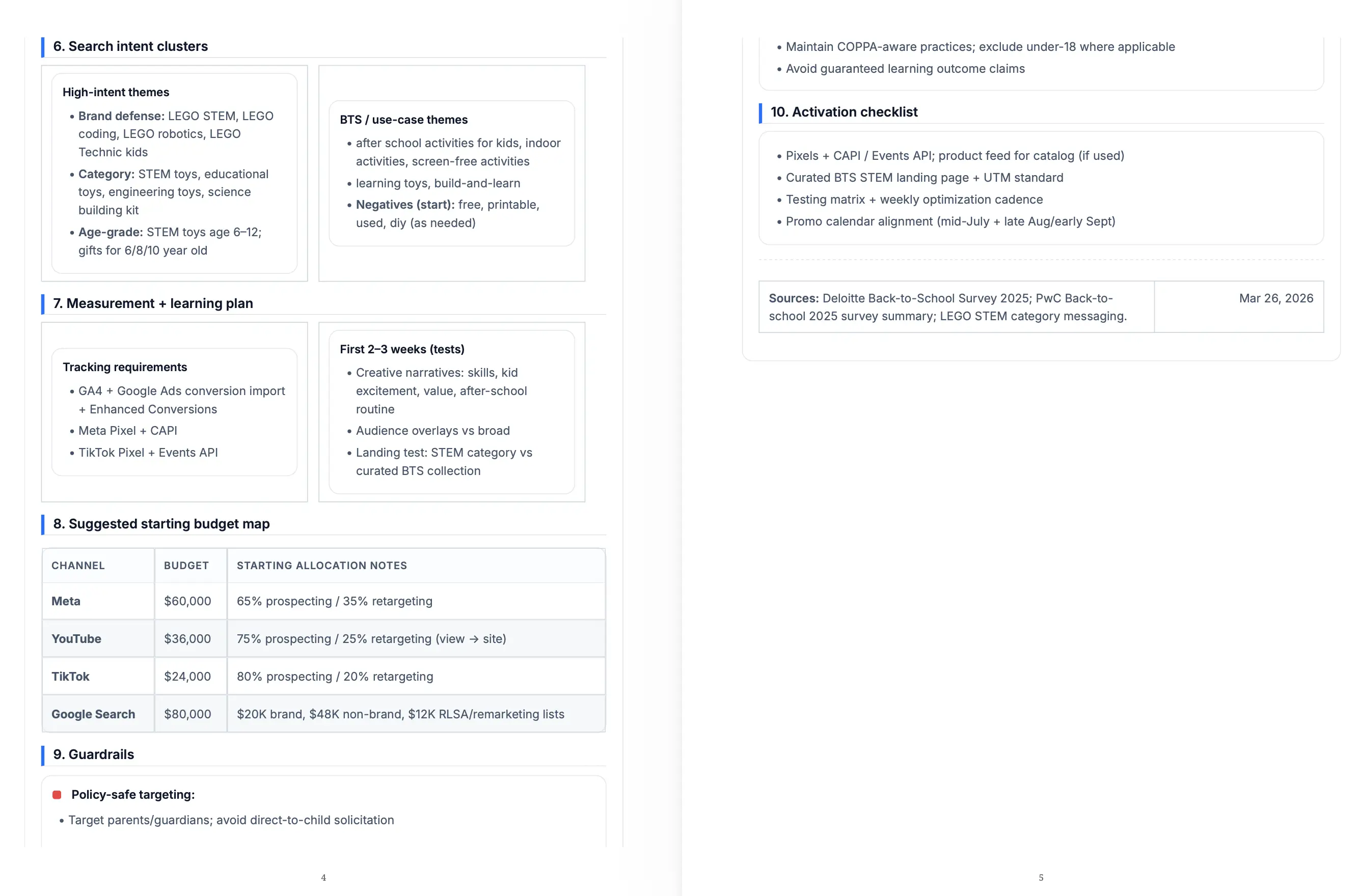
Building a campaign audience brief manually takes two to three days of research, segment identification, messaging development, and budget logic. This Flow delivers a complete brief with ranked segments, per-segment messaging frameworks, competitive positioning, and a weighted budget split in a single session. Teams consistently save eight to twelve hours per brief without reducing output quality.
The time savings come from eliminating the most repetitive tasks in brief creation: secondary research on segment demographics, competitive landscape scanning, and translating research findings into messaging frameworks. These tasks compound when a brief covers three or four segments because each requires its own research pass before any writing begins.
Teams typically use the recovered time to pressure-test the brief rather than skip steps: running a second budget scenario, expanding the top segment into a standalone deep-dive, or adapting the output for a second market. All of those are available as subsequent steps in this Flow.
What does target audience segmentation in this brief include?
Target audience segmentation in this brief includes demographics, behavior-grounded psychographics, and the specific pain point the campaign resolves for each segment. Every segment also gets a complete messaging framework: a core message, a proof point, a CTA aligned with the campaign goal, and a list of messaging directions to avoid so creative teams have both direction and guardrails from the same document.
The psychographic layer is more specific than a standard persona. Instead of general motivations, it captures decision-making context: what the audience is optimizing for, what risks they are avoiding, and what makes the product credible enough to act on. This precision is what makes the messaging framework usable rather than aspirational.
Segments are ranked by size, conversion potential, and strategic importance. Budget weighting ties directly to that ranking, and platform recommendations follow from the audience profile rather than from channel familiarity or media buying convention.
How do you use this Flow with existing audience data or past campaign briefs?
Upload previous briefs, personas, performance reports, or CRM exports to your Juma Project before running the Flow. When existing audience data is available, segment prioritization reflects real conversion patterns rather than research estimates. Segments are ranked based on what has actually worked, not just what looks promising in a demographic profile.
The most useful data to provide: segment-level engagement rates from past campaigns, conversion benchmarks by platform or creative format, and audience exclusion logic your team already applies. These inputs shift the brief from a research-based starting point to an evidence-based audience segmentation strategy that is much harder for a competitor to replicate.
CRM data is particularly effective. A list of your top customers with industry, role, and company size tells the Flow more about your real audience than general market research. Teams with HubSpot connected to their Juma Project pull this automatically, so every brief starts with actual customer conversion patterns rather than assumptions.
What types of campaigns does this Flow work for?
This Flow works for any campaign with a defined product, goal, and budget: product launches, seasonal campaigns, lead generation, brand awareness, and regional rollouts. The key variable is the campaign goal. "Launch awareness" and "drive trial signups" produce different segment priorities, different messaging angles, and different budget logic because they optimize for different audience behaviors and conversion events.
B2B and B2C campaigns both work well. For B2B, segments build around buying role and decision-making stage. For B2C, segments focus on behavioral triggers and purchase motivation. The segmentation logic adapts to the customer type the campaign is designed to reach rather than defaulting to a generic persona format.
The one requirement is a specific goal. Vague inputs like "grow the brand" produce generic segment outputs. Specific inputs like "drive 500 trial signups from mid-market SaaS companies in Q2" produce tightly ranked segments with messaging that reflects the actual conversion target.