Set up your client project: brand voice, audience, and content pillars
Teams build one Juma Project per client and add context over time. Every flow the team runs for that client pulls from the same project, so context compounds across tasks. If a project already exists for this client, these are the knowledge items that improve LinkedIn post output.
What to add
Brand Voice Guide
How the client sounds on LinkedIn specifically: tone, vocabulary, hook style preferences, what to avoid. Add this and posts come out in the right voice from the first draft. Include notes on whether the voice shifts between the company page and executive profiles.
Audience Profile
Who the content speaks to: job titles, seniority, industries, and what they engage with on LinkedIn. This shapes which angles lead each post and whether the tone is peer-to-peer or educational.
Content Pillars
The 3-5 recurring themes the brand covers on LinkedIn, with target distribution ratios. Add this and every batch pulls from established territory instead of deciding what to post about each time.
LinkedIn Post Examples
A handful of high-performing posts with engagement data and notes on what worked. The AI matches the structure, tone, and hook patterns that already perform for this brand.
Guide Juma with project info
Add a short description to each knowledge item in the project's info field so Juma knows what each file contains and when to use it. For example:
- Brand Voice Guide: "LinkedIn voice for the company page and executive profiles. Follow this for all post writing."
- Content Pillars: "The 5 recurring themes with target distribution ratios. Use this to decide what each post is about."
- LinkedIn Post Examples: "Top-performing posts from Q1. Match these structures and hook patterns."
Write LinkedIn posts grounded in what actually performs
Frequently Asked Questions
How much time does this LinkedIn post generator save compared to writing posts manually?
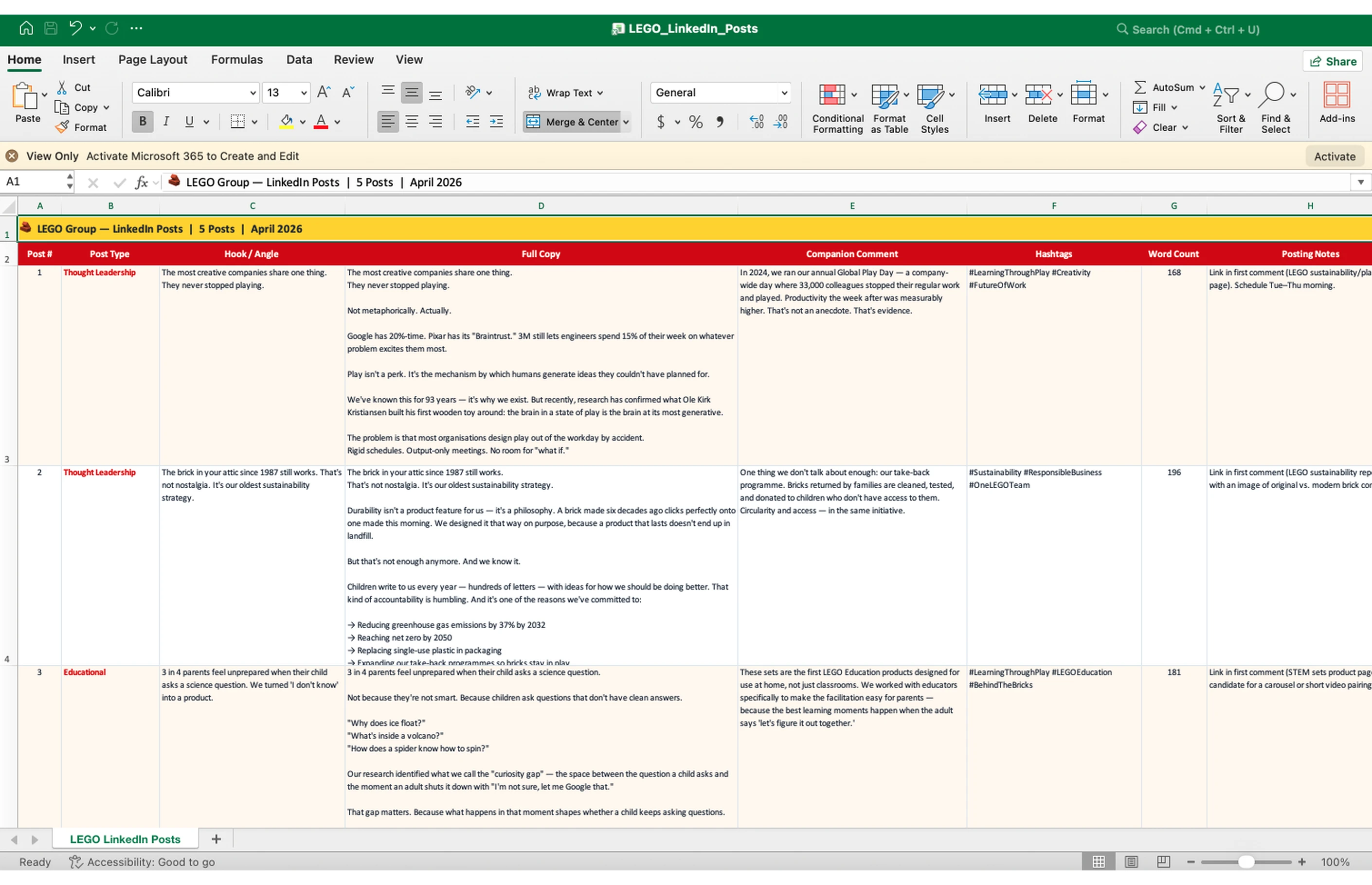
This LinkedIn post generator saves 3 to 5 hours compared to writing a batch of 5 posts manually. The research, hook drafting, copy writing, and fold review all run in a single prompt. The output comes back ready for team review without a separate editing pass.
That time saving compounds across a client roster. A team that manually writes content for 10 LinkedIn clients can cut the first-draft phase from a multi-day task to a single working session. For agencies billing by output rather than hours, the efficiency difference directly expands capacity. The research phase - reading recent posts, identifying top-performing content types, deciding which angles to pursue - typically takes 30 to 60 minutes per client when done manually. This Flow handles it automatically from the profile URL.
How does the HTML fold preview work?
The HTML fold preview renders each post inside a realistic LinkedIn feed layout and marks the 210-character truncation point. The team sees exactly which word gets cut and whether the hook earns a click before the full post appears - catching fold problems in review rather than after the post goes live.
LinkedIn places a "see more" link after approximately 210 characters. On mobile, the visible portion is shorter. A hook that reads well in a document can fail entirely on the platform if its strongest point falls below that line. This preview removes that variable: if a hook gets buried or cut at the wrong word, the team catches it before publishing. This addresses one of the most common reasons LinkedIn posts underperform - technically good copy that fails because the first visible lines do not give the reader a reason to keep reading.
What LinkedIn post ideas does the Flow surface, and how does it choose them?
The Flow proposes LinkedIn post ideas based on what has performed on the specific profile you share. Each idea includes a format recommendation, a hook angle, and a brief note on the engagement data behind it - grounded in the brand's own content history, not general LinkedIn trends.
The team can accept the ideas as direct briefs for the writing step, adapt them based on client input, or use them as a starting point for a different direction. The LinkedIn post ideas are most useful before a content planning meeting: share the output with the client and use the ideas as evidence-based options rather than starting from a blank page. Clients are more likely to approve content directions grounded in their own profile data than directions that come from the agency's instincts alone, which shortens the approval cycle.
Can this Flow write posts for both company pages and executive profiles?
Yes. The Flow writes separately for company pages and executive profiles, adjusting tone, hook structure, and content territory for each. Company pages get institutional, brand-level copy. Executive profiles get first-person, direct copy that reads like a colleague's observation rather than a brand statement.
LinkedIn's algorithm gives personal profiles significantly higher organic reach than equivalent company page posts — typically 3 to 5 times more. The voice difference reflects this: hooks written for a company page fail on a personal profile because readers expect person-to-person framing. If you are writing for both formats in the same brief, run two separate prompts. A single prompt mixing both formats produces output that fits neither context well. Specify the profile type clearly and Juma adjusts every element of the output — tone, hook angle, CTA style, and content territory — to match.
.webp)





.webp)

