

See all release notes over here.
File Uploads
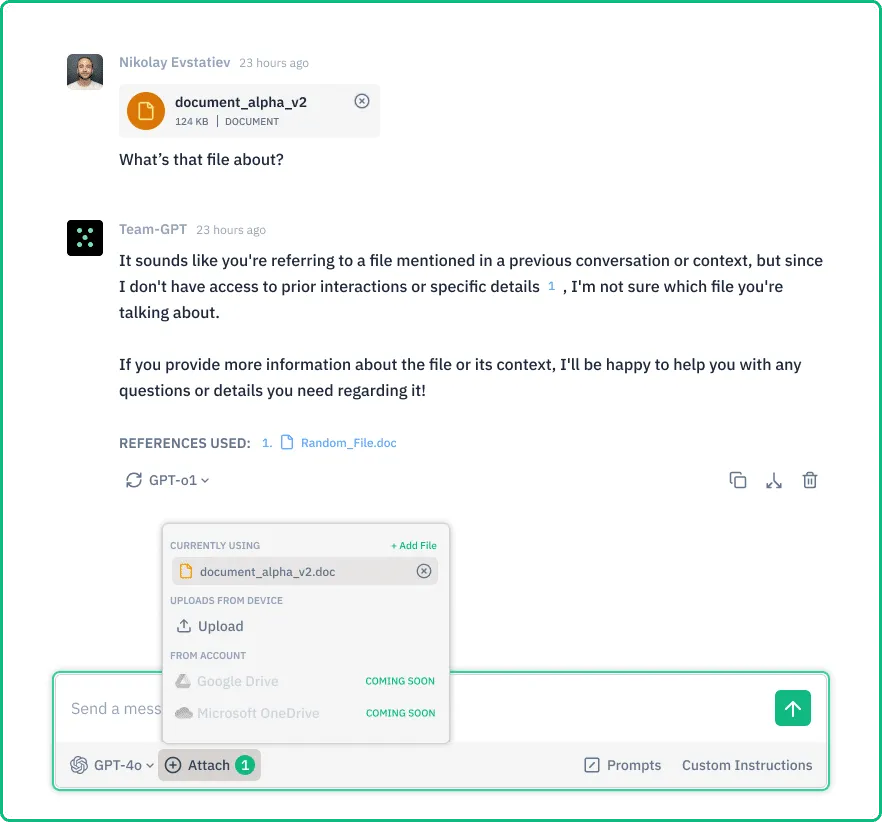
File uploads capability is here and we can’t wait for you to try it out!
It allows you to integrate documents directly into Juma (formerly Team-GPT). You are able to use PDFs, Word files, and images as context, and analyze content across multiple files to:
- extract insights
- create summaries
- compare information between different documents
Updates, smaller changes, and bug fixes
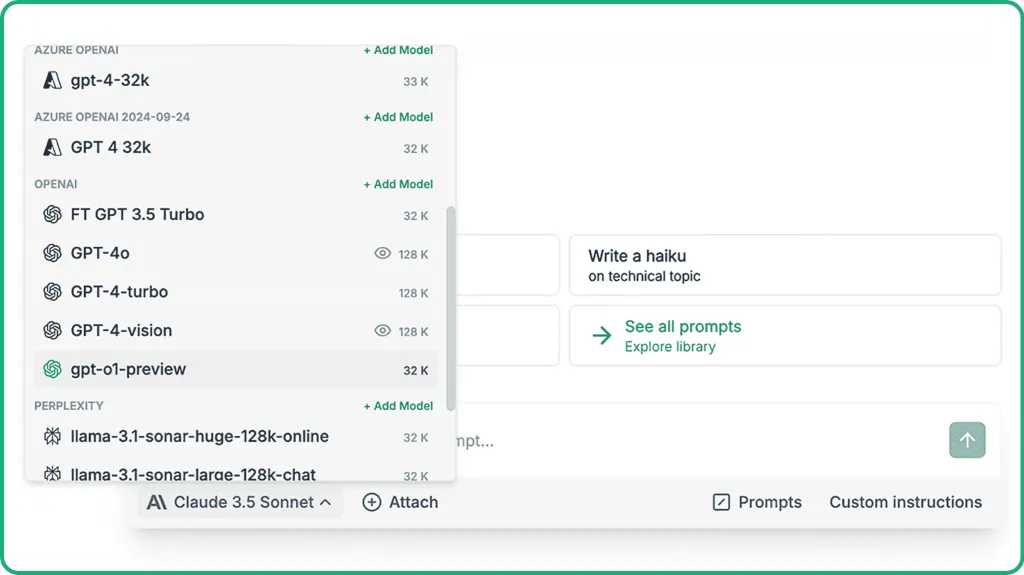
OpenAI o1 is now accessible in Juma (formerly Team-GPT)
o1 models are designed to spend more time "thinking" before responding, making them more effective in complex reasoning tasks, science, and programming. The o1 models excel at providing comprehensive answers to challenging queries.
New stuff
Images clipboard support
Paste images directly from your clipboard and upload them into your chats.
Updated UI components
Juma (formerly Team-GPT) receives a design refresh - updated interface elements for improved usability and visual consistency across the platform.
Chat Privacy
Admins can now enable or disable private chats for full control of their workspace.
Bug fixes
- Fixed chat name generation issues
- Resolved folder dashboard update problems when creating, deleting, or renaming folders
- Addressed various UI and performance improvements
- Fixed an issue where deleting an active chat could cause errors
- Improved overall platform stability
LinkedIn Carousels

Competitor Analysis

GEO Optimized Articles

Google Analytics Reports


%20(1).webp)



Private cloud deployment - AWS, Azure, GCP
SSO / SAML + platform administration
Security review support + DPA
Custom contract & SLA
Dedicated account manager & priority onboarding
Invoicing + custom billing terms