










Projects & Knowledge

Set up once.
Everyone works
from the same brain.

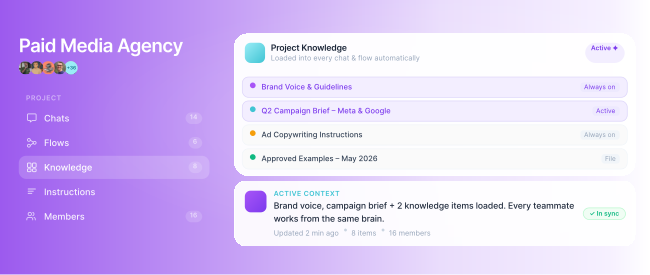
Juma Projects are context spaces that hold everything theAI needs to know: your brand voice, files, instructions, andexamples. Load it once. Every teammate, every chat, everyFlow works from it automatically.

4.9 on G2
SOC 2 · GDPR · HIPAA · ISO 27001
400+
marketing teams on Juma
85h
saved per month at House of Growth

Trusted by marketers at

Salesforce Logo
Wavemaker Logo
Tink Logo
Mindshare Logo
Mission North Logo
Logo of Costa Coffee
Johns Hopkins University Logo
Achtung Logo
Shift 4 Payments
VertoDigital Logo
Case Study
Die Crew Logo
Maersk Logo
Essence Mediacom Logo
Procore Logo
Case Study
House of Growth Logo
Breuninger logo
Salesforce Logo
Wavemaker Logo
Tink Logo
Mindshare Logo
Mission North Logo
Logo of Costa Coffee
Johns Hopkins University Logo
Achtung Logo
Shift 4 Payments
VertoDigital Logo
Case Study
Die Crew Logo
Maersk Logo
Essence Mediacom Logo
Procore Logo
Case Study
House of Growth Logo
Breuninger logo

Key Takeaways

A Juma Project is a persistent context layer. Brand voice, files, and instructions live there. The AI references them automatically in every chat.

Set up once. Every teammate who opens the Project works from the same brief.

Each Project is fully isolated. Client A's brand never touches Client B's.

Examples are the biggest lever for output quality. Upload them once and the AI knows exactly what good looks like.

Pull files directly from Google Drive, SharePoint, OneDrive, Notion, and HubSpot. All your context in one place.

Knowledge layers

What does Juma Project include?

Juma Project knowledge is a seven-layer context system attached to every Project.
It includes Project Info, Context Library, Examples, Data Sources, and Folder knowledge. Add them once and the AI references all of it automatically across every chat, every teammate, and every Flow in that Project.

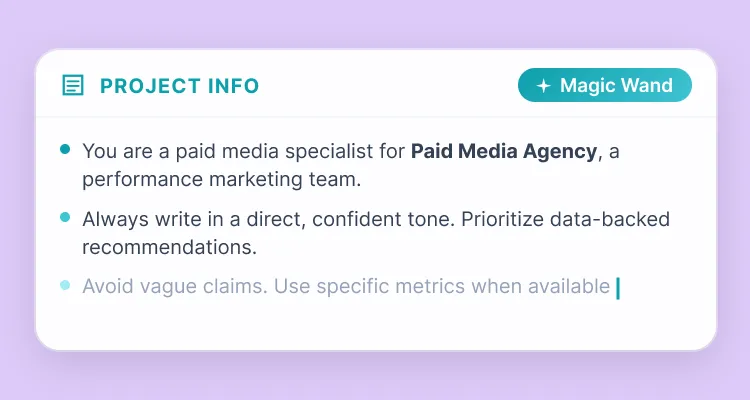
Project Info

The master instructions for a Project. Define the audience, persona, and rules the AI follows. Write a few sentences and Magic Wand builds the full system prompt.

Applied in every chat.

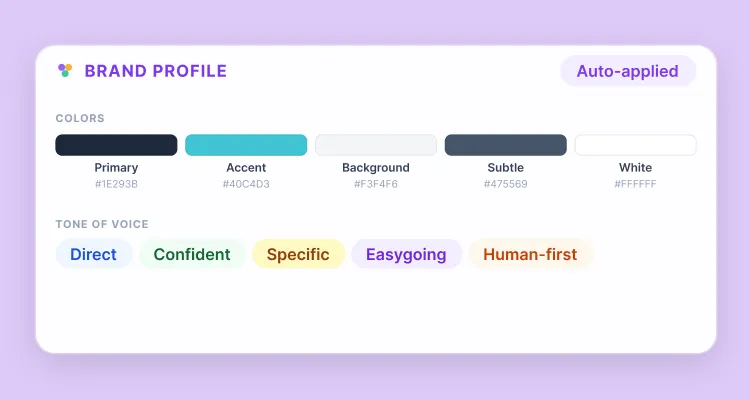
Brand Profile

Define tone, style, and language rules once. Every output inside the Project reflects your brand automatically. Every teammate, every chat.

Consistent output in every chat.

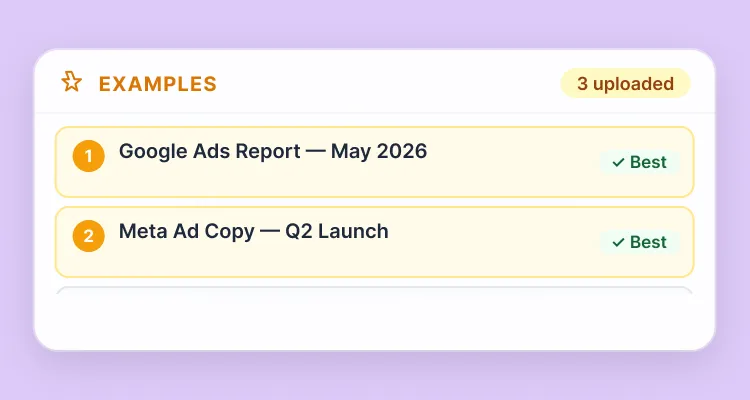
Examples

Show the AI what good looks like. Examples are the single biggest driver of output quality. Upload them once and the AI matches your standard every time.

Biggest quality lever.

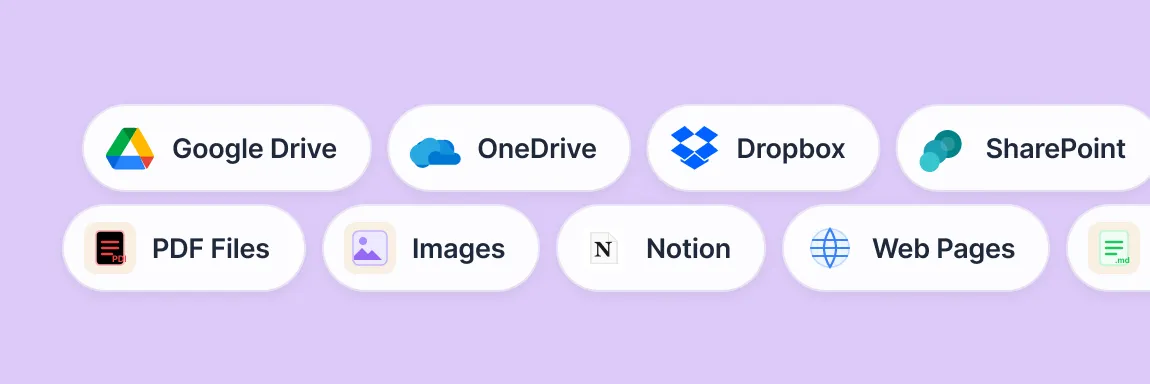
Data Sources

Add files and images, connect Google Drive, SharePoint, OneDrive, or Notion, and pull in web pages. All your context lives inside the Project, always current.

Drive, SharePoint, Notion.

Folder knowledge

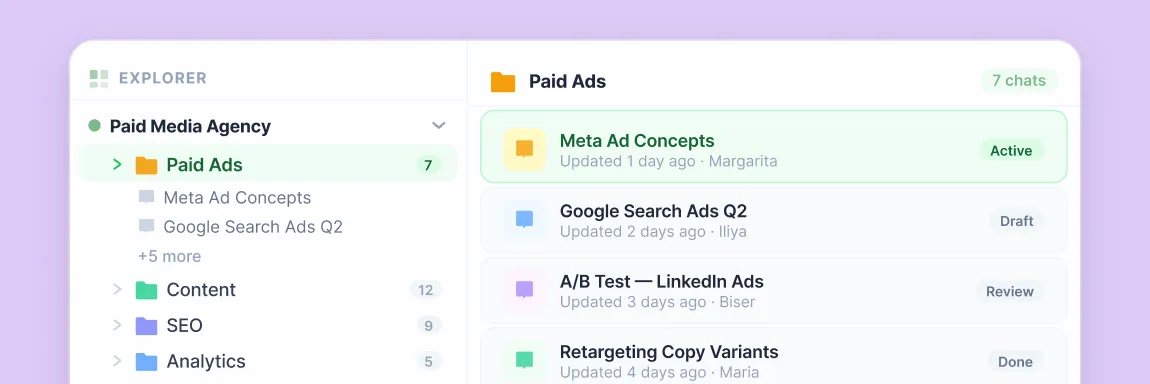
Folder knowledge adds a task-specific layer on top of the Project. Organize by campaign, channel, or content type. Every Folder inherits the parent Project context automatically.

Inherits Project context.

Context Library

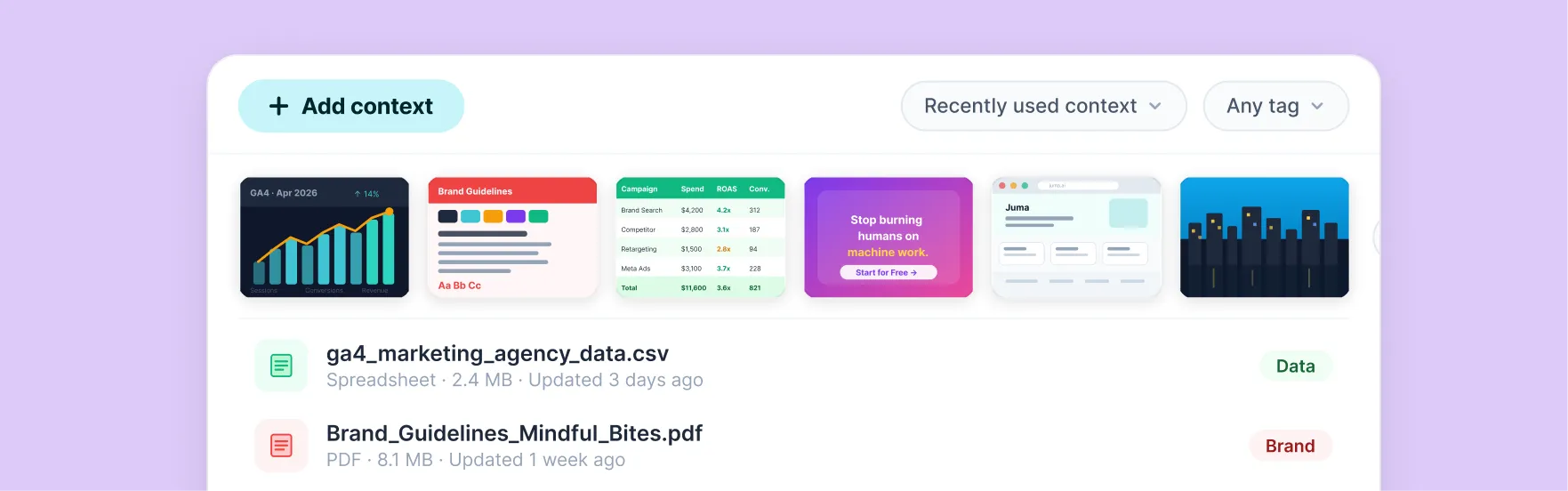
A personal hub for reusable files, instructions, and web pages. Build a library, share it across your team, and pull any item into a chat with the @ shortcut.

Reusable across all chats.
For agencies

How do agencies use Juma Projects to manage multiple clients?

Juma is the AI workspace built for marketing agencies managing multiple clients. Each client gets a separate Project with its own brand voice, files, and instructions. Every teammate works from that brief automatically across every session: no context-loading, no crossed wires between accounts. Each Project is fully isolated at the folder level so brand, tone, and files never cross into another client's account.

The Crew reached 90% team adoption and 2x faster workflows running this way. House of Growth produces 160 articles per month and saves 85 hours doing the same.

For in-house teams

How do in-house marketing teams organize Projects in Juma?

In-house teams structure Juma by campaign, channel, or workstream. Each Project holds the specific brief, audience data, and brand guidelines for that area of work. A B2B marketing team might run a Product Launch Project with messaging and positioning, an SEO Content Project with keyword research and approved examples, and a Paid Media Project with ad briefs and benchmarks. Each has its own context. Nothing bleeds across workstreams.

Reason to switch

Why do teams switch to Juma Projects from separate AI tools?

When there is no persistent context, the AI forgets everything afterevery session. Juma fixes that permanently.

Without Juma Projects
Re-brief the AI every session. Brand voice, audience, tone, goals: from scratch, every time, for every teammate.
Client brand voices get mixed up. Wrong tone on the wrong account. Wrong brief in the wrong chat.
AI outputs are inconsistent across the team. Different people get different results from the same brief.
Files are uploaded once, lost the next session. No record of what context the AI used.
With Juma Projects
Brand voice, instructions, and context stored in the Project. Applied automatically in every chat for every teammate.
Each client Project is fully isolated. Brand, files, and instructions never bleed across accounts.
Shared Project context means every teammate's output comes from the same brand voice, examples, and instructions.
Files and data sources persist in the Project indefinitely. The knowledge panel shows exactly what the AI used.

400+

marketing teams trust Juma

85h

saved per month, House of Growth

90%

team adoption at The Crew

160

articles/month, one SEO agency

Pricing

How much does it cost to add team members to Juma?

Juma uses credit-based pricing with unlimited seats on every plan. Your whole team joins on one subscription. No per-seat fee, no per-user charge. Pro starts at $49/month. Bring everyone in.

Starting at
$0
/user
Unlimited seats on all plans
FAQ

Common questions about Juma Projects and Knowledge

Does Juma have a shared knowledge base for the whole team?

Yes. Workspace-wide Projects share context with every team member automatically. Every teammate creates from the same brand voice, files, and instructions. No individual setup required.

How does Juma remember client brand guidelines between sessions?

Juma Projects store brand voice, examples, and instructions permanently. Every new chat opens with that context already active. Nothing re-uploaded, nothing re-explained. The AI picks up exactly where the last session left off.

What data sources can I connect to a Juma Project?

Add files and images directly, pull from Google Drive, SharePoint, OneDrive, or Notion, or add web pages. All connected sources become part of the Project's persistent knowledge base.

How does Juma keep different client accounts separate?

Each Project has full data isolation. Brand voice, files, and instructions in one Project are never accessible in another. Agencies use this to manage 20+ client accounts without cross-contamination between briefs.

What is a Juma Project and how does it work?

A Juma Project is a persistent context layer for a client, campaign, or team. It stores brand voice, files, instructions, and examples the AI references automatically in every chat and every Flow. Set it up once and every teammate works from the same knowledge base without re-briefing.

What is the difference between Project Knowledge and the Context Library?

Project Knowledge is tied to a specific client or campaign and applies automatically inside that Project. The Context Library is your personal hub of reusable files and instructions you can attach to any chat on demand.

Implementation support

Will someone help us get the team set up 

Yes. Getting a whole team onto a new tool is the part most platforms leave to you. Juma's implementation specialists work with you directly: onboarding your team, setting up shared Projects, and making sure everyone is actually using it on day one.

You can self-serve and be up and running in minutes. But for teams that want hands-on help, Juma's specialists are available to work alongside you.

Independent research shows a consistent pattern: the biggest
variable in whether a new tool actually sticks is not the software. It is whether a real human from the vendor helps you roll it out.

How team onboarding works

1

Set up your workspace

Your specialist helps configure your first shared Projects, brand context, and prompts so the team starts with something useful.

2

Invite the whole team

Unlimited seats means no gatekeeping. Everyone gets access at once with no per-seat negotiation or phased rollout needed.

3

Run a live team session

A 60-minute walkthrough with your actual team, on your actual workflows. Not a generic product demo.

4

Check in after 30 days

A follow-up session to review how the team is using Juma, answer
questions, and expand to new use cases.

Don't take our word for it

Ask AI about us

400+ marketing teams trust Juma.
ChatGPT, Claude, and Perplexity know why. Ask them.

Ready to bring your whole team in?

Free to start. Every AI model included. Bring everyone with unlimited seats on each plan.

Thank you! Your submission has been received!
Oops! Something went wrong while submitting the form.