












.webp)
Juma MCP lets you control your marketing from any AI agent
Connect Claude, Cursor, ChatGPT - or any AI tool that speaks MCP - to your Juma account. Now it knows your brand, works from your knowledge base, and reaches your real accounts. One sign-in. No API keys.
Key Takeaways
Connect once
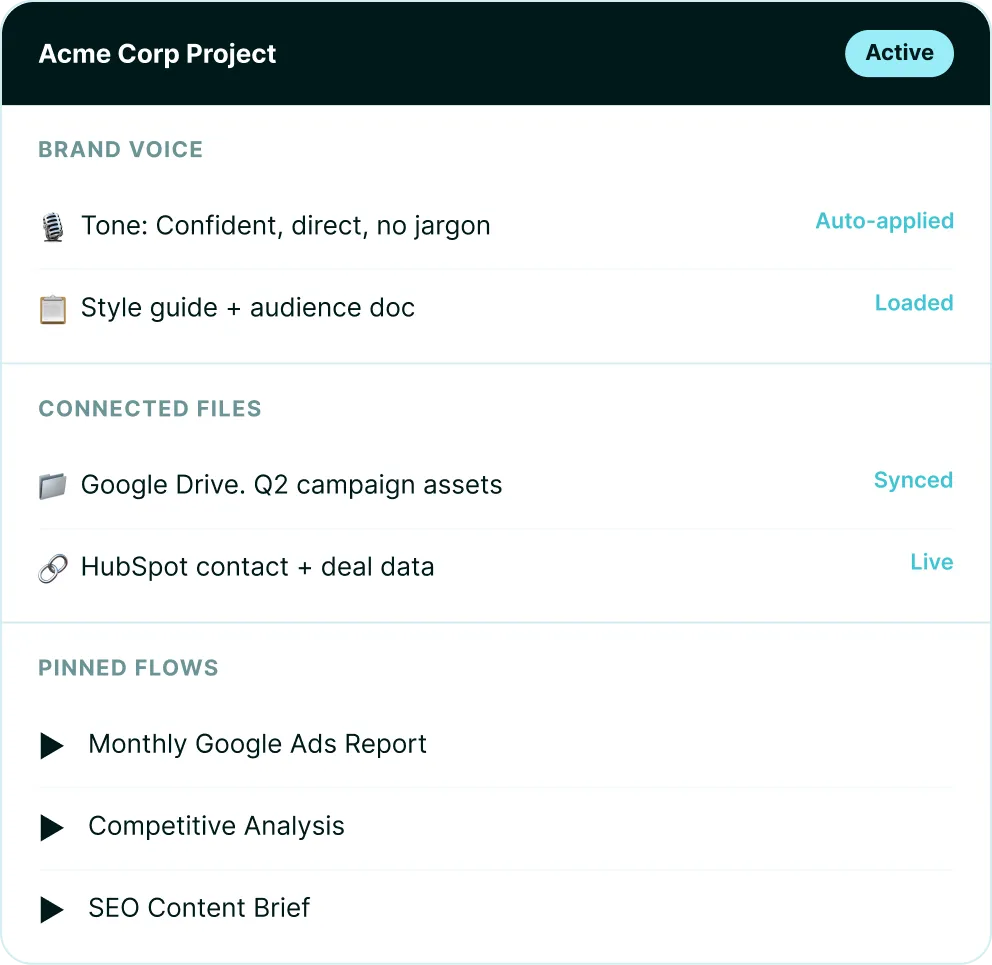
Your brand profiles, project knowledge and past work available in any AI tool. No pasting context every session.
Finished deliverables
Ask the agent to run a Juma workflow and it comes back with a finished asset, not another draft to edit.
Works everywhere
Claude Desktop, Claude Code, ChatGPT, Cursor, and Claude Mobile when you connect via Desktop.
Two-minute setup
No API keys. Included in your existing Juma seat. Unlimited seats, no extra plan.
Top Integrations People Use
Chat with Juma.
It's already connected to your tools.
.webp)
Google Search Console
.webp)
Google Ads

Meta Ads

HubSpot
.webp)
Slack
.webp)
Google Drive
.webp)
Google Sheets

Google Docs
3,000+ more
Knowledge layer
What is Juma MCP and what does it give marketers?
What is this (MCP)?
MCP (Model Context Protocol) is an open standard that lets AI agents connect to external tools and data. Juma MCP turns your Juma workspace into a set of callable tools, so any AI agent you already use can tap into your brand profiles, project knowledge, and connected integrations during a session.
What can I do with it?
Bring your Juma workspace into any AI session. Search and read project knowledge, pull brand guidelines, generate on-brand content and decks, run SEO and GEO audits, trigger integrations like Google Analytics or Slack, all from the agent you're already working in. No copy-pasting context, no switching tabs.
Where do I connect it?
Add Juma MCP to Claude Desktop, Claude Code, Cursor, ChatGPT, Gemini, or any other tool that supports MCP. Each one uses the same server URL: https://mcp.juma.ai/mcp. Connect over OAuth and your team's brand, knowledge, and projects become available to the agent.
Tool reference
What Juma MCP can do
Connect once and your AI agent can call these Juma tools directly, grounded in your brand, project knowledge and past work. Every tool below is callable over MCP.
Brand
What brand tools does Juma MCP have?
Read your brand and apply it automatically, or manage brand profiles from any AI tool.
get_brand
Read a brand profile: its colors, fonts, and voice.
import_brand_profile_from_url
Build a brand profile automatically from a website.
list_brand_profiles
List every brand profile in the workspace.
create_brand_profile
Create a new brand profile.
update_brand_profile
Update an existing brand profile.
add_brand_assets
Attach logos and brand assets to a profile.
assign_brand_to_project
Apply a brand profile to a project.
Knowledge and projects
How does Juma MCP use knowledge and projects?
Search, read, and grow the context stored in your Juma projects.
search_knowledge_items
Semantic search across a project's knowledge.
read_knowledge_items
Read the full content of knowledge items.
list_knowledge_items
List the items in a knowledge base.
add_knowledge_item
Add a text note to project knowledge.
upload_knowledge_file
Upload a file into project knowledge.
list_projects
List the team's projects.
create_project
Create a new project.
get_folder_contents
Browse a project's files and folders.
Content and deliverables
What can Juma MCP create?
Ask the agent for a finished, on-brand asset and it comes back as a real file.
write_content
Write on-brand copy for any channel.
create_report
Produce a structured report or PDF.
create_presentation
Build a slide deck as PDF or PPTX.
create_web_page
Generate a responsive landing page.
create_campaign
Plan and build a full multi-asset campaign.
generate_image
Generate an on-brand image.
analyze_data
Turn a dataset into charts and insights.
SEO and GEO
What SEO and GEO tools does Juma MCP include?
Research search demand and audit how visible you are in Google and in AI answers.
run_geo_audit
Score a page's AI-answer citability as a report.
check_geo_visibility
Quick GEO visibility score for a URL.
research_keywords
Generate keyword ideas with volume and intent.
find_organic_competitors
Find a domain's organic search competitors.
analyze_page_seo
Run a Lighthouse SEO and performance audit.
get_llm_top_cited_domains
See which domains AI engines cite for a topic.
get_ai_search_volume
How often terms are searched in AI engines.
Analytics and integrations
What does Juma MCP connect to?
Reach the team's connected apps and 700+ Flows through two universal tools.
search_integration_tools
Discover tools across connected apps by capability.
run_integration_tool
Run any connected app tool: Google Analytics, Google Drive, HubSpot, Slack, Asana and more.
Conversations and history
How does Juma MCP reuse past work?
Start new sessions and pull context from past conversations and the open web.
create_thread
Start a new Juma conversation.
reply_in_thread
Continue a conversation with full context.
read_conversation
Read a past conversation.
search_chat_history
Search across past conversations.
web_search
Search the open web.
web_scrape
Extract content from a web page.
Real results
Results from agencies using Juma
Die Crew · Creative Sales Agency
The Crew built an AI-first marketing agency with 90% team adoption
2x
faster workflows
90%
team adoption rate
House of Growth · SEO Agency
House of Growth produces 160 articles per month with Juma flows
160
articles/month
85h
saved/month
Conversion Alchemy · B2B Copy
Conversion Alchemy saves 50 hours per project on client engagements
50h
saved per project
2x
faster delivery
ITpoint Systems
How ITpoint Systems increased productivity by 25% using Juma
25%
increase in productivity
25%
faster document processing
Supported Clients
Which AI tools work with Juma MCP
Juma MCP works with any AI tool that supports the Model Context Protocol with OAuth. Because it is built on an open standard, any tool that ships MCP support connects automatically: no update needed on our side.
Claude Desktop
The most common entry point for marketers. Paste the server URL and sign in, no terminal needed. Also connects Claude Mobile.
Claude Code
Ideal for technical marketing work: landing pages, workflow automation, and dev collaboration. One command to connect.
ChatGPT
Add as a connector in ChatGPT settings. Sign in to Juma and your workspace is live.
Cursor
Add via ~/.cursor/mcp.json or Settings, MCP. Your full workspace is available.
Any MCP-compatible tool
Windsurf and any future tool that ships Model Context Protocol support connects automatically, no update needed.
Enterprise-grade security, privacy and compliance
Juma holds SOC 2 Type II, ISO 27001, HIPAA and GDPR certifications. Each connection is scoped to your seat with no cross-workspace access, per-project isolation for agency client work, and instant access revocation. Your data does not train AI models.

SOC II
ISO27001

GDPR

HIPAA
Capabilities
What you can do with Juma MCP connected
Once connected, your AI agent has access to 700+ pre-built Juma Flows and your full workspace context. Every task returns a real deliverable, not a draft to edit.
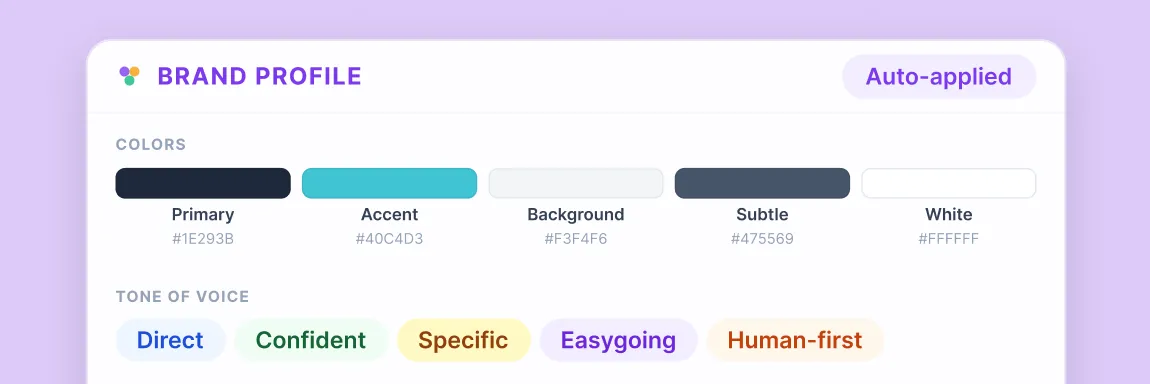
Read your brand
The agent pulls your active brand profile: colors, typography, tone of voice: and applies them without you describing them in the prompt. Update the brand in Juma and the agent picks it up next session.
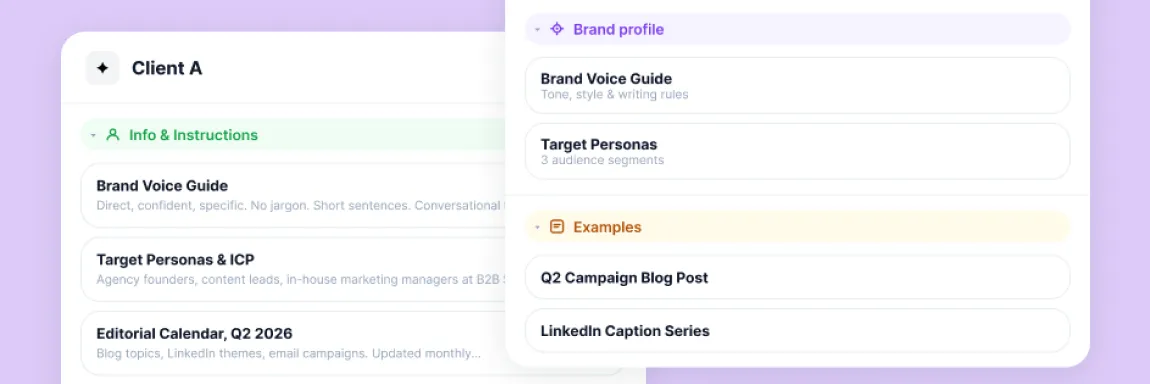
Use your project knowledge
Campaign briefs, audience profiles, past strategies: anything in a Juma project is searchable. Point the agent at a client and it finds the context itself.
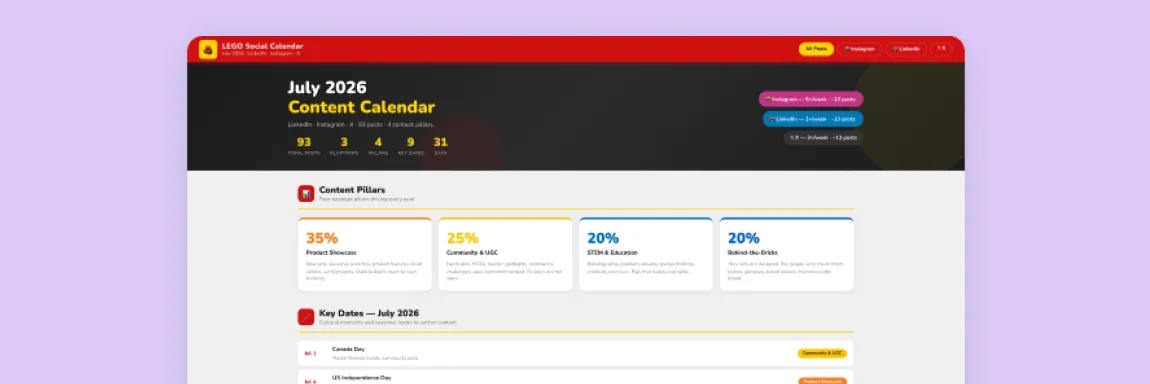
Run a workflow, return a finished asset
The agent starts a Juma session scoped to any project, pulling live data from Google Ads, Meta Ads, HubSpot and Google Analytics. It returns a real deliverable with links to what it built.
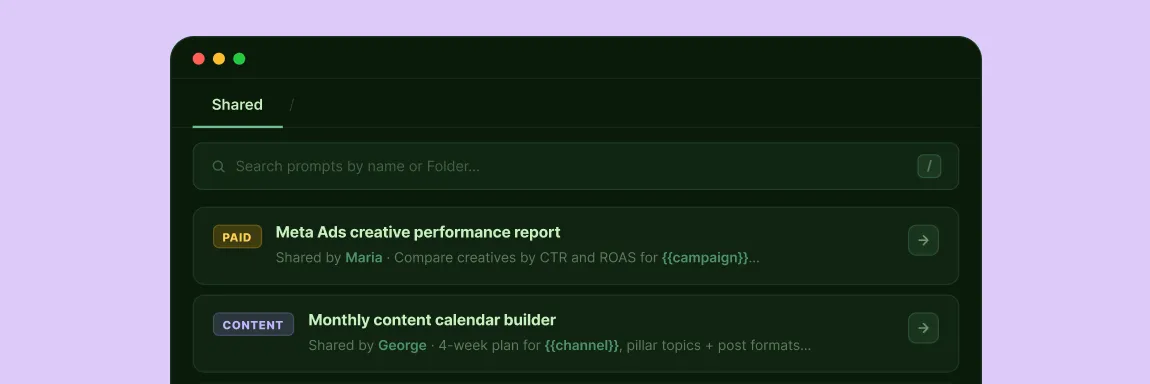
Search past work
The agent reads past Juma conversations and summaries. If a colleague ran a campaign brief last month, the agent finds it and builds on it: no lost context.
Pricing
How much does Juma MCP cost?
Included in your existing seat. No extra plan, no extra cost. Juma uses credit-based pricing with unlimited seats on every plan, so $0 extra per user. Running agent sessions uses credits; reading knowledge and brand profiles does not.
Included in your seat
$0
extra per user
Unlimited seats on every plan. Agent sessions use credits; reading knowledge and brand profiles does not.
FAQs
Can’t find what you’re looking for here?
Feel free to reach out:
What is Juma MCP and how is it different from the Juma app?
Juma MCP is a Model Context Protocol server that connects your Juma workspace to AI tools like Claude, ChatGPT and Cursor. The Juma app is where you build brand profiles, store project knowledge and manage your team. Juma MCP makes all of that available inside whichever AI tool you are working in, with no tab switching and no re-pasting.
Do I need to be technical to connect Juma MCP?
Claude Desktop and ChatGPT are point-and-click: paste the server URL and sign in. Claude Code requires one terminal command. The connect guide walks through every client step by step.
If I connect via Claude Desktop, does it work on Claude Mobile too?
Yes. Connecting via Claude Desktop automatically includes Claude Mobile. Your brand profiles and project knowledge are available in both without any extra setup.
Will the agent use the right brand profile for each client?
Yes, as long as your clients are in separate Juma projects. Point the agent at a specific project and it pulls that project's brand voice and knowledge only. Context does not bleed between clients, the same isolation as the Juma web app.
Does Juma MCP cost extra or require a separate plan?
No. Juma MCP is included in your existing Juma seat. Juma uses credit-based pricing with unlimited seats, so your whole team connects on one plan. Running agent sessions uses credits; reading knowledge and brand profiles does not.
What does Juma MCP not cover yet?
Three things stay in the Juma app for now: uploading files as knowledge, editing existing images, and workspace admin. The daily work surfaces, running workflows, pulling context and producing assets, are all available through Juma MCP.
What happens when a task takes a few minutes to complete?
The connection waits up to 30 seconds. If the task is still running, it continues in the background and the agent checks back automatically when done. You get the result and any file links inline.
Don't take our word for it
Ask AI about us
400+ marketing teams trust Juma. ChatGPT, Claude, and Perplexity know why. Ask them.
Ready when you are
What's on your plate today?
Start typing a task and Juma will figure out the rest.
Thank you! Your submission has been received!
Oops! Something went wrong while submitting the form.