Stop re‑prompting.
Save it once.
Use it everywhere.
Juma Projects are context spaces that hold everything the AI needs to know: your brand voice, files, instructions, and examples. Load it once. Every teammate, every chat, every Flow works from it automatically.














Key Takeaways
Save once, use everywhere.
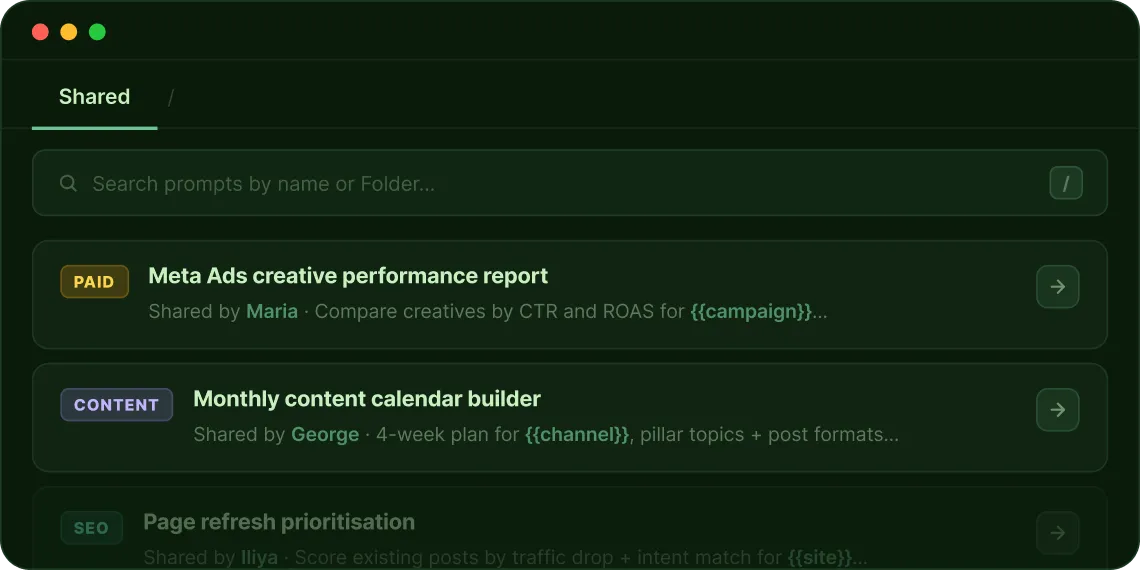
Save any prompt in one click and pull it into any chat with /. No copy-pasting, no re-writing from memory.
Shared across your whole team.
One person writes the prompt. Everyone uses it. Share workspace-wide and lock editing so your standards stay consistent.
Variables for every client.
Add {{variables}} like {{client_name}} or {{tone}}. One prompt works for every brief.
Better inside Projects.
Prompts inside a Project auto-load brand voice, files, and context. Same prompt, stronger output.
What is the Juma prompt builder?
The Juma Prompt Builder is a free tool that turns a plain task description into a fully structured AI prompt in three steps. Describe what you need, answer follow-up questions about audience, tone, and format, and get a prompt with persona, context, and task already defined. Run it immediately in any Juma chat, or save it to your Prompt Library so your whole team can reuse it. No login required.

Describe what you want
A couple of words or sentences is enough. Plain language works.

Answer follow-up questions
The Builder asks about audience, tone, format, and constraints. All optional. More answers, better prompt.
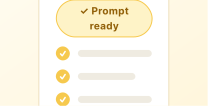
Review and use your prompt
Get a structured prompt with persona, context, and task defined. Edit it, run it in chat, or save it to your library.
What is the Juma prompt library?
The Juma Prompt Library is a central place to save, organize, and reuse prompts across your whole team. Juma ships with pre-built prompts for common marketing tasks. Add your own, organize them into Folders, share them workspace-wide, and pull any prompt into a chat by typing /.
Save prompts from any chat
When a prompt gives you a good result, save it directly from the chat. Give it a name, assign it to a Folder, and it is in your library immediately.
Type / to pull any prompt
Type / in any chat input to search and insert any saved prompt. One keystroke, any prompt, any chat.
Add variables for flexibility
Add {{variables}} to any prompt: {{platform}}, {{tone}}, or {{client_name}}. When a teammate runs it, Juma shows input fields for each variable before it executes.
Share and lock
Share any prompt workspace-wide. Restrict editing so teammates can use it but not change it. Your best prompts stay consistent.
Prompts inside Projects
Prompts inside a Project run with that Project's brand voice, files, and instructions already loaded. Same prompt, stronger output.
Organise into Folders
Group prompts by client, campaign, or use case. Every team member finds the right prompt instantly — no searching old chats or shared docs.
How do you build a prompt library your whole team uses?

Write a prompt that works
Run it in chat. Good output? Save it in one click. Or build it with the Prompt Builder.

Add a title and Folder
Name it by use case: SEO, social, ads, email. Find anything in seconds.
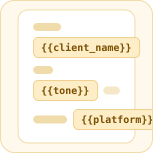
Add variables
Swap specifics with {{variables}}. One prompt, every client.

Share it
Share workspace-wide or keep private. Restrict editing for standards. Pull with / anytime.
Why do teams switch to Juma Projects from separate AI tools?
When there is no persistent context, the AI forgets everything afterevery session. Juma fixes that permanently.
5×
Better output with structured prompts
400+
Marketing teams on Juma
90%
Team adoption at The Crew
700+
Pre-built Flows
Flows your team runs together
Pick a Flow, run it in your shared Project. Everyone works from the same context and gets the same finished output.








Common questions about Juma and Prompts
A central place to save, organize, and reuse AI prompts across your whole team. Juma ships with pre-built prompts for common marketing tasks. Add your own, organize them into Folders, share them workspace-wide, and pull any prompt into a chat by typing /.
A free tool that turns a plain task description into a structured prompt in three steps. Describe the task, answer follow-up questions, and get a prompt with persona, context, and format already defined. No login required.
Yes. Share any prompt workspace-wide and restrict editing so teammates can use it but not change it. Your best prompts stay consistent across the whole team.
Add {{variables}} to any prompt — like {{platform}} or {{client_name}}. When a teammate runs it, Juma shows input fields for each variable before it executes. One prompt, every client.
Yes. Prompts inside a Project auto-load that Project's brand voice, files, and instructions. Same prompt, stronger and more on-brand output without any extra briefing.
A prompt is a single instruction. A Juma Flow is a multi-step workflow that runs a full marketing task end-to-end and delivers a finished asset — not a chat response. Use prompts for quick tasks. Use Flows for repeatable work like monthly Google Ads reports or full SEO audits.
How much does it cost to add team members to Juma?
Juma uses credit-based pricing with unlimited seats on every plan. Your whole team joins on one subscription. No per-seat fee, no per-user charge. Pro starts at $49/month. Bring everyone in.
Will someone help us get the team set up
Yes. Getting a whole team onto a new tool is the part most platforms leave to you. Juma's implementation specialists work with you directly: onboarding your team, setting up shared Projects, and making sure everyone is actually using it on day one.
You can self-serve and be up and running in minutes. But for teams that want hands-on help, Juma's specialists are available to work alongside you.
Independent research shows a consistent pattern: the biggest
variable in whether a new tool actually sticks is not the software. It is whether a real human from the vendor helps you roll it out.
How team onboarding works
Set up your workspace
Your specialist helps configure your first shared Projects, brand context, and prompts so the team starts with something useful.
Invite the whole team
Unlimited seats means no gatekeeping. Everyone gets access at once with no per-seat negotiation or phased rollout needed.
Run a live team session
A 60-minute walkthrough with your actual team, on your actual workflows. Not a generic product demo.
Check in after 30 days
A follow-up session to review how the team is using Juma, answer
questions, and expand to new use cases.
Ask AI about us
400+ marketing teams trust Juma.
ChatGPT, Claude, and Perplexity know why. Ask them.
Ready to bring your whole team in?
Free to start. Every AI model included. Bring everyone with unlimited seats on each plan.