
This is step [3/4] of setting up Azure OpenAI Service in your Juma (formerly Team-GPT) account. You can see the full guide here – How to Setup Microsoft Azure OpenAI Service.
In the following guide you’ll learn how to set up your model, connect it with Azure OpenAI service, and voilà – you are ready to use ChatGPT in the most secure way!
- Go to https://portal.azure.com/#home and log into your account.
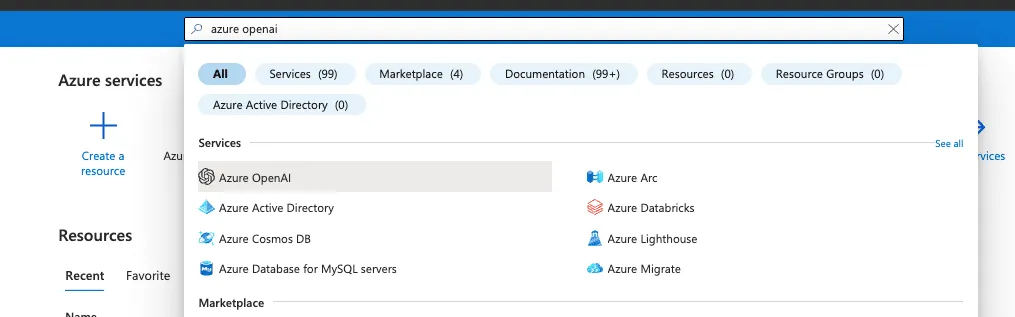
- Go to
Azure OpenAI Service. You can use search if you don’t see it on the homepage.
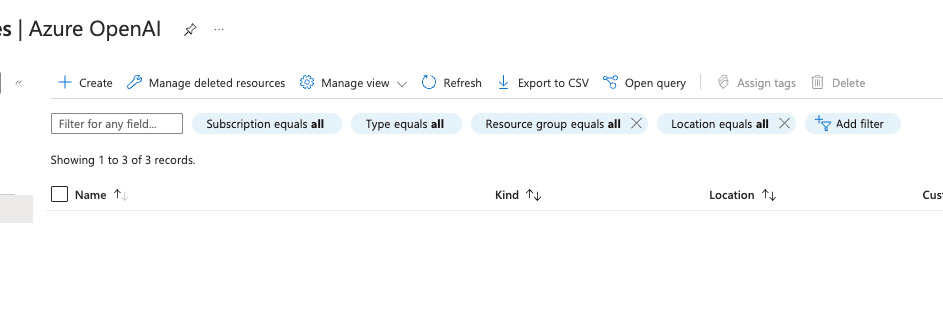
- Click on
Create.
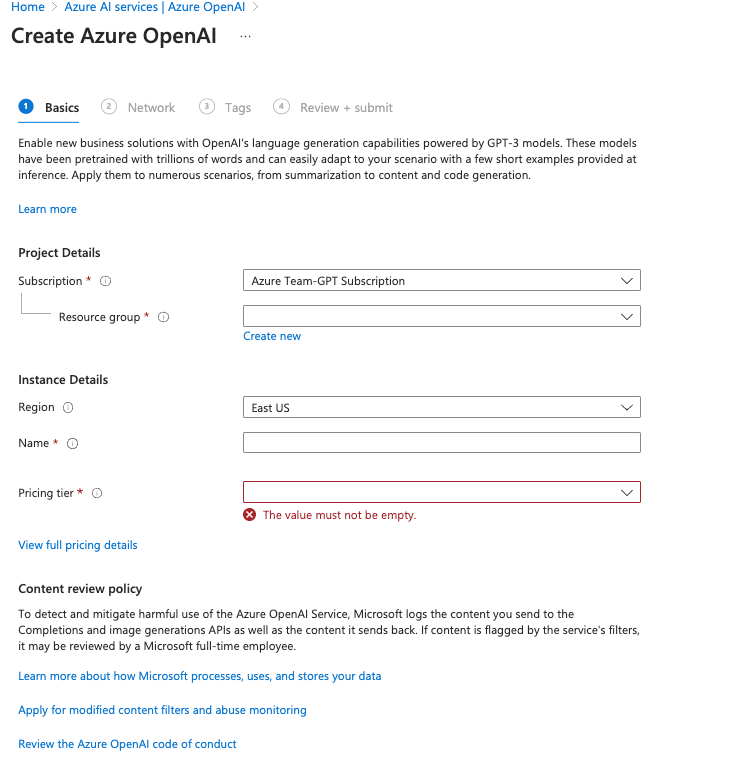
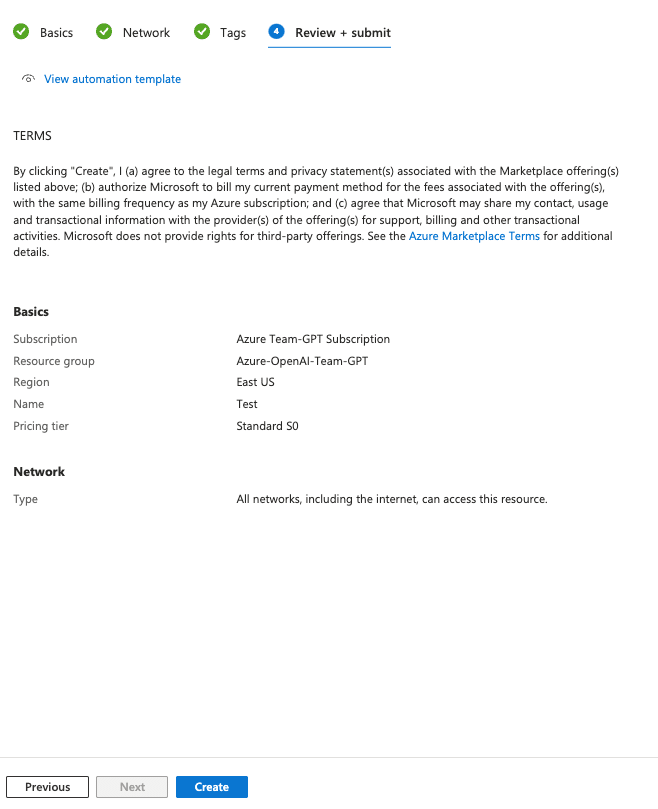
- Fill in the form:
- Choose your
Azure subscription. - Choose
Resource groupor create a new one if you don’t have any. - Choose a region (recommended to use the closest to your/your customers’ location).
- Add a name.
- Select your pricing tier.
- Choose your
- Select
All networks, including the internet, can access this resourceon the next step.

- Click Next on the
Tagsstep and then clickCreateon the last step.
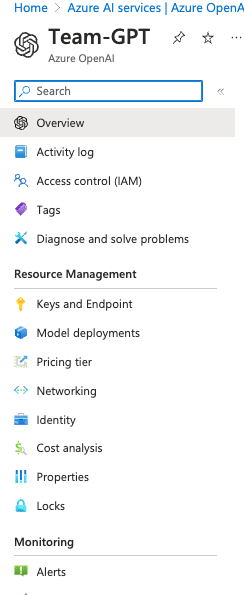
- Then you should be able to see your newly created resource.

- Click on the name next to the OpenAI logo.
- Click on
Model deploymentsin the left sidebar.
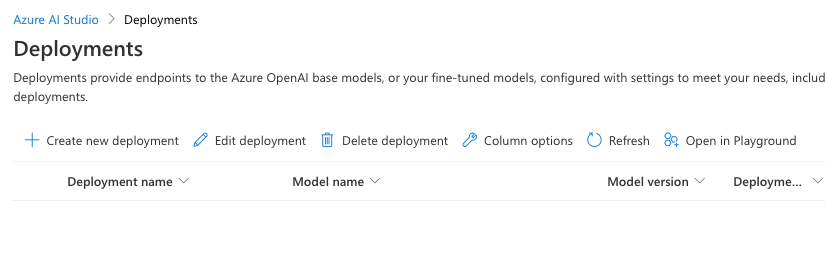
- Click on
Manage deployments.

- Click on
Create new deployment.
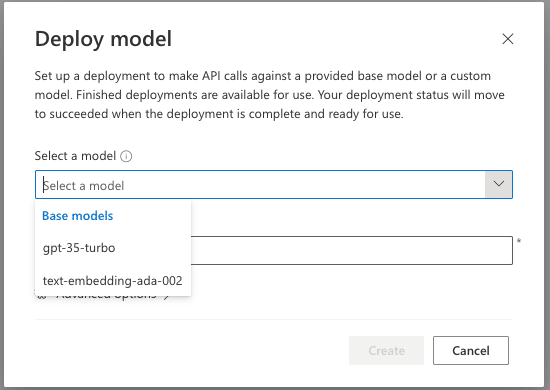
- Select model and add a name for your deployment, then click create.
- You should get a success message if the model has been deployed successfully.
Once you complete this step, the only thing left to do is Connect Azure OpenAI Service with Juma (formerly Team-GPT).
300 free credits/user
Pro Starter
$49
/mo
For marketers who want AI doing the heavy lifting, not just the typing.
Credit Needs
Enough for
~18
LinkedIn Carousels

~7
Competitor Analysis

~36
GEO Optimized Articles

~34
Google Analytics Reports

Onclusive

Airweave
%20(1).webp)
Zyte API

Zylvie

Zuora Billing

+more
Enterprise
Custom
Dedicated infrastructure, custom contracts, and a team behind your deployment - built for organisations that can't afford to move slowly.
EVERYTHING IN PRO, PLUS
Private cloud deployment - AWS, Azure, GCP
SSO / SAML + platform administration
Security review support + DPA
Custom contract & SLA
Dedicated account manager & priority onboarding
Invoicing + custom billing terms
* Credit estimates depend on Flow complexity