Set up your client project: brand voice, audience profile, creator watchlist, and past partnership outcomes
Teams build one Juma Project per client and add context over time. Every flow the team runs for that client pulls from the same project. For creator vetting, the project carries the four things that turn a generic audit into a useful one: how the client sounds, who the client's audience is, who the team has already worked with or ruled out, and what worked on past partnerships.
What to add
Brand Voice Guide
How the client sounds in their own content and partnerships: tone, vocabulary, what to avoid. Add this and the outreach briefs come out in the client's voice, not the creator's.
Audience Profile
Who the client's audience actually is: interests, communities, the kinds of accounts they already follow. The audit weighs each candidate creator's audience signals against this, so the scorecard reflects this client, not a generic fit.
Creator Watchlist
Active partnerships, past partnerships, and creators to avoid with a one-line reason for each. Add this and the "who's already in motion?" conversation disappears before the first audit even runs.
Past Partnership Outcomes
What worked and what did not on past campaigns: engagement deltas, sales lift, brand-safety issues. The Flow uses this to weight candidate creators against creators the client has already paid, so the audit learns from history.
Guide Juma with project info
Add a short description to each knowledge item in the project's info field so Juma knows what each file contains and when to use it. For example:
- Brand Voice Guide: "The client's tone and vocabulary. Use when drafting outreach briefs or any creator-facing copy."
- Audience Profile: "Who the client's audience actually is. Compare every candidate creator's audience signals against this."
- Creator Watchlist: "Active partnerships, past partnerships, creators to avoid. Cross-check every shortlist against this."
- Past Partnership Outcomes: "Results from past campaigns. Reference when ranking candidate creator fit."
See if your creator shortlist actually fits your client's audience
Frequently Asked Questions
How is AI creator vetting different from a HypeAuditor or Modash report?
A standalone creator-vetting platform delivers a one-time data report. Juma vets creators inside the client project context, pulling the brand voice, target audience, and creators-to-avoid list so every audit weights against what matters for this specific partnership. Strategy, taste, and judgment stay human; the audit removes the data work.
Standalone platforms can score a creator's audience and engagement, but they cannot factor in that the client already partnered with three competitors of that creator last quarter, or that the brand voice is a poor match for the creator's tone, or that this audience overlaps almost entirely with another shortlisted name. The Flow handles those checks because the client project carries the context. The data report becomes a decision the team can actually defend in a client meeting.
The other practical difference is workflow continuity. The outreach briefs, the saved scorecards in Notion, and the audit history all live in one place. Teams using Juma for creator partnerships report cutting the back-and-forth between vetting tool, brief doc, and shared sheet down to a single chat thread per campaign.
What does a creator vetting audit actually cover?
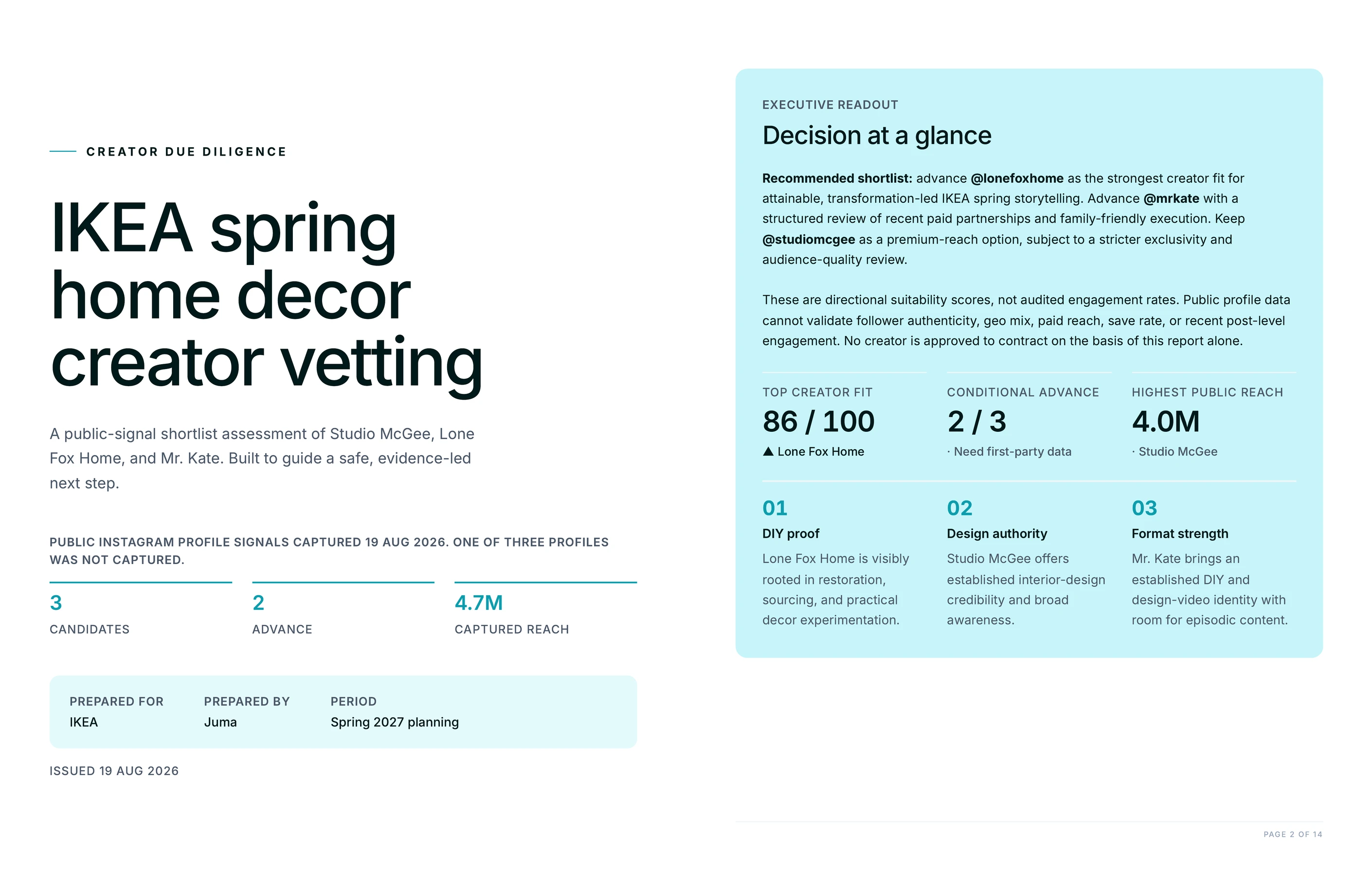
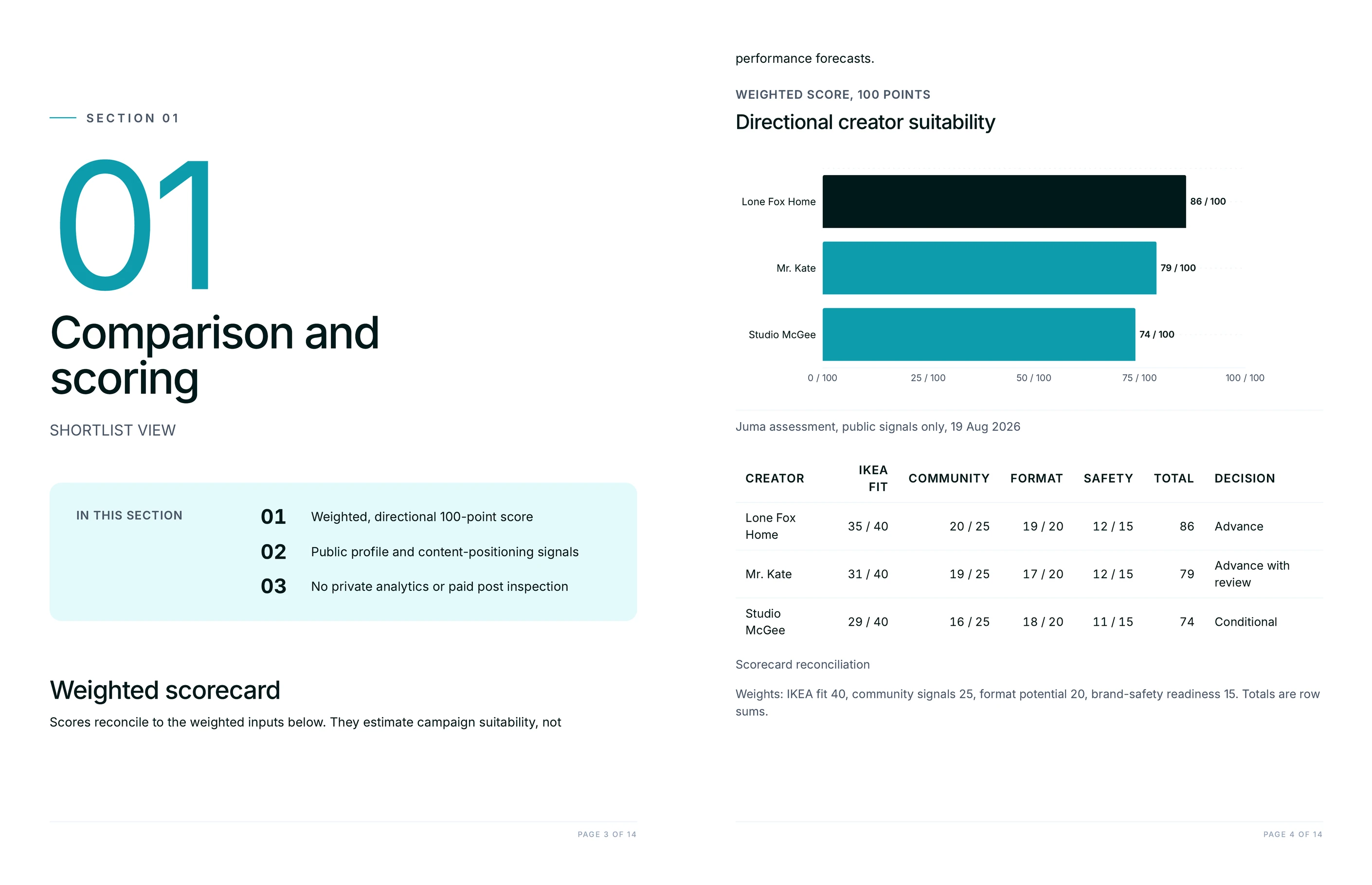
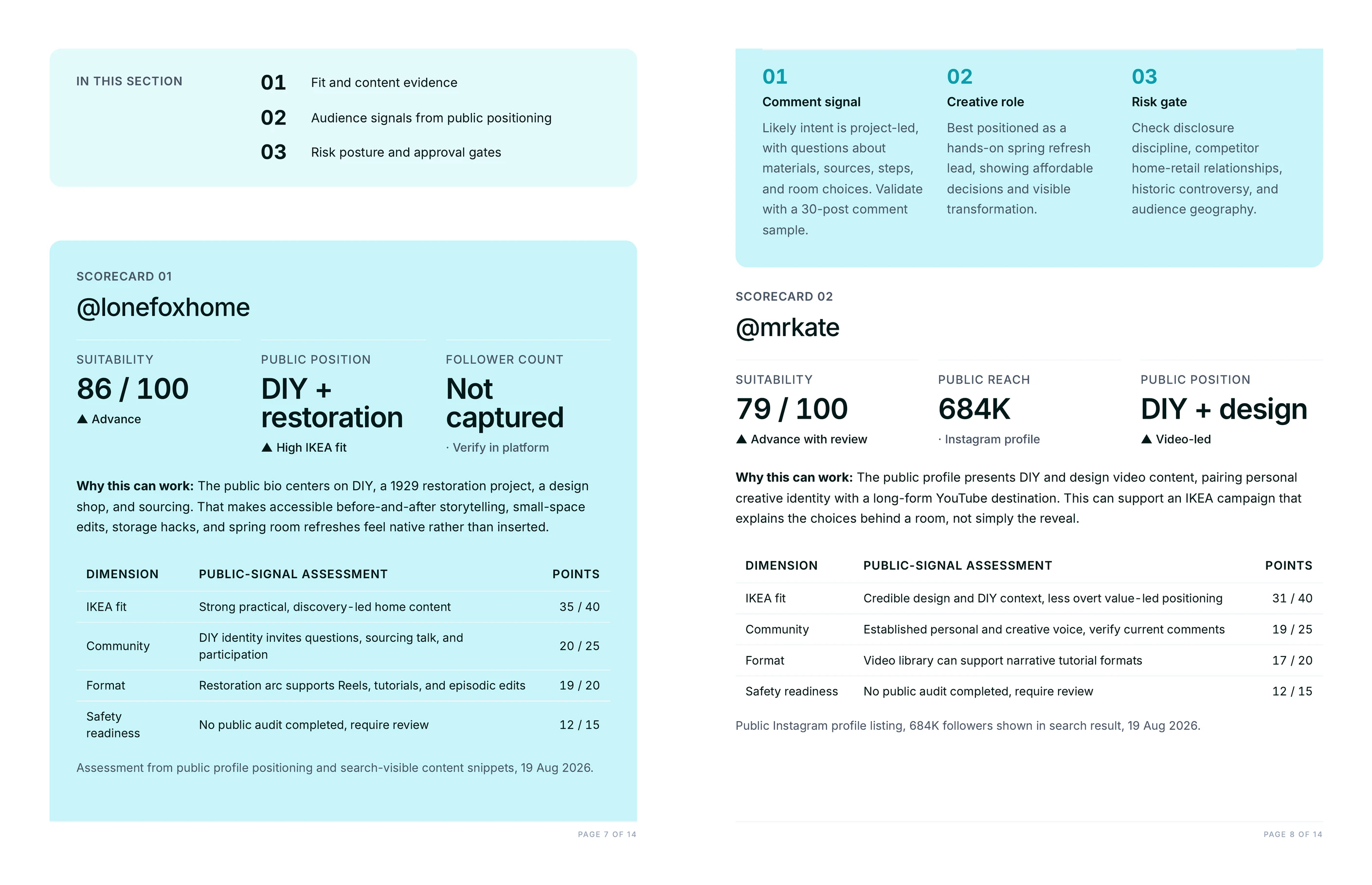
Each audit pulls live profile data, per-post engagement, and recent comment patterns from every creator on the shortlist. Each name gets a scorecard with go/no-go flags across four dimensions: audience fit against the client's target, engagement reality vs. follower count, brand-safety risk, and past partnership context from the client project.
Engagement reality is the part most teams skip when vetting manually because it requires pulling data across multiple recent posts and comparing it to the follower count. Juma does this automatically. The scorecard surfaces the gap between headline numbers and real audience response, which is where the inflated-follower problem becomes visible. Comment patterns add a second layer: who is actually engaging, what they are saying, and whether the engagement looks like a real community or an exchange network the partnership budget should avoid.
Can Juma flag brand-safety risks before the team sends outreach?
Yes. The audit cross-checks every candidate creator against past controversy signals in their content and comments, current paid partnerships visible on their feed, and any creators-to-avoid list saved in the client project. Risks surface as flags on the scorecard before any outreach brief goes out.
The brand-safety dimension is where the cost of a bad partnership is highest. A creator who has posted about a competitor's product two weeks earlier is a different risk profile from a creator who has posted about a controversy the brand wants to stay clear of. The Flow handles both checks. The scorecard surfaces the risk; the team decides what to do with it.
How often should we re-vet creators on an ongoing partnership?
Re-vet ongoing partnerships every quarter at minimum. Creator audiences shift, posting cadence changes, and brand-safety signals can flip in weeks. A quarterly re-audit catches drift early; an annual one misses three months of signal. For high-spend partnerships, monthly is closer to honest.
The advantage of running this re-audit in Juma is that the scorecard saved in the client's Notion database becomes the baseline. The next run compares against it directly, so changes in engagement or audience signal show up as a delta, not as an isolated number. Teams use this to spot when a partnership is starting to underperform before the next renewal conversation lands.
Does this Flow work for TikTok and YouTube creators too, or Instagram only?
This Flow runs on Instagram creators through Juma's BrightData integration. TikTok and YouTube vetting is on the roadmap as integration support expands. For now, the audit covers Instagram-native data: follower counts, per-post engagement, content themes, and comment patterns across any public creator profile.
For campaigns that span multiple platforms, the audit can run on the Instagram leg today, with the rest of the platform vetting added once those integrations ship. Teams running multi-platform creator programs typically use the Instagram audit as the deepest signal and treat TikTok and YouTube vetting as a supplementary manual check until the data layer matches.






.webp)