Set up your client project: agency brand, case studies, and pricing structure
A Juma Project is a shared space where the agency stores everything Juma needs to know about itself and the client. Create one project per client, add context as the relationship grows, and Juma uses what's relevant every time the team runs a flow. The more the team adds over time, the sharper every proposal, report, and follow-up gets.
What to add
Agency Brand Voice & Visual Identity
How the agency sounds in writing: tone, vocabulary, sentence rhythm, what to avoid. Plus the visual side: logo files (light and dark variants), brand colors as hex codes, accent fonts. With this loaded, every proposal comes out in the right voice and the branded PDF carries the right cover, header, and accent treatment from the first draft.
Case Studies Library
Past engagements that won, with the actual results and the context that made them work. Industry, client size, scope, and the headline outcome stat. Juma matches the right case studies to the prospect automatically. A B2B SaaS prospect gets the SaaS wins, a retail prospect gets the retail wins, and the social proof section never looks generic.
Pricing Structure
Tiers, services, scope examples, and the reasoning behind each price point. With this in the project, Juma recommends the right tier with a defensible explanation, and shows why a lower tier would underserve or a higher tier would overcharge. Without it, the model has to guess.
Past Proposals
Two or three of the agency's strongest past proposals as PDFs or HTML files. Juma picks up the structure, section order, headline conventions, and depth of detail the team uses, so new proposals look consistent with what the agency already sends. Without past proposals, Juma defaults to a sensible structure that may not match the agency's house style.
Guide Juma with project info
Add a short description to each knowledge item in the project info field so Juma knows what each file contains and when to use it. For example:
- Agency Brand Voice & Visual Identity: "How we sound in writing plus our logo, colors, and fonts. Apply to every proposal cover and section header."
- Case Studies Library: "Past engagements with results and context. Match the right ones to each prospect's industry and size."
- Pricing Structure: "Our retainer tiers and project pricing with reasoning. Use to recommend a fit tier and justify the price."
- Past Proposals: "Two strong past proposals. Use as a structural reference for new ones."
Send proposals that read like they were written for one buyer
Frequently Asked Questions
How much time does this Flow save compared to writing a proposal manually?
Writing a client proposal manually involves drafting from scratch, searching past work for the right case studies, formatting the document, and exporting to PDF. This Flow compresses the drafting work into a single session: Juma researches the prospect, pulls in matched case studies from the project, recommends a pricing tier with reasoning, and exports a branded PDF in one pass. Agencies that load the project knowledge once and reuse it across pitches report the largest gains.
The savings come from three places: skipping the blank-page phase, removing the manual case-study search, and producing a branded PDF without designer involvement. Strategy, taste, and final review stay with the senior account lead. Juma handles the drafting, formatting, and pricing math.
What does the final proposal include?
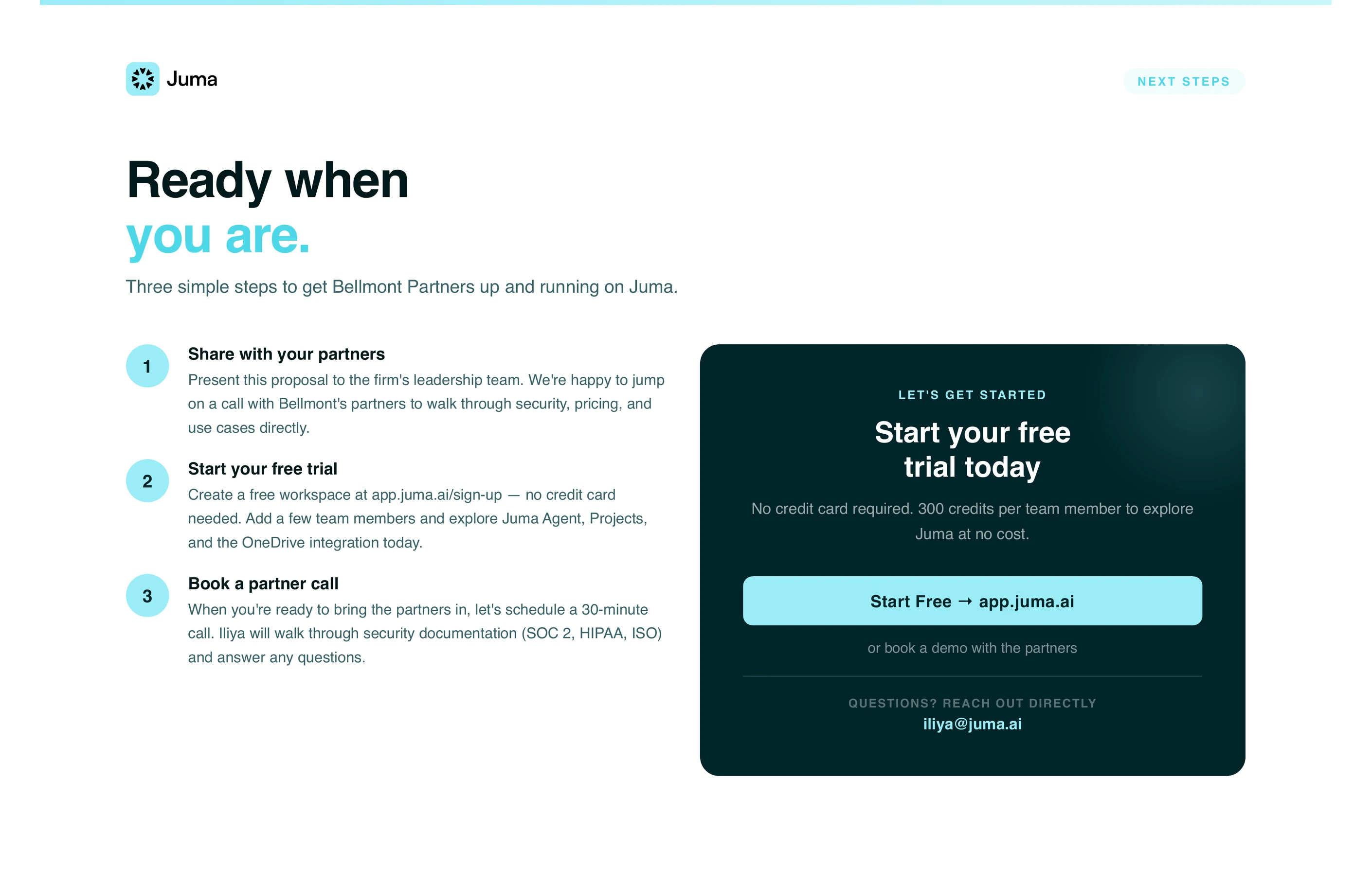
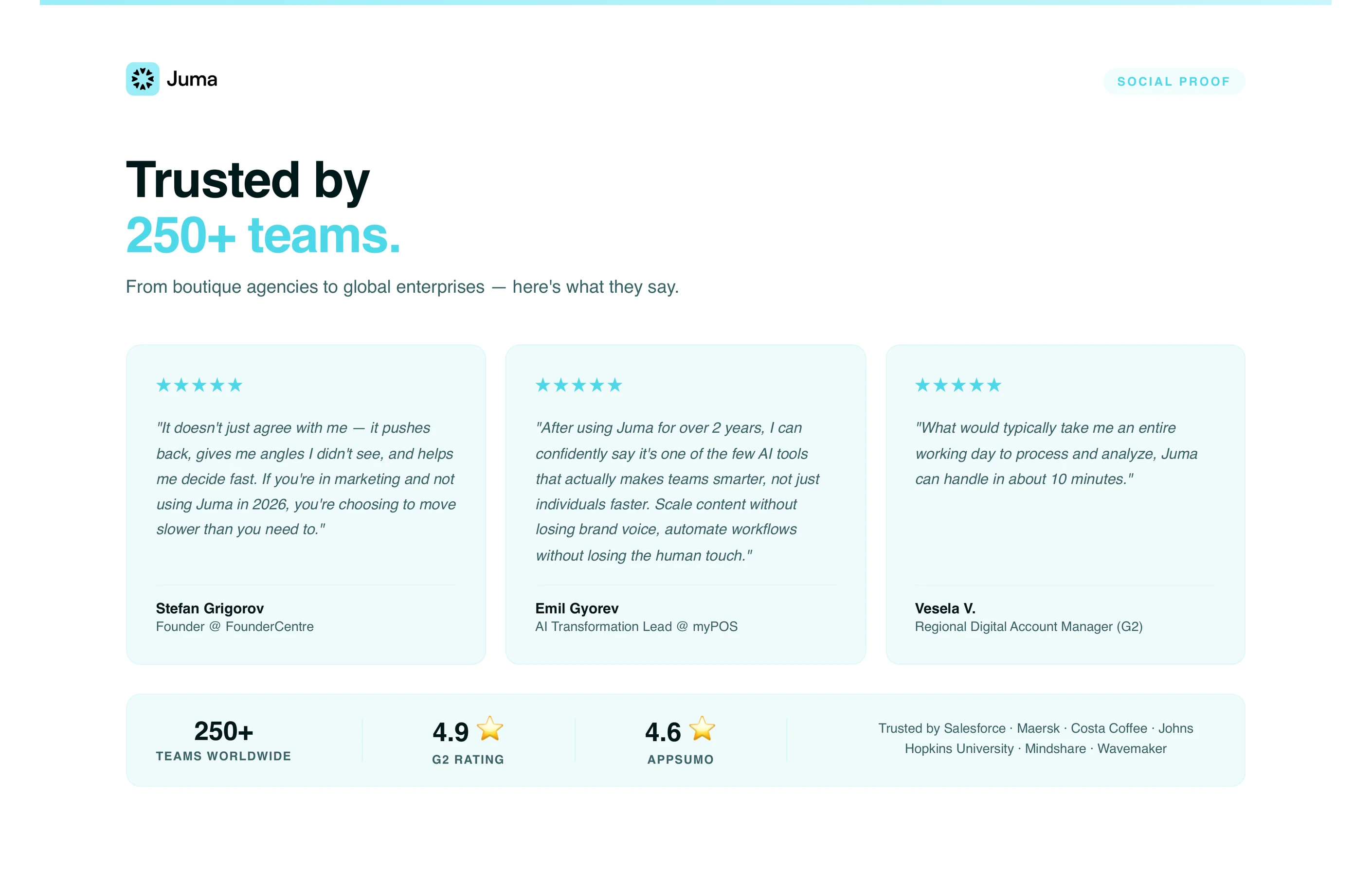
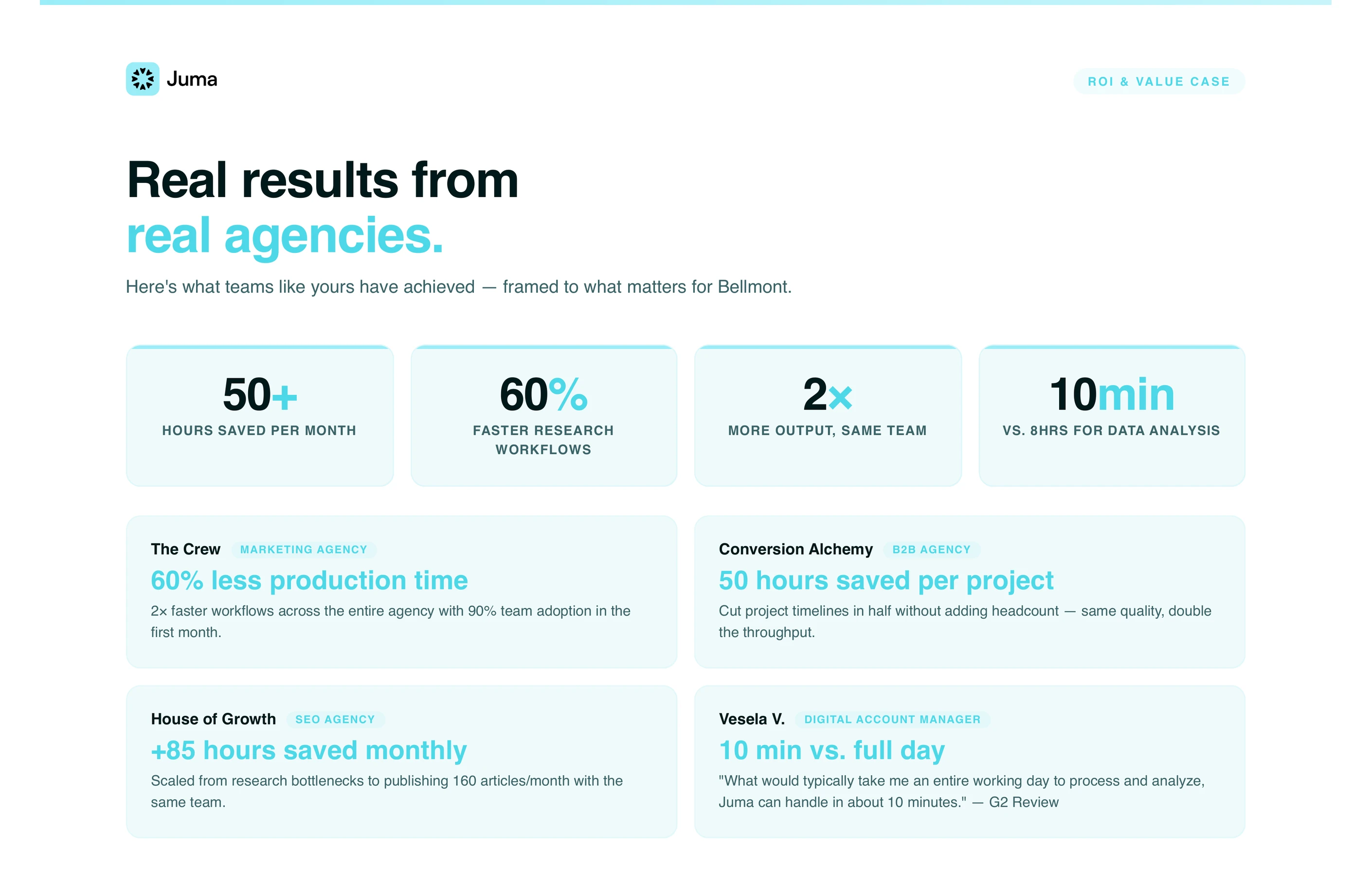
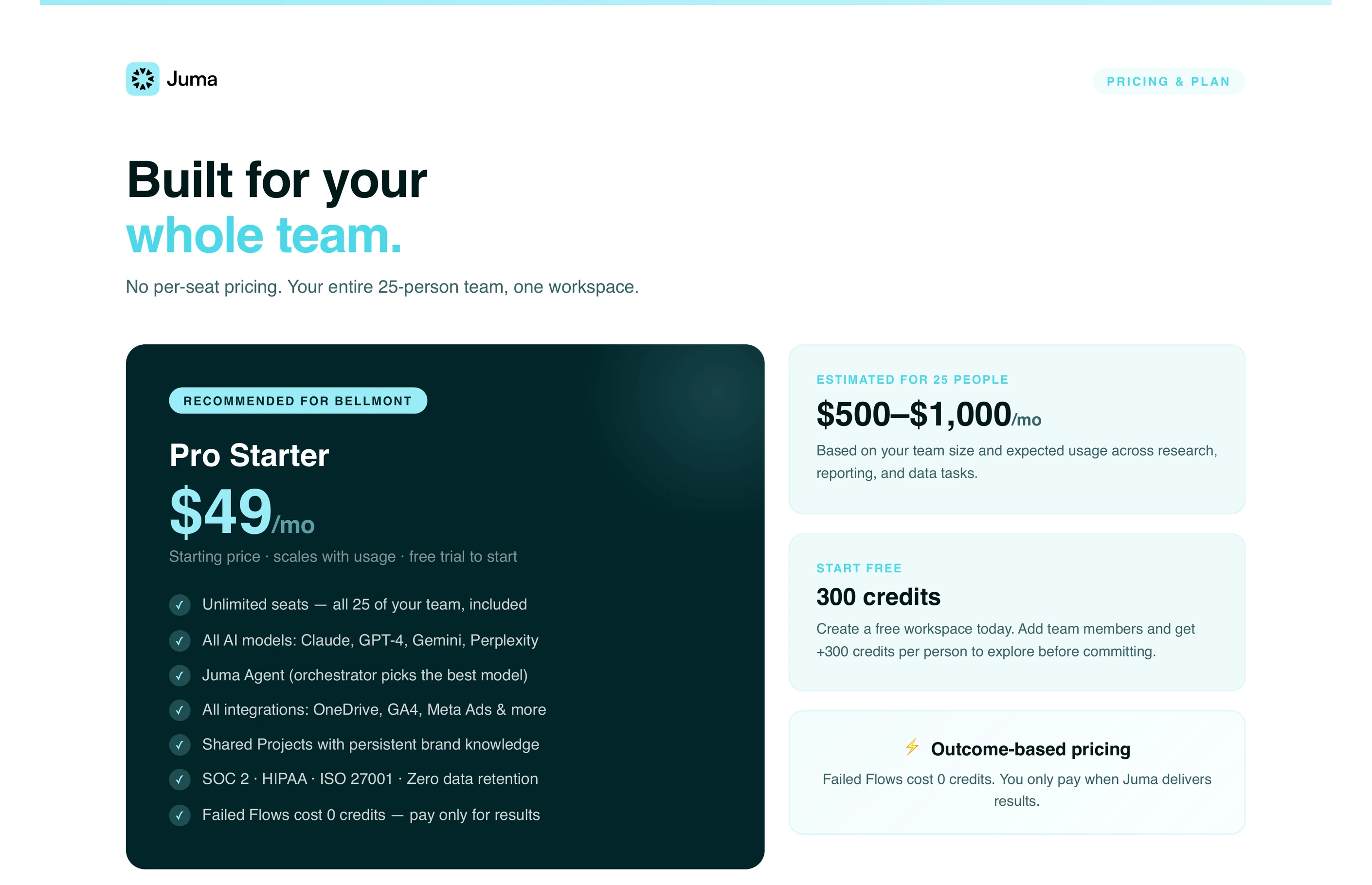
The output is a single-file HTML proposal exported as PDF, structured as seven sections: cover with the prospect's name and a tailored headline, the Challenge framed around the prospect's actual pain, the Solution with the recommended approach, Pricing with a fit tier and reasoning, ROI with headline metrics, Social Proof with matched case studies and logos, and Next Steps with a clear CTA.
Each section pulls from a different source. The Cover and Challenge come from the call transcript or notes. The Solution and Pricing come from the project's services and pricing knowledge. The ROI and Social Proof come from the case studies library. The Next Steps come from the agency's standard close. The PDF is mobile-responsive with thumbnail navigation and zoom controls, ready to send.
Can I use my own proposal template?
Yes. Upload two or three past proposals to the project as PDFs or HTML files, and Juma matches the structure, section order, headline conventions, and level of detail the agency uses. The uploaded references do not need to be perfect or recent. A representative sample of the house style is enough.
This matters most for agencies where a consistent document format is a brand signal in itself. If the agency uses specific section names, a particular cover format, or a fixed pricing-table layout, those carry over automatically once the past proposals are in the project. Without past proposals loaded, Juma uses a sensible default structure that works but may not match the agency's existing house style.
Does this Flow work without a Fathom integration?
Yes. Fathom is the fastest entry point, but the Flow runs equally well from pasted call notes, a typed paragraph about the prospect, or even just a name and URL. Juma asks targeted clarifying questions to fill the gaps (team size, scope, competitive context) before drafting. The branded PDF output is identical regardless of input format.
Other meeting platforms are on the integration roadmap, and any platform that exposes a public share link or transcript export will work in the meantime by pasting the link or the transcript text into the chat.
How is this different from a template-filler like PandaDoc or Better Proposals?
Template tools fill blanks in a pre-built proposal structure. Juma drafts the proposal around the prospect. The Challenge section reflects what they said on the call. The Solution reflects what the agency actually does for clients like this one. The Pricing reflects the agency's structure applied to the prospect's situation. The output is a finished, branded asset, not a template waiting to be edited.
Template tools are useful when the goal is uniformity across many proposals. This Flow is useful when the goal is a proposal that reads like it was written for one specific buyer. Both stay in the toolbox. Juma does not replace document automation. It covers the case where a generic template costs the deal.



.webp)

.webp)

