Set up your client project: deal data, sales positioning, and past win/loss work
A Juma Project is a shared space where the team stores everything Juma needs to know about a client. Create one project per client, add context as it builds up, and Juma will use what is relevant every time the team runs a flow. For win/loss, the project pulls together the documents that turn raw CRM data into a sharp analysis: the most recent ICP, the sales positioning the team is being trained on, and any past win/loss reports to compare against.
What to add
Current ICP doc
The ICP segments the team is targeting. The win/loss analysis cross-references closed deals against each segment to flag which segments the team is winning in and which are eating cycles. Without this, the segment scorecard is built from inferred segments rather than the team's actual targeting.
Sales positioning and objection guidance
The pitch the team is being trained to give, the value props the AEs are leading with, and any objection-handling guidance the team already has. Lets Juma compare what the team said versus what the lost deals heard, and skip rewriting playbook entries that are already strong.
Competitor briefs
Anything the team has on the competitors they actively lose to: pricing, positioning, known strengths, the comparison pages those competitors have published about the client. Sharpens the competitive gap table beyond what web research alone can pull.
Past win/loss reports
The most recent win/loss analysis. When refreshing, Juma compares the new patterns against the previous report and calls out what shifted: new objections emerging, old objections that have been resolved, and competitive moves that altered the loss landscape.
Guide Juma with project info
Add a short description to each knowledge item in the project's info field so Juma knows what each file contains and when to use it. For example:
- Current ICP doc: "Current ICP from Q4 2025. Use to segment the win/loss analysis and flag any targeted segments that are not closing."
- Sales positioning and objection guidance: "AE enablement deck and current objection one-pagers. Reference before drafting playbook entries to avoid duplicate work."
- Competitor briefs: "Internal briefs on Jira, Asana, and Shortcut. Use to sharpen the competitive gap table after the web research pass."
- Past win/loss reports: "Last quarterly win/loss from Q1 2026. Compare against to surface what shifted."
Find the objections you keep losing on, and fix them
Frequently Asked Questions
How much time does this Flow save compared to running a win/loss analysis manually?
This Flow compresses a two-week win/loss project into a single working session. Juma pulls deal data from HubSpot, reads every lost-deal transcript from Fathom, and synthesizes patterns in one pass. The team reviews the draft analysis the same day rather than waiting on a research sprint and manual transcript reading.
A manual win/loss project usually starts with pulling a deal export from the CRM, reading or skimming dozens of call recordings, taking notes by hand on objection themes, cross-checking competitor mentions, and then formatting all of it into a deck or doc for leadership. Most agencies and in-house teams run win/loss once a quarter at best because the cost of doing it well is so high. Many skip it entirely and run on instinct instead.
This Flow compresses the reading, clustering, and formatting work into one chat session, and pairs the analysis with a sales objection-handling playbook in the same run. The hours saved get redirected to the part that actually has to be human: deciding which patterns to act on, and how to change the pitch.
What does a complete win/loss analysis report include?
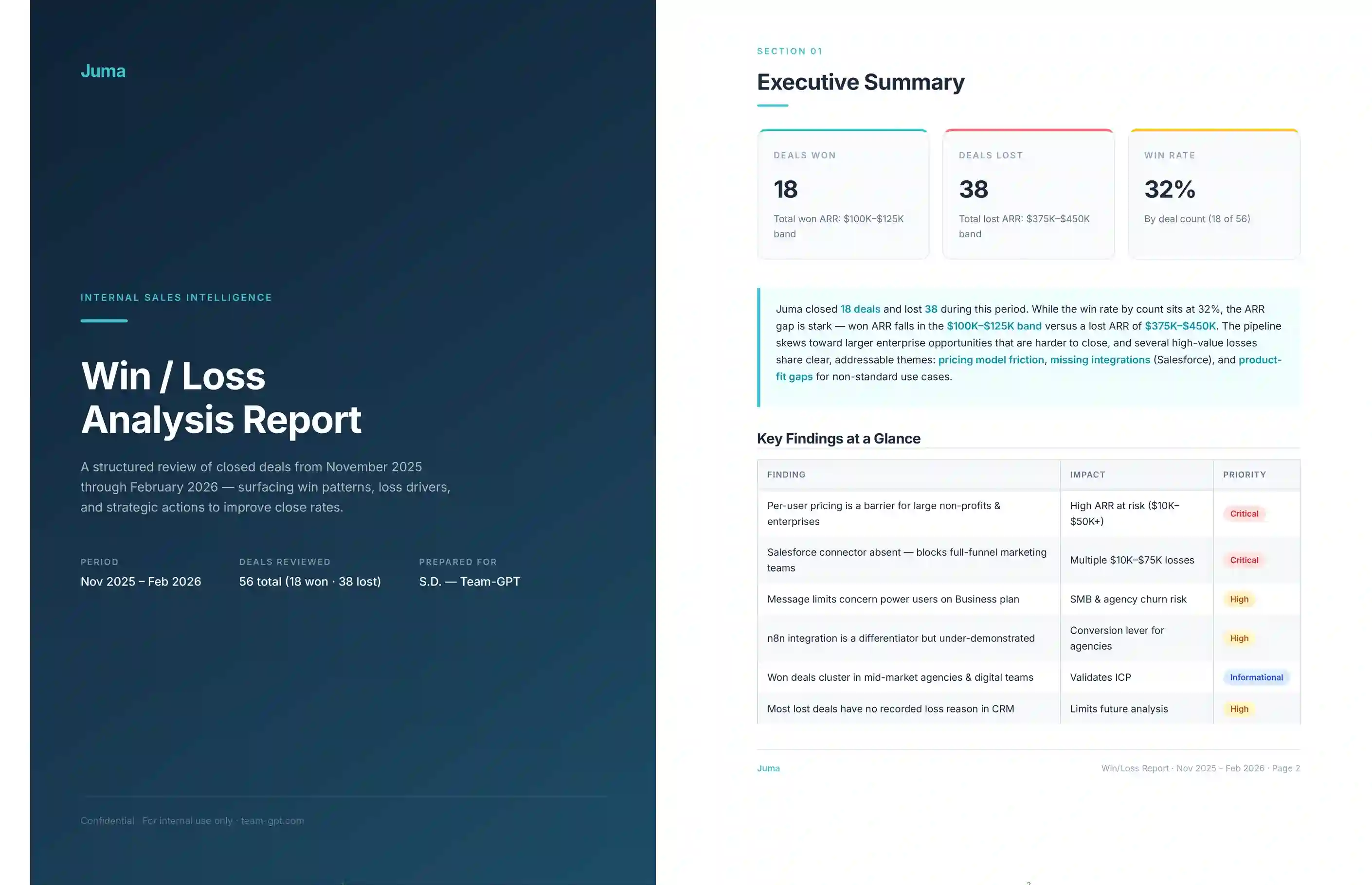
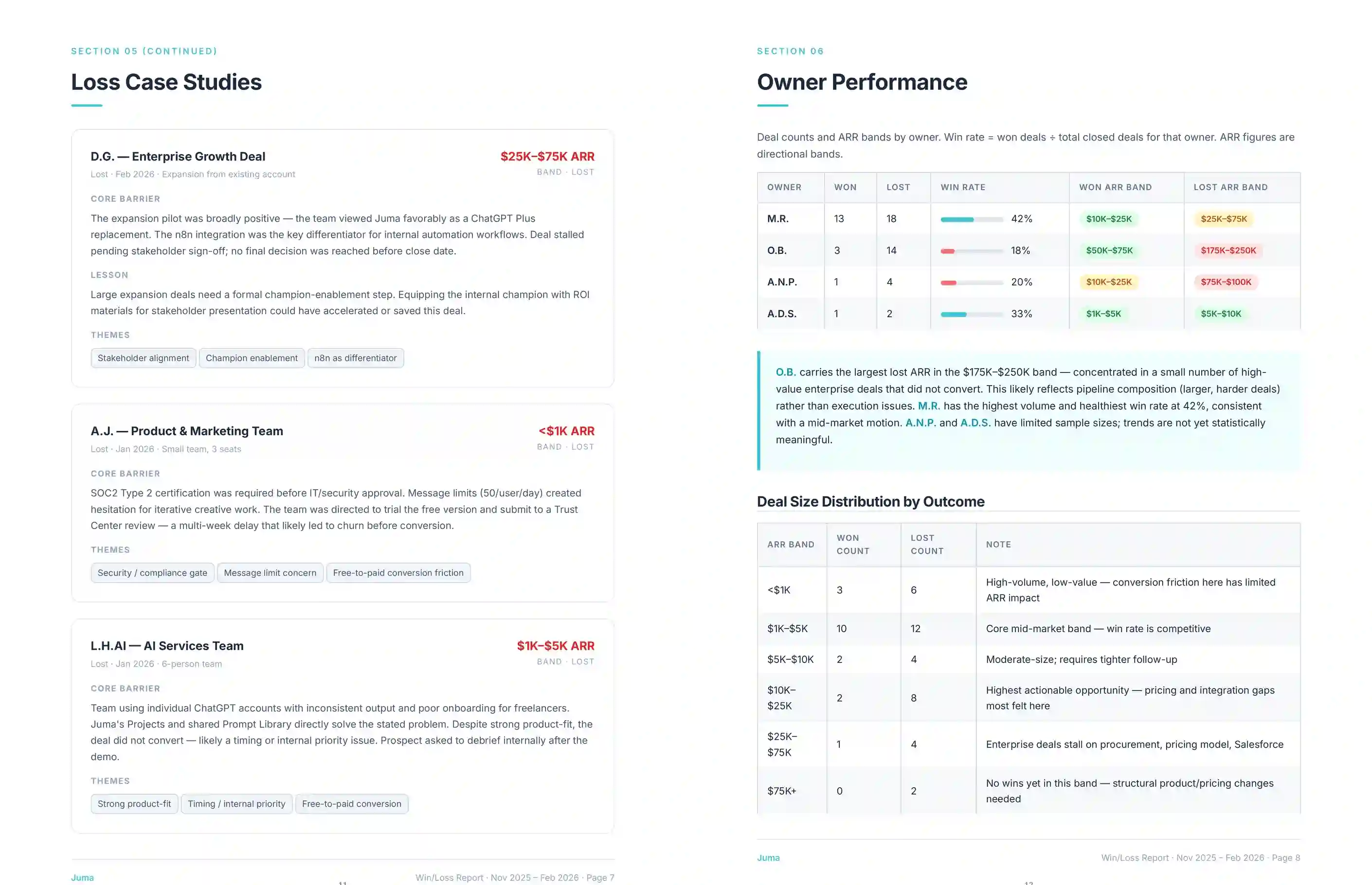
The full report covers six components: a deal-level breakdown of every win and loss, recurring objection themes with frequency counts, a named-competitor ranking based on how often each appeared in lost deals, a competitive gap table for the top two or three competitors, a win/loss scorecard by ICP segment, and a list of pattern shifts versus the previous quarter.
Each component is fully built out, not summarized. Objection themes are named in the prospect's own words and tied back to specific deal IDs so the team can replay the calls. The competitive gap table cites the source page on each competitor's website. The segment scorecard flags segments with too few deals to judge yet, so the team is not acting on noise.
- Deal-level breakdown: every closed deal with status, segment, ARR band, named competitor (when present), and primary closed-lost reason
- Objection themes: recurring patterns named in plain language, counted across deals, with deal IDs for follow-up
- Competitor ranking: which competitor is winning what kind of deal, with frequency
- Competitive gap table: side-by-side positioning for the top two or three competitors
- Segment scorecard: win rate, average deal size, and sales cycle by ICP segment
- Pattern shifts: what changed versus the previous win/loss report, when prior work exists
What data does Juma need to run the win/loss analysis?
Two integrations cover most of the analysis: HubSpot for closed-won and closed-lost deal data with reasons and custom fields, and Fathom for the call transcripts the analysis reads to cluster objection themes. With both connected, Juma needs only the time period and the named competitors to run the Flow end to end.
The Flow runs without integrations too. The team can upload a CSV export of closed deals from any CRM and a folder of call transcripts (Fathom export, Fireflies export, Gong export, or copy-pasted notes), and Juma will treat the export the same way it would treat live data. The output is identical in depth and structure. Integrations only change the setup time, not the substance of the analysis.
A current ICP document is not required, but adding one to the project sharpens the segment scorecard and links the win/loss output back into the next ICP refresh. Past win/loss reports are also optional. With them, Juma flags what shifted; without them, the first run establishes the baseline.
How does this Flow handle deals where the team does not know what happened?
Some closed-lost deals end with no clear reason and no call transcript. Juma surfaces these as a separate bucket called "unattributed losses," counts them, and flags them as a process gap rather than guessing at the cause. A high unattributed-loss percentage is the signal, not noise to filter out.
When unattributed losses sit above a threshold (typically 30 percent of closed-lost deals), the analysis treats the gap itself as the first finding. Before the team can fix objection themes or competitive positioning, the deal-loss capture process needs to surface what is actually happening. The Flow's recommendations include practical fixes: a closed-lost reason field that is required at deal close, a 10-minute loss debrief logged in HubSpot, or a quarterly call with the AE to back-fill recent losses while they are still fresh.
Strategy, taste, and judgment stay human. The Flow flags the gap and proposes the fix; the team owns the call on what process change actually gets shipped.
Can the analysis run without HubSpot or Fathom connected?
Yes. Upload a CSV of closed deals from any CRM (Salesforce, Pipedrive, Attio, or a spreadsheet) and a folder of call transcripts from any source. The Flow will process the upload the same way it processes the live integrations. The deliverables, structure, and depth do not change. Only the setup step does.
For teams running win/loss as a one-off project for a specific quarter, the upload path is often faster than connecting integrations the team would not otherwise need. For teams running win/loss every quarter, connecting HubSpot and Fathom removes the export step entirely and lets the Flow rerun with one prompt each cycle.