Set up your client project: brand voice standards, onboarding checklist, past portals, and reporting cadence
Teams build one Juma Project per client and add context over time. The client portal flow benefits from four agency-side knowledge items that shape how every new portal gets built. Add them once and the structure stays consistent across the whole client roster, which is the actual point of standardizing portal setup in the first place.
What to add
Agency Brand Voice Standards
How the agency writes about its own work: tone, vocabulary, what to avoid. Used when populating portal pages so the language stays in the agency's voice, not the client's. Especially important on hub landing pages and meeting notes templates.
Client Onboarding Checklist
The agency's own day-1 process: which pages get created when, which databases the team uses internally, what gets shared with the client and what stays internal. With this added, Juma builds the portal to match the agency's onboarding sequence rather than a generic default.
Past Client Portals
Example outputs from prior client setups, saved as reference. Juma matches the structure across the roster so the next portal looks like the last one. This is what locks consistency for agencies running 20+ active clients.
Reporting Cadence Defaults
Standard reporting rhythm for the agency: weekly status, monthly performance, quarterly review. Used to pre-fill date defaults in the project tracker and seed the reporting database if a reporting dashboard is added later.
Guide Juma with project info
Add a short description to each knowledge item in the project's info field so Juma picks the right files for the right task. For example:
- Agency Brand Voice Standards: "Our agency's voice and writing rules. Use when populating portal pages or hub landing content."
- Client Onboarding Checklist: "Our day-1 process for new clients. Use to sequence portal pages and decide what's client-shared vs internal."
- Past Client Portals: "Examples of portal structures we've used. Match new portals to this pattern for roster consistency."
- Reporting Cadence Defaults: "Our standard reporting rhythm. Use to pre-fill date defaults and seed reporting databases."
Spin up a new client portal in minutes, not hours
Frequently Asked Questions
How is this different from cloning a Notion template manually?
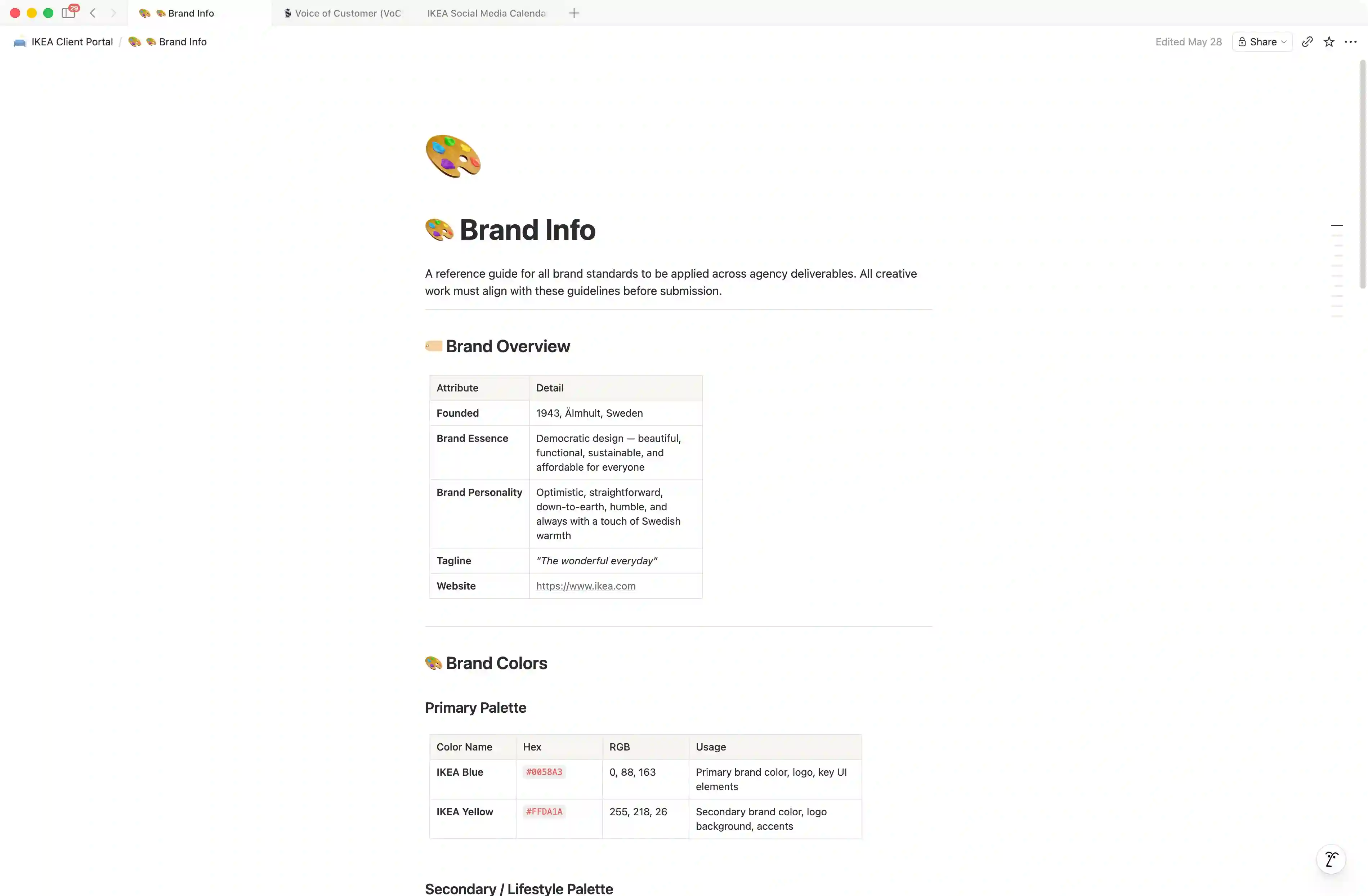
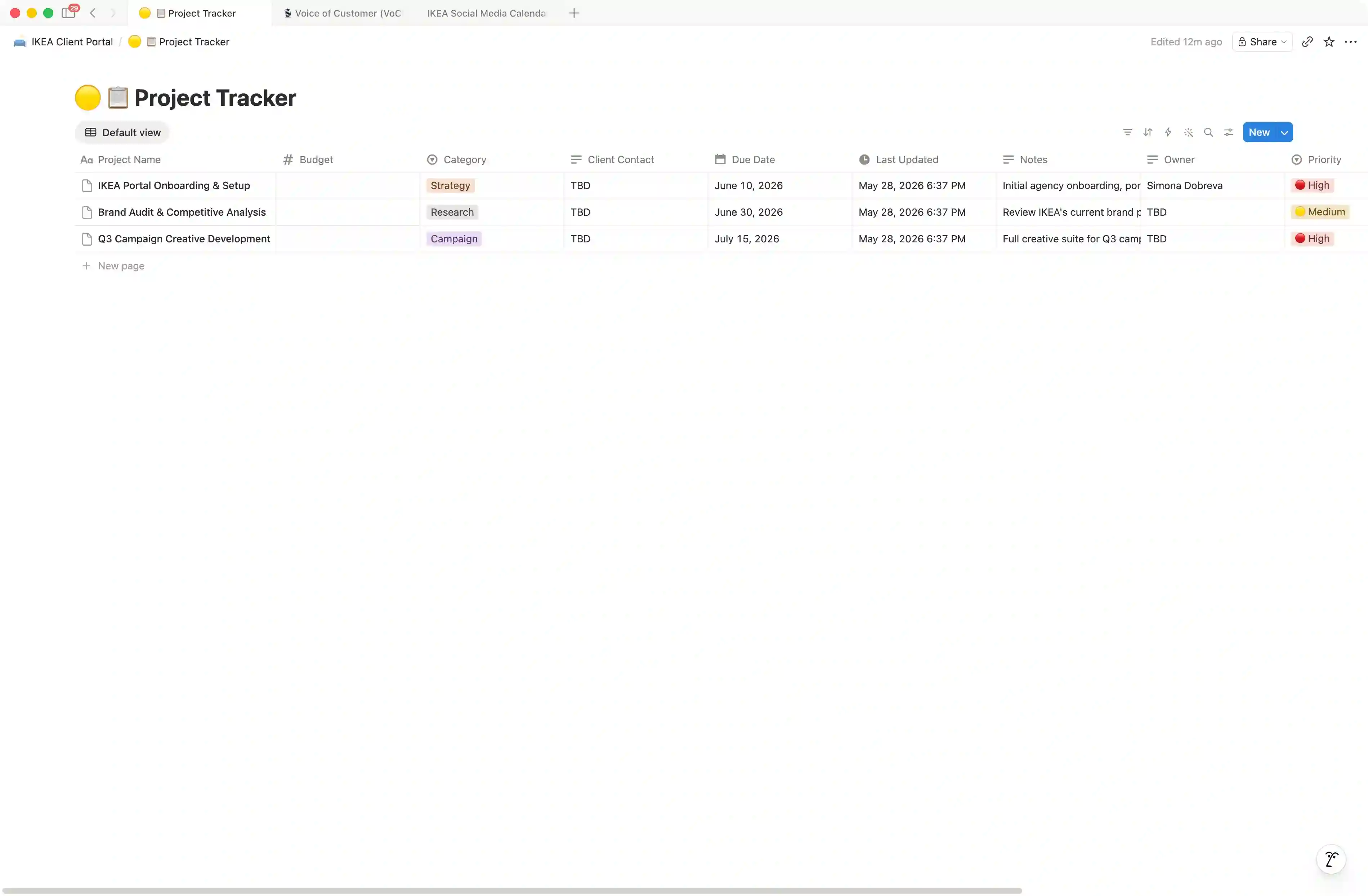
Cloning a template gives the team an empty scaffold; this Flow delivers a populated portal. Juma researches the client's website and fills in the brand info page with their actual colors, typography, and tone of voice, seeds the project tracker with relevant starter projects, adds initial deliverables to the asset library, and creates a kickoff meeting entry in the meeting notes log. Strategy, taste, and the call on which client to prioritize stay human; the Flow handles the scaffolding and the research.
The other practical difference is consistency across the roster. When five account directors each clone the same template manually, they all start adjusting it within five minutes, and within six months the agency has five subtly different portal layouts that nobody can audit. Running the Flow with the same agency project knowledge produces structurally identical portals across the roster, which makes cross-client reporting, team rotations, and onboarding new account directors significantly easier.
Standalone Notion templates also charge per-seat or per-template. Juma's credit-based pricing with unlimited seats means the whole agency can spin up portals without per-user budget conversations.
What does the client portal actually contain by default?
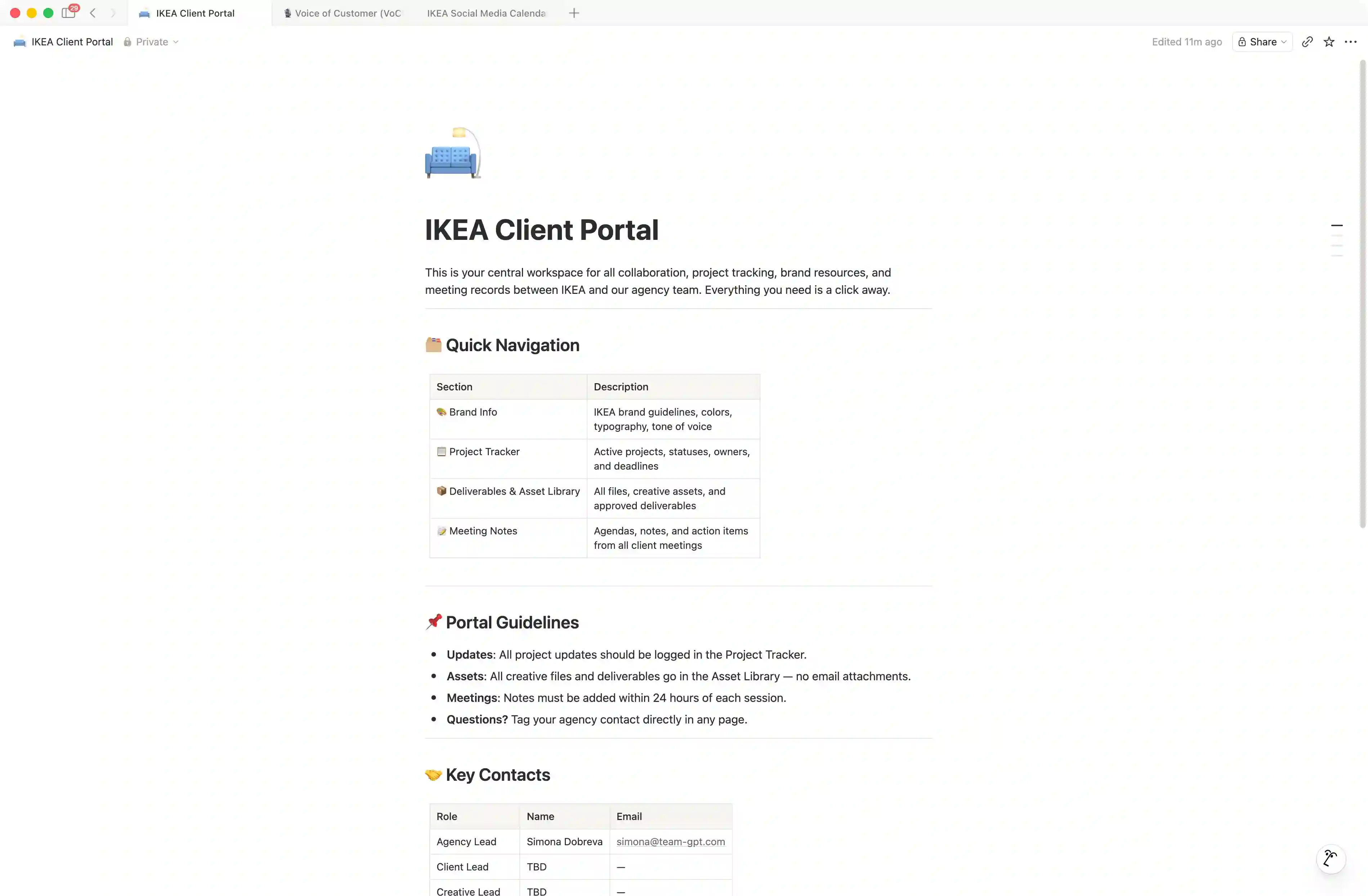
The default portal contains five components: a hub landing page with navigation and engagement context, a brand info page with the client's colors, typography, tone of voice, and links to public brand guidelines if any exist, a project tracker database with status, priority, owner, dates, and budget columns, a deliverables and asset library tracking type, format, version, and file links, and a meeting notes log with a kickoff entry and a Weekly Sync template ready to duplicate.
Every component is nested under the hub, which becomes the single page the team shares with the client or uses as their daily landing point for that account. The schema for each database is sensible by default and can be extended on subsequent runs without rebuilding the portal. Custom components like reporting dashboards or KPI databases are added through secondary prompts on top of the standard structure.
Can the portal be updated on an existing client, or does it always create fresh?
Both. If the project knowledge points to an existing client portal in Notion, the Flow extends it: adding missing components, populating empty pages, or appending new starter content without overwriting prior work. If no portal exists, the Flow searches the connected Notion workspace for one matching the client name; if nothing is found, it creates fresh under the configured parent page.
For agencies running an existing client roster on Notion, this means the Flow can be used to standardize what already exists rather than rebuilding from scratch. Pointing Juma at an active client portal and naming the missing pieces ("the project tracker is there but we never built a meeting notes log") gets the structure aligned without disrupting the team's current work in the existing pages.
Can other agency Flows read from the portal once it's built?
Yes. Save the portal in the client's Juma Project knowledge and every other Flow run for that client can read from it. Creator vetting picks up the brand voice; voice of customer analysis stores quotes against the right client context; win/loss analysis uses the deal information; performance reports pull deliverable history from the asset library.
The portal becomes the source of truth for everything the agency does for that client. Every subsequent flow inherits the context for free, which is the point of standardizing the structure in the first place. Teams running the full agency stack on Juma describe this as the moment the workspace stops feeling like a tool and starts feeling like a system, because the work compounds instead of restarting from scratch every time a new flow opens.
Does the portal work for agencies who don't use Notion yet?
The Flow requires a connected Notion workspace to deploy the portal as a live, editable structure. Agencies that don't yet use Notion can still run the Flow to get the portal blueprint as an in-chat outline they can paste into their current tool, but the bulk capability (deploy → populate → seed starter content) requires the Notion integration.
For agencies considering Notion as a client workspace tool, this Flow is often the trigger that makes the switch worth the effort. The setup cost on Notion drops to minutes per client instead of the hour-plus it takes manually, which is what tips the math for agencies running 10+ active accounts.