Set up your client project: brand voice, content pillars, performance history, and database schema
A Juma Project is a shared space where the team stores everything Juma needs to know about a client's content program. Create one project per client, add context as the program develops, and Juma uses what is relevant every time the team runs a flow. The more the team adds, the sharper the brand research and the faster the calendar build.
What to add
Brand Voice Guide
How the brand sounds across channels: tone, vocabulary, banned words, approved phrasings. With this in the project, Juma writes every post in the right voice from the first draft, instead of producing generic copy that needs a brand-voice pass.
Content Pillars
The 3 to 5 themes the brand uses to organize content (educational, behind-the-scenes, customer stories, product news, thought leadership). With these defined, Juma skips the proposal step and goes straight to scaffolding the calendar against the team's pillars.
Past Performance Data
The team's top-performing posts from the last 90 days, with engagement numbers. Juma reads the patterns and biases the next month toward formats and topics that already work for the brand.
Database Schema
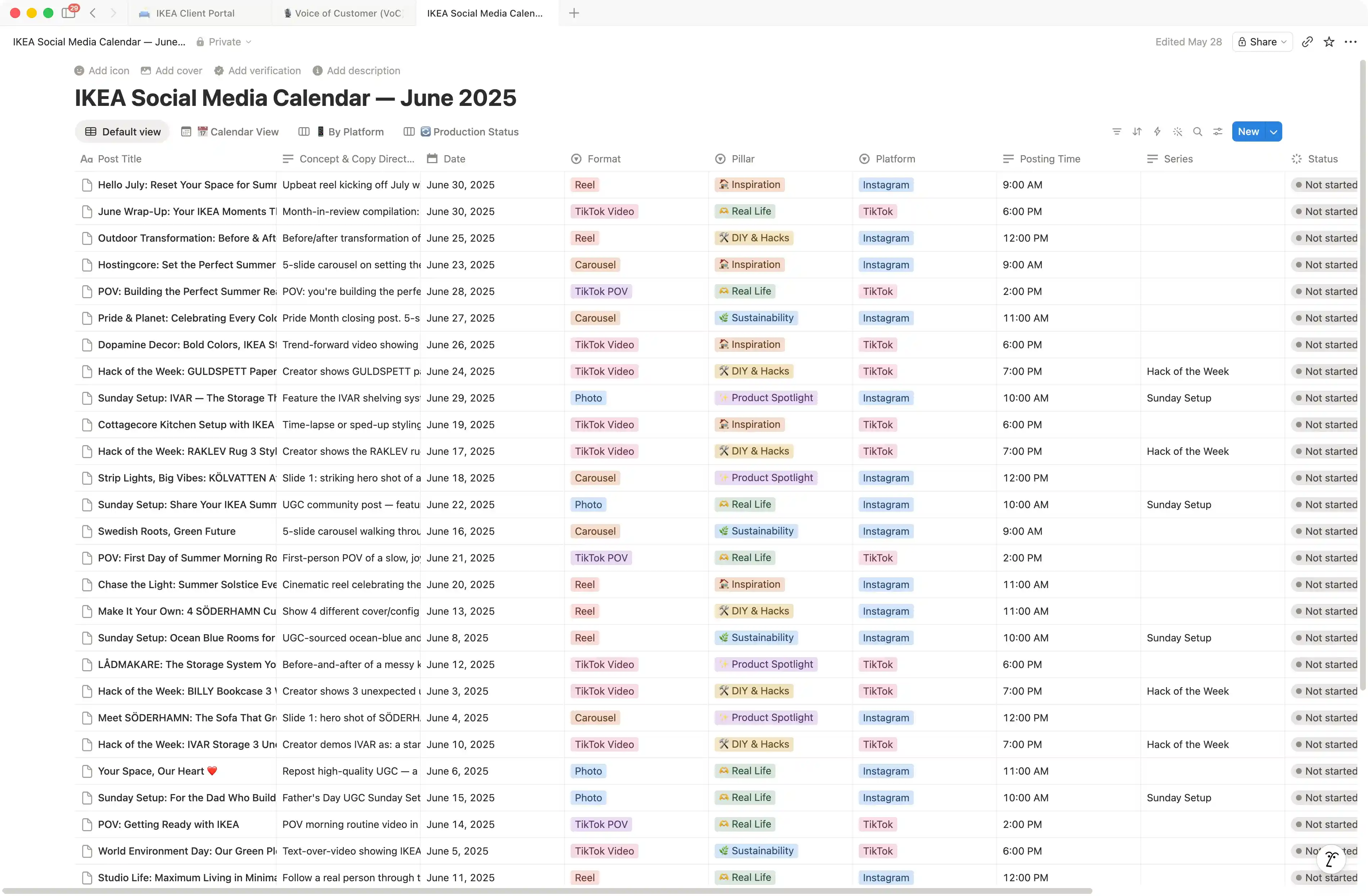
The Notion column structure the team uses. Defaults are date, platform, content pillar, post copy, status, assignee. Some teams add visual brief, target audience, campaign tag, or analytics link. With the schema in the project, every monthly run deploys to the same structure without re-specifying it.
Guide Juma with project info
Add a short description to each knowledge item in the project's info field so Juma knows what each file contains and when to use it. For example:
- Brand Voice Guide: "Tone and vocabulary rules. Apply to every post."
- Content Pillars: "3-5 themes the brand uses. Use as the pillar tags in the Notion calendar."
- Past Performance Data: "Top-performing posts from the last 90 days. Use to bias next month's calendar toward what works."
- Database Schema: "Notion column structure. Deploy every calendar to this schema."
Plan a month of content straight into your Notion workspace
Frequently Asked Questions
How is the Notion deployment different from a generic content calendar Flow?
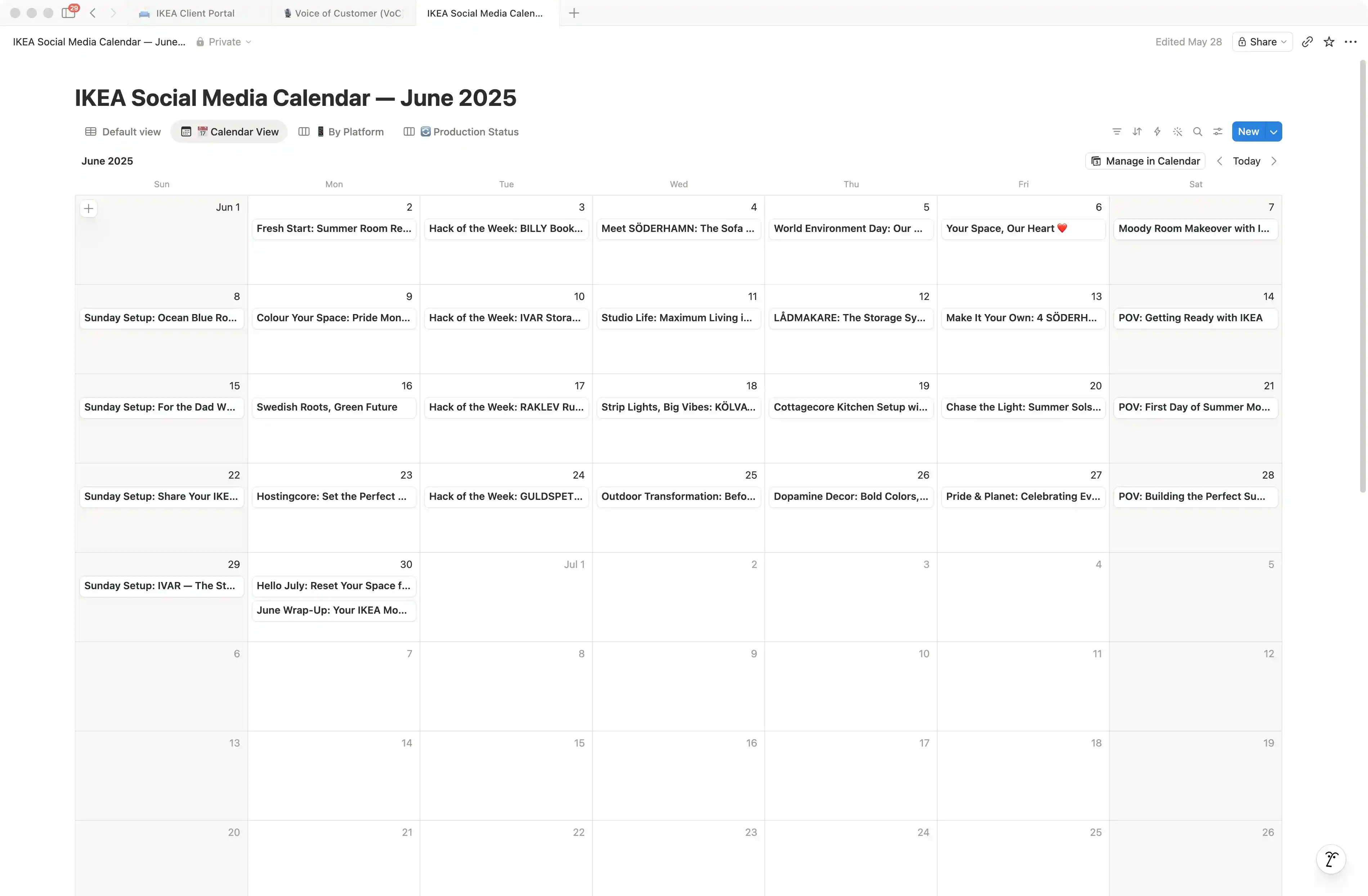
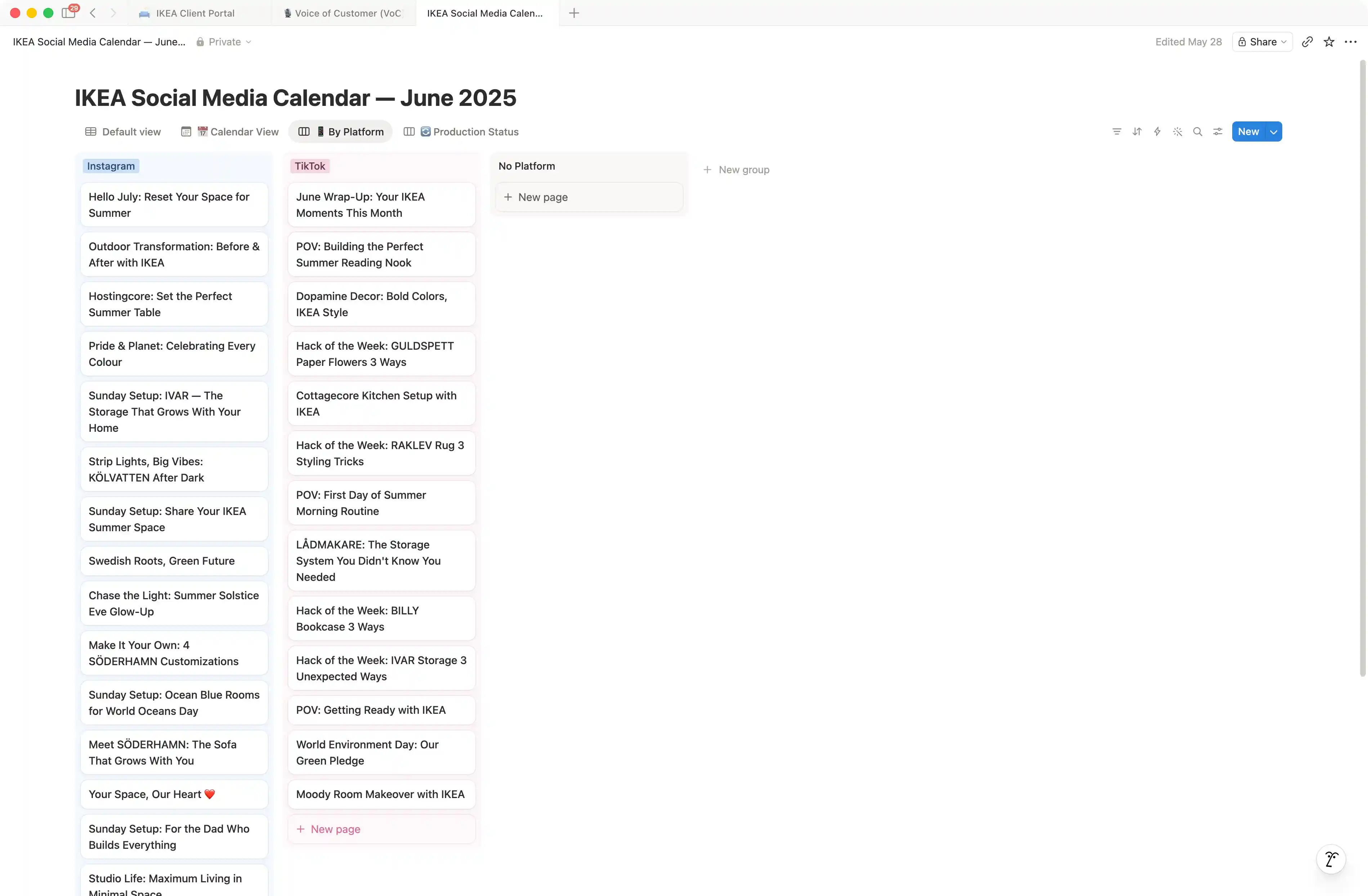
A generic content calendar Flow delivers the calendar as an in-chat table or document. The team has to copy the rows into Notion manually, set up the database schema, and re-key everything. The Notion-deployment Flow writes the calendar directly into a new Notion database in the team's connected workspace, with the columns the team specified, ready to edit on the same day.
The deployment step matters because the calendar then lives where the team collaborates. Edits, assignments, status changes, and review comments all happen in the Notion database the team already uses, instead of in a one-off document that diverges from the live workflow within a week.
Does this Flow require a Notion integration on our workspace?
Yes for the deployment step. Connect Notion to the Juma workspace first, then run the Flow. With Notion connected, Juma creates the database and populates the rows in one phase. Without Notion connected, the Flow still researches the brand and produces the calendar, but it returns the rows as an in-chat table the team has to paste into Notion manually.
The Notion integration uses an OAuth connection scoped to the Juma workspace. The integration only writes to pages and databases the connecting user has access to. Existing Notion content is not touched unless the team explicitly points Juma at an existing database to update (see the refresh secondary prompt above).
Can the team run the Flow against an existing Notion database, or only new ones?
Both. The Flow creates a new database by default. To update an existing database, point Juma at the database URL in the prompt and ask for new rows to be appended. The Flow reads the existing schema, validates that the new rows match the column structure, and adds the next batch of posts without touching the rows that are already there.
For monthly refresh runs, the recommended pattern is to keep one database per client and append a new batch of rows every month, rather than creating a new database each cycle. That preserves the team's edits, status changes, and analytics tracking from prior months in the same workspace view.
How long does the Flow take from prompt to populated Notion database?
Most runs land in three to seven minutes. The brand research phase takes the longest, especially for first-time runs on a new brand. Subsequent runs are faster because the team's project carries brand voice, pillars, and performance history, so Juma skips the discovery work and goes straight to scaffolding and filling.
The Notion deployment phase itself is fast: under 30 seconds for a 30-day calendar with 90 entries across 3 platforms. The Flow uses Notion's batch-write capability so the database lands fully populated in one transaction, instead of one row at a time.
Does this Flow work for B2B SaaS, ecommerce, and agency brands?
Yes. The schema customizes by category. B2B SaaS calendars often add columns for funnel stage, target persona, and campaign tag. Ecommerce calendars add product SKU, price point, and seasonal hook. Agency calendars add client name and approval status. The team specifies the columns in the prompt or in the project's Database Schema knowledge item, and every run respects the schema.
The Flow asks for the platforms and content mix early in the session so the calendar reflects how the brand actually shows up to its audience. The brand research, the pillar proposal, and the post copy are all category-specific. The Notion deployment is universal. Strategy and the call on which post to ship first stay with a senior content lead. Juma handles the research, the calendar, and the database.





.webp)